Calibration Templates
How to Use Calibration Templates
A Calibration Template in Calibration Control (our Calibration Management Software) is a collection of Measurement Groups (without final measurement data) and other information such as calibration company, technician, remarks. Therefore, a Template can have multiple groups. A Measurement Group is a collection of information and standard measurements required each time the template is used.
For much more information on each of the fields within a Cal Template or Measurement Group, see the Calibration Event help topic.
Default Calibration Templates
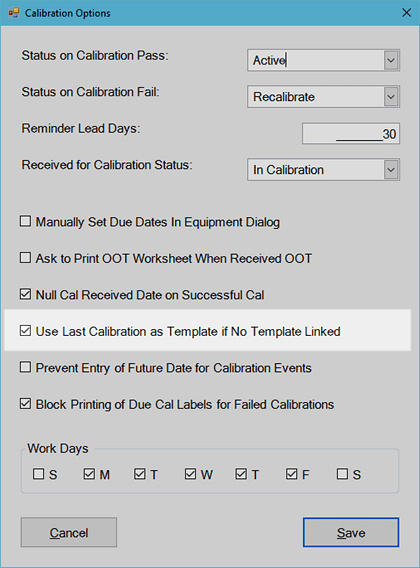
There is a setting in program Options: 'Use Last Calibration as Template if No Template Linked' and this box is checked by default.
Create User-Defined Calibration Templates
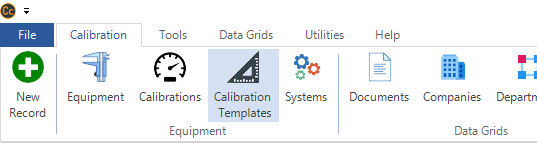
Calibration Templates can be created, edited, and managed by clicking on the Calibration Templates icon in the Calibration tab of the ribbon menu.
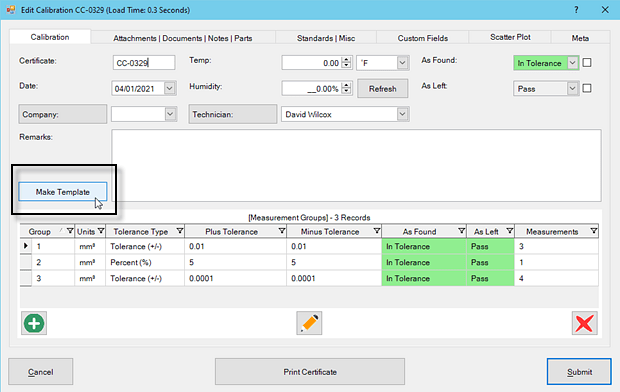
Alternatively, a template can be created from any existing Calibration Event, by selecting the 'Make Template' button under the Calibrations tab of the Calibration Event dialog. That way, you can easily create a copy of an existing template by opening the template you'd like to copy and simply click the [Make Template] button. Then, enter a unique template name and Submit. Refresh the Calibration Templates Grid (right-click and click Refresh Grid or press F5). This will show the full template copy as a new template record.
Calibration Template Structure and Hierarchy
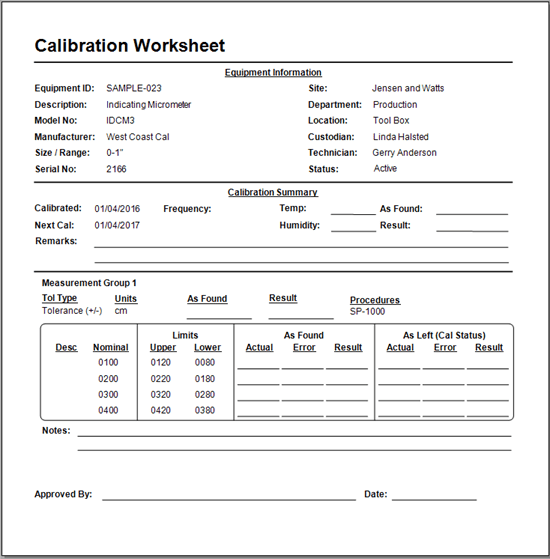
A Calibration Template needs to be linked to an Equipment record to be useful. When linked, new Calibration Events will automatically contain the structure of the linked Calibration Template so that only Measurement data (As Found / Left results) will need to be entered and Calibration Standard(s) will need to be linked for the record. Note: Calibration Worksheets also replicate the measurement structure of user-defined or default templates for consistent data collection.
Link Templates (Hierarchy)
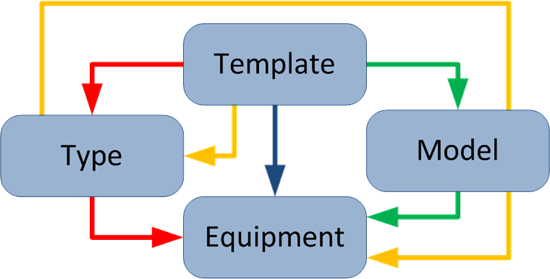
Multiple methods for links exist to provide the choice of how an organization chooses to manage its calibration data. Therefore, choose the method that works best for your team. Referring to the diagram below, a Calibration Template can be linked to an Equipment record in four ways. It is even possible to link four different Templates to an Equipment record although only one template will be used and in the following priority:
- Direct (blue line): Link a Template directly to an Equipment record by selecting the Template in the Calibrations tab of the Equipment record. A Template directly connected to an Equipment record in this way supersedes all other methods. Therefore, this direct link overrides all other indirect links.
- Equipment Type (red line): Link a Template to an Equipment Type record and then link the Type to an Equipment record in the Equipment tab of the Equipment's dialog. This link overrides the two that follow.
- Model Number (green line): Link a Template to a Model Number record and then link the Model Number record to the Equipment record in the Equipment tab of the Equipment's dialog.
- Equipment Type – Model Number (yellow line): Link a Template to an Equipment Type, which is linked to a Model Number, and then is finally linked to an Equipment record. This is the lowest priority.