Version History
Download the Current Version today! Calibration
Control is always improving so let us know what we can do for you! Update
for free if you purchased Calibration Control in the last 12 months. Otherwise,
you may be eligible for a nice discount if you have an earlier version so
please ask
! Understanding Ape's Version Control Methods.
Version 9.9 (24 Oct 2025)
While 9.9 does not require structural or reference records updates in the user database, it does update several core components (e.g., Infragistics Controls, ActiveReports, and several NuGet packages). This version also adds additional report-type functionality, SQL Server LocalDb compatibility, and several small features and fixes.
|
Item
|
Description
|
| 1 |
Added: Backup Functionality for SQL Server & MS Access (AI 3743 – Feature) |
| 2 |
Added: Port 1433 Status Displayed in About Dialog (AI 3756 – Feature) |
| 3 |
Added: Reminder that One Product Key is Used for One Database (AI 3752 – Security) |
| 4 |
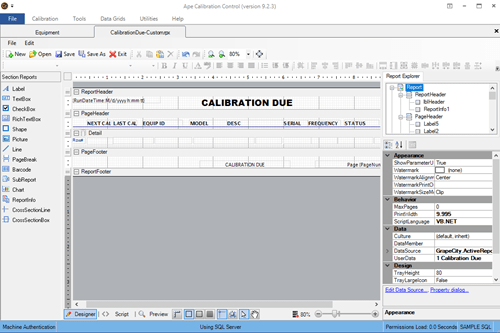
Added: Report Designer with More Types (hold [Ctrl] when starting) (AI 3742 – Feature) |
| 5 |
Added: SQL Server LocalDB as Default Local Single User DB (AI 3744 – Feature) |
| 6 |
Changed: Choose Folder Dialogs to Modern Design, Easier (AI 3746 – Usability) |
| 7 |
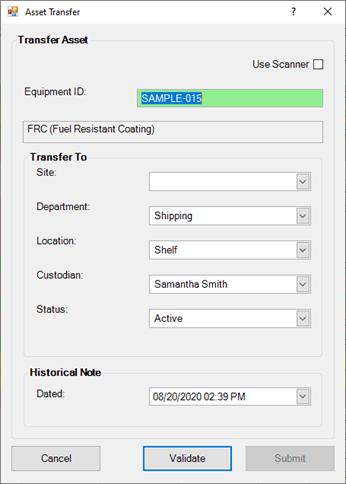
Fixed: Asset Transfer & Check Out Crash & Then Work (AI 3759 – Defect) |
| 8 |
Fixed: Attempt to Save a Previously Unsaved Report but Cancel Before Finishing = Crash (AI 3757 – Defect) |
| 9 |
Fixed: Can't Check Out Equipment with Null Calibration Due Dates (AI 3758 – Defect) |
| 10 |
Fixed: Change Log Grid Does Not Change with Global Font Value (AI 3754 – Defect) |
| 11 |
Fixed: Data Reader Error When Connecting to Hosted Sample DB (AI 3751 – Defect) |
| 12 |
Fixed: Last Due and Received Dates Blank in Calibration Record (AI 3753 – Defect) |
| 13 |
Fixed: Save Calibration Certificate to File with No Due Date = Error (AI 3748 – Defect) |
| 14 |
Fixed: Would You Like to See Printers Button Not Working (AI 3755 – Defect) |
| 15 |
Updated: ActiveReports from 18.1 to 19.1 (AI 3739 – Stability) |
Version 9.8.2 (7 Sep 2025)
Fixes two critical bugs.
|
Item
|
Description
|
| 1 |
Fixed: Can't Use Software When File Access Not Granted to Files Folder (AI 3737 – Defect) |
| 2 |
Fixed: CC Not Starting w/Some Users - Stale Web References (AI 3747 – Defect) |
Version 9.8.1 (25 Jul 2025)
Fixed a critical bug the caused a crash on startup for some databases with AI 3732.
|
Item
|
Description
|
| 1 |
Changed: Exception Reports to One-File-Per-Report (AI 3735 – Research) |
| 2 |
Fixed: Error Message on Start 'Database Insert Failed' (AI 3732 – Defect) |
Version 9.8 (21 Jul 2025)
New features, fixes, and other improvements.
|
Item
|
Description
|
| 1 |
Added: Ability to Create Multiple Equipment Records from Existing Record (SQL Server Only) (AI 3710 – Feature) |
| 2 |
Added: Ability to Display Hidden Code Groups with Additional Edit Protections (AI 3727 – Feature) |
| 3 |
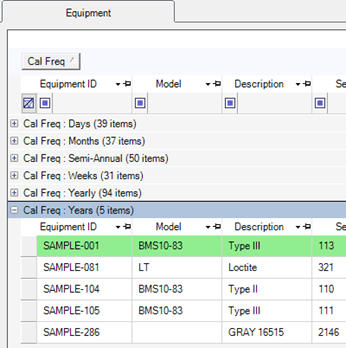
Added: Ability to Hide Unused Frequencies (AI 3729 – Feature) |
| 4 |
Added: Calibration Due Date Variable to Certificate PDF File Name Mask (AI 3714 – Feature) |
| 5 |
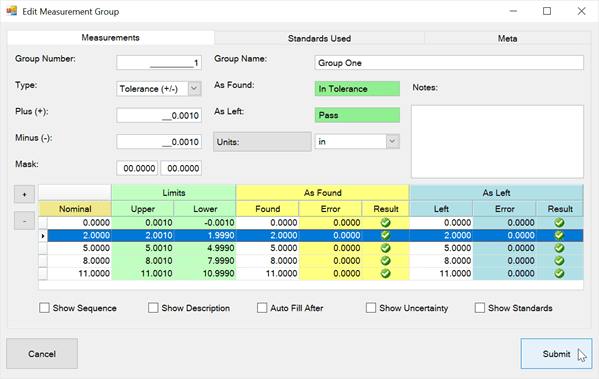
Added: Custom Fields to Measurement Group (AI 3717 – Feature) |
| 6 |
Added: Due Date Reminder Offset for Equipment Grid (AI 3731 – Feature) |
| 7 |
Added: Explanation about Non-Unique Equipment IDs (AI 3724 – Usability) |
| 8 |
Added: Generic Company Field to Equipment Record (AI 3723 – Feature) |
| 9 |
Added: Language Names in Codes for Custom Combos in Equipment & Measure Groups (AI 3712 – Usability) |
| 10 |
Added: Monthly Late Calibrations Report (AI 3702 – Feature) |
| 11 |
Added: Open Equipment Records w/Custom Barcodes (AI 3713 – Defect) |
| 12 |
Added: Panel Grids Linking Part Numbers with Document & Attachments (AI 3701 – Feature) |
| 13 |
Added: Print Multiple Selected Certificates to a Single File (AI 3703 – Feature) |
| 14 |
Added: Quick Add Buttons & Editing to Combo Box Fields in Part Number Dialog (AI 3699 – Usability) |
| 15 |
Added: Reply To Email Address to the Email Configuration Dialog (AI 3722 – Feature) |
| 16 |
Added: Second Location Field to Equipment Systems Dialog (AI 3705 – Feature) |
| 17 |
Added: Sent From Name Field to Email Configuration (AI 3721 – Feature) |
| 18 |
Added: Site Field to Work Order SQL (AI 3719 – Feature) |
| 19 |
Added: Status & Site Fields to Part Number Table (AI 3698 – Feature) |
| 20 |
Added: Text to Describe Use of Equipment Parameter Fields (AI 3733 – Usability) |
| 21 |
Added: Upper & Lower Numeric Fields to Select Code Dialogs (AI 3711 – Feature) |
| 22 |
Changed: Increased Uncertainty to 8 Decimal Places in Equipment Dialog (AI 3707 – Usability) |
| 23 |
Changed: Uncertainty Button to Label in Equipment Dialog (AI 3706 – Defect) |
| 24 |
Fixed: Calibration Grids Records Not Visible After Update from Version 8.x (AI 3726 – Defect) |
| 25 |
Fixed: Certificate PDF File Name Mask Preview Does Not Update in Options (AI 3715 – Defect) |
| 26 |
Fixed: Measurement Level Percent Tolerances Display Incorrectly (AI 3720 – Defect) |
| 27 |
Fixed: Optional Feature to Disallow Future Calibration Dates (AI 3718 – Defect) |
| 28 |
Fixed: Print Certificates with Blank Frequency Units = Crash (AI 3716 – Defect) |
| 29 |
Fixed: Updating Encryption from 128 to AES Fails with Invalid Encryption (AI 3709 – Defect) |
| 30 |
Fixed: Updating Records to 9.6.1 May Fail = Crash (AI 3708 – Defect) |
| 31 |
Fixed: Wrong Parameter Used in Department Auto Email (AI 3730 – Defect) |
| 32 |
Moved: Part Categories to Codes Table (AI 3700 – Usability) |
| 33 |
Updated: Codes Query / View to Show Unused Groups (AI 3704 – Usability) |
Version 9.7.2 (14 Aug 2024)
Contains new features relating to synchronized deployments. Upgraded the reporting and general components to current. Additional bug fixes for version 7.
|
Item
|
Description
|
| 1 |
Added: Ability to Save Local Files Paths to Database = Increased Stability (AI 3694 – Feature) |
| 2 |
Added: Colored Grid Outline to Indicate Last Successful Synchronization (AI 3695 – Feature) |
| 3 |
Added: Completion Dialog After Re Calculating Due Dates and Use Days (AI 3692 – Usability) |
| 4 |
Added: LastDueDate Field to Calibrations Grid in Equipment Dialog (AI 3696 – Feature) |
| 5 |
Changed: Default New Company Records as Active (AI 3686 – Usability) |
| 6 |
Fixed: Check Out Transactions Double Counted for Use Count Equipment (AI 3687 – Defect) |
| 7 |
Fixed: Column Edits for Grids No Longer Appear (AI 3685 – Defect) |
| 8 |
Fixed: Create New Calibration Record With No Previous Calibration = Crash (AI 3688 – Defect) |
| 9 |
Fixed: Extend Trial on SQL Server = Error Message on Start (AI 3689 – Defect) |
| 10 |
Fixed: Last Due & Received Fields Not Correct Unless Template or Previous Cal Used (AI 3684 – Defect) |
| 11 |
Fixed: Report Overrides Ignored (AI 3680 – Defect) |
| 12 |
Moved: Masked Auto Number Suffixes from Local to Global Settings (AI 3693 – Usability) |
| 13 |
Upgraded: ActiveReports Components to 12 to 18 (AI 3697 – Stability) |
| 14 |
Upgraded: Infragistics Components from Version 18 to 24 (AI 3682 – Stability) |
Version 9.7.1 (6 Jul 2024)
Bug Fixes, one new feature, and some custom modifications for an organization.
|
Item
|
Description
|
| 1 |
Added: Negative Numbers in Sequence of Measurements (AI 3679 – Feature) |
| 2 |
Fixed: Both Location Columns in Equipment Grid Same Name of Location2 (AI 3677 – Aesthetic) |
| 3 |
Fixed: Bumping Other Users is Crashing in Some Instances (AI 3676 – Defect) |
| 4 |
Fixed: Choosing Startup Config Crashes - Advanced Feature (AI 3674 – Defect) |
| 5 |
Fixed: 'mnuPrint' in Equipment Context Menu Instead of 'Print' (AI 3678 – Aesthetic) |
| 6 |
Fixed: Null Value in Researched of Calibration Control = Crash (AI 3675 – Defect) |
Version 9.7 (15 Jun 2024)
The major release for 9.7 is the implementation of a second Nominal in the Measurement grid which allows a disconnect from the Standard Nominal. This version also implements customer custom code and prioritized features.
|
Item
|
Description
|
| 1 |
Added: Connect Anonymously to Global Email Credentials (AI 3649 – Feature) |
| 2 |
Added: Custom Grid to Calibration Tab (AI 3663 – Feature) |
| 3 |
Added: Default Value of True to Is Active Field in Companies Table (SQL Only) (AI 3666 – Usability) |
| 4 |
Added: Is Hidden Field to Code Grid (AI 3667 – Usability) |
| 5 |
Added: Local Machine Suffix Feature for Auto Increment Numbers (AI 3647 – Feature) |
| 6 |
Added: Missing Department Manager Default Email Template (AI 3646 – Defect) |
| 7 |
Added: OOT Investigated Field to Calibration Grid (AI 3656 – Usability) |
| 8 |
Added: Second Location Field to Equipment (AI 3655 – Feature) |
| 9 |
Added: Second Nominal in Measurement Group (AI 3670 – Feature) |
| 10 |
Added: Supervisor Field to Person Record (AI 3650 – Feature) |
| 11 |
Added: Time to Session End field of Sessions Table (SQL) (AI 3669 – Usability) |
| 12 |
Changed: [Ctrl] + [Caps] Now Required to Re-Create General.Config (AI 3664 – Usability) |
| 13 |
Changed: Custom Grid Renamed to Grid SQLs and Moved to Utilities (AI 3662 – Usability) |
| 14 |
Changed: Inactive Company Records Appear in Drop Down Lists (AI 3665 – Usability) |
| 15 |
Fixed: DB Connection Timeout Setting Doesn’t Save (AI 3653 – Defect) |
| 16 |
Fixed: DropDown Values in Tolerance Field of Measurement Grid are Editable (AI 3651 – Defect) |
| 17 |
Fixed: Incorrect Meta Data in Grid SQL Dialog (AI 3671 – Defect) |
| 18 |
Fixed: Measure Group Masks Not Disabled on Startup when Using Measurement Level Masks (AI 3660 – Defect) |
| 19 |
Fixed: No Sign Out When Switching Between Different Configs (AI 3654 – Defect) |
| 20 |
Fixed: SQL Server Sign-In Windows Radio Button Does Not Disable Credentials Field (AI 3648 – Defect) |
| 21 |
Fixed: Standard Count Not Displayed in Measurement Template (AI 3672 – Defect) |
| 22 |
Increased: Size of URL Attachment Field to Infinite (AI 3652 – Usability) |
| 23 |
Separated: Required Fields for Calibrations & Templates (AI 3657 – Defect) |
Version 9.6.2 (24 Jan 2024)
Large collection of non-structural modifications including fixes and minor improvements.
|
Item
|
Description
|
| 1 |
Added: Ability to Edit Grid Sequence of Alternate Equipment Grids (AI 3634 – Defect) |
| 2 |
Added: Ability to Print System Labels from the Systems Grid (AI 3641 – Feature) |
| 3 |
Added: Auto Update User Data in Memory After Editing (AI 3625 – Usability) |
| 4 |
Added: Company & Certificate Fields to Alternate People Grids (AI 3621 – Usability) |
| 5 |
Added: DB Path Statement to 'Could Not Connect Access DB' Message (AI 3639 – Defect) |
| 6 |
Added: Display Equipment ID Within Calibration Record (AI 3611 – Feature) |
| 7 |
Added: Linking Part Numbers with Systems (AI 3629 – Feature) |
| 8 |
Added: Save Existing or Choose New DB Path When Access DB Missing (AI 3617 – Usability) |
| 9 |
Added: Site Calibrations Summary Report with Date Range (AI 3644 – Feature) |
| 10 |
Changed: [Ctrl] + [Alt] Now Required to Re-Create General.Config (AI 3616 – Usability) |
| 11 |
Changed: Calibration Search Grid Includes Date End Points (AI 3608 – Usability) |
| 12 |
Changed: Change Log Change Icon from -> to → (AI 3612 – Aesthetic) |
| 13 |
Changed: MS Access Backup File Name to Embed Live File Name (AI 3633 – Usability) |
| 14 |
Changed: Name of Print System Label Button in Systems Dialog (AI 3640 – Usability) |
| 15 |
Changed: SQL Server Sign-In Error Message More Exact / Dynamic (AI 3630 – Usability) |
| 16 |
Fixed: "Hidden" Menu Items Display as Disabled (AI 3606 – Aesthetic) |
| 17 |
Fixed: As Found/Left Editable When They Should Not Be - Two Scenarios (AI 3635 – Defect) |
| 18 |
Fixed: Auto Emails Do Not Send Automatically for All Servers (AI 3607 – Defect) |
| 19 |
Fixed: Begin Measure Group Mask with '.' = Crash (AI 3622 – Defect) |
| 20 |
Fixed: Calibration Options Dialog Distorted When Increasing Font Size (AI 3619 – Aesthetic) |
| 21 |
Fixed: Calibrations with Site Cert Alternate Grid = Crash (Access Only) (AI 3615 – Defect) |
| 22 |
Fixed: Can’t Open Record in Custom Equipment Grids (AI 3626 – Defect) |
| 23 |
Fixed: Can't Delete Equipment Standard Link in Template = Crash (AI 3638 – Defect) |
| 24 |
Fixed: Crash After Upgrading to 9.6.x (Four Users Affected) (AI 3623 – Defect) |
| 25 |
Fixed: Dashboard Bar|Column Spacing > 20 = Crash (AI 3610 – Defect) |
| 26 |
Fixed: Default OOT Investigation Report Only Shows Single Measurement Group (AI 3645 – Defect) |
| 27 |
Fixed: Delete Measurement Group Mask = Crash (AI 3614 – Defect) |
| 28 |
Fixed: Delete Only Bad Measurement & Group Doesn’t Auto Update (AI 3618 – Defect) |
| 29 |
Fixed: Measurement Lower Limit Not Correct When Using Measurement-Level Masks (AI 3631 – Defect) |
| 30 |
Fixed: Multiple Users in Terminal Servers Bump Each Other (AI 3643 – Defect) |
| 31 |
Fixed: New Calibration Record with No Calibration Date = Crash (AI 3627 – Defect) |
| 32 |
Fixed: Out of Tolerance Reports Not Grouping Measurements (AI 3620 – Defect) |
| 33 |
Fixed: The Bumped Message Does Not Say Who Bumped (AI 3642 – Defect) |
| 34 |
Fixed: Upgrading to 9.6.1 Fails with Blocked Encryption (AI 3632 – Defect) |
| 35 |
Removed: Prefix Underscore for Measure Group Numbers In Change Log (AI 3613 – Aesthetic) |
Version 9.6.1 (23 Mar 2023)
This release is primarily intended to address Ape Issue 3597 so users with versions older than 9.2.2 could upgrade. The next most important issue is the implementation of AES encryption for FIPS compliance. The remainder of the issues could be described as quality-of-life improvements. This version replaces version 9.6, which is no longer available for download.
|
Item
|
Description
|
| 1 |
Changed: Encryption to AES for FIPS Compliance (AI 2846 – Security) |
| 2 |
Changed: Hide Custom Grid in Ribbon Menu by Default (AI 3600 – Usability) |
| 3 |
Changed: Hide Projects | Work Orders Tab in Equipment by Default (AI 3602 – Usability) |
| 4 |
Fixed: Can't Extend Trial Period in Network Environments (AI 2072 – Security) |
| 5 |
Fixed: Updated Large or Slow SQL DBs to 9.6 Records = Error Message (AI 3599 – Defect) |
| 6 |
Fixed: Updating Earlier Than 9.2.2 = Crash (AI 3597 – Defect) |
| 7 |
Removed: 'Enable Cycles Mode' Option Visible When Not Released (AI 3603 – Defect) |
| 8 |
Removed: Extra Space on Bottom of Ribbon Menu (AI 3605 – Aesthetic) |
Version 9.6 (10 Mar 2023)
This is a structural update that introduces several significant requested features relating to grid customization, measurement group flexibility, gage-specific fields, data entry validation, general usability, and many other features. Also included are bug fixes and database structural updates that remove unused objects.
|
Item
|
Description
|
| 1 |
Added: 3 User Defined Combos & 1 Character Field to First Tab of Equipment Record (AI 3558 – Feature) |
| 2 |
Added: Ability to Move Tolerances, Masks, & Units to Measurement Level (AI 3553 – Feature) |
| 3 |
Added: Auto Select Terminal If Terminal User (AI 3563 – Feature) |
| 4 |
Added: Block SQL & HTML Editing by Default in Machine Authentication (AI 3567 – Security) |
| 5 |
Added: Custom Alternate Grids in Custom Grid (AI 1227 – Feature) |
| 6 |
Added: Default Unacceptable Values for Required Fields (AI 3561 – Feature) |
| 7 |
Added: Enter Terminal Mode by Holding [Shift] During Start (AI 3572 – Feature) |
| 8 |
Added: File Size Capture to Attachment Verification (AI 3560 – Feature) |
| 9 |
Added: Gage-Specific Tab & Fields to Equipment Dialog (AI 3580 – Feature) |
| 10 |
Added: Report for Calibration Costs by Company (AI 3583 – Feature) |
| 11 |
Added: Report for Calibration Standards Utilization (AI 3582 – Feature) |
| 12 |
Added: Require Minimum Record Counts in Panel Grids (AI 3568 – Feature) |
| 13 |
Added: Reset SQL Script of Dashboard Charts (AI 3569 – Feature) |
| 14 |
Added: Sample Report for Adding Barcodes to Reports (AI 3552 – Feature) |
| 15 |
Added: Shortcut Key to Toggle Filter Row in Grids (AI 3574 – Feature) |
| 16 |
Added: Shortcut Key to Toggle Parameter Fields in Equipment Grid (AI 3575 – Usability) |
| 17 |
Added: Sign Out from Terminal (AI 3573 – Feature) |
| 18 |
Added: Time to Change Time Column of Change Log Grid (AI 3592 – Usability) |
| 19 |
Changed: Auto Notification Registration Info Updated (AI 3555 – Usability) |
| 20 |
Changed: Display All Code Groups Even When No Group Codes Present (AI 3584 – Usability) |
| 21 |
Changed: Required Fields Color Change Is Now Immediate (AI 3579 – Usability) |
| 22 |
Changed: Sub Locations to Location Types in Codes & Locations (AI 3565 – Usability) |
| 23 |
Fixed: Add Equipment Record from Terminal Dialog = Crash (AI 3550 – Defect) |
| 24 |
Fixed: Adding File Attachment with FilePath Missing a "\" Doesn't Work (AI 3557 – Defect) |
| 25 |
Fixed: Approving Calibrations in Grid Doesn't Record User GUID (AI 3596 – Defect) |
| 26 |
Fixed: Auto Notifications Not Working (caused by Windows Update) (AI 3554 – Defect) |
| 27 |
Fixed: Blank Calibration Templates -> Orphaned Calibration Records (AI 3587 – Defect) |
| 28 |
Fixed: Calibrations Grid Status Field = Frequency (AI 3566 – Defect) |
| 29 |
Fixed: Changing Procedural Step Sequence = Crash (AI 3556 – Defect) |
| 30 |
Fixed: Hidden Groups Displayed in Codes Dialog (AI 3594 – Defect) |
| 31 |
Fixed: License Exceeded Message Consistency (AI 3576 – Security) |
| 32 |
Fixed: Missing Calibration Standard Message When Standards Are Present (AI 3577 – Defect) |
| 33 |
Fixed: Missing Standards at Measurement Level = Crash (AI 3578 – Defect) |
| 34 |
Fixed: Not Enough Info When PDF File Save Doesn't Work (AI 3585 – Usability) |
| 35 |
Fixed: Opening or Creating New Systems In Terminal Mode = Crash (AI 3551 – Defect) |
| 36 |
Fixed: Printing Reports in Terminal Mode = Crash (AI 3548 – Defect) |
| 37 |
Fixed: Procedural Group Sub Report Visible in Report Menu (AI 3564 – Defect) |
| 38 |
Fixed: Required Fields Not in First Tab of New Record Not Accessible (AI 3562 – Defect) |
| 39 |
Fixed: Visibility Options for Calibration & Maintenance Tabs (AI 3588 – Defect) |
| 40 |
Improved: Load Speed of All Dialogs with Large SQL DBs (AI 3559 – Usability) |
Version 9.5.2 (18 Oct 2022)
Bug Fix. Release 9.5 was removed in favor of this release.
|
Item
|
Description
|
| 1 |
Fixed: Open Equipment / Calibration Records from Terminal = Crash (AI 3546 – Defect) |
Version 9.5.1 (3 Oct 2022)
This was an EXE release for an individual user. Both changes below are included in the next release (9.5.2).
|
Item
|
Description
|
| 1 |
Fixed: Calibrations Grid As Left = As Found (Display Only) (AI 3545 – Defect) |
| 2 |
Fixed: Not All Methods of Saving Cert to File Use Same Template (AI 3544 – Defect) |
Version 9.5 (29 Sep 2022)
This is a structural update meaning that database objects were changed (e.g., tables, views, queries, indexes, etc.). The structural update is automatic if using an MS Access DB. Otherwise, if using a SQL Server, the DB structure must be updated using an SQL file included in the install files of the new version. The general purpose of this update was to address several minor bugs and to add a few minor new features.
-
Video Playlist For This Release
Version 9.4.1 (4 Aug 2022)
Version 9.4 (19 May 2022)
New Features & Bug Fixes
|
Item
|
Description
|
| 1 |
Added: Default Work Order Report & Work Order Worksheet (AI 3479 – Feature) |
| 2 |
Added: Measurement Span Tolerance (AI 3472 – Feature) |
| 3 |
Added: Option to Use [Tab] in Multi-Line Text Fields (AI 3459 – Feature) |
| 4 |
Added: Project New From Selected (Copy Project Records) (AI 3461 – Feature) |
| 5 |
Added: Work Order GUID to WO SQL to Create Sub Reports (AI 3469 – Feature) |
| 6 |
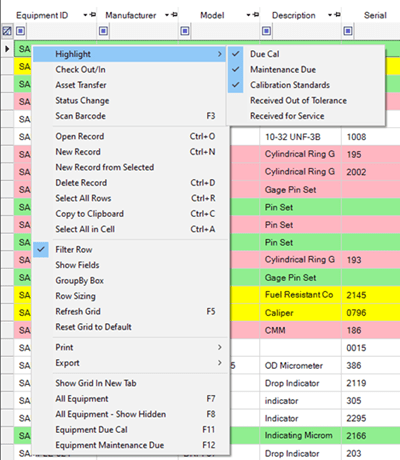
Changed: Equipment Grid Context Menu - Too Long (AI 3464 – Usability) |
| 7 |
Fixed: Can't Open Website or Desktop Auto Notification Record (AI 3477 – Defect) |
| 8 |
Fixed: Measure Group Custom Combos Not in Calibration Templates (AI 3475 – Defect) |
| 9 |
Fixed: Panel Grids Not Replicating for New Records from Selected (AI 3460 – Defect) |
| 10 |
Improved: Auto Email SQL Statements - Simplified (AI 3478 – Usability) |
| 11 |
Improved: Change Log Speed & Layout (AI 3467 – Usability) |
| 12 |
Improved: Dialog Load Speed - Simplified SQL Statements (AI 3474 – Usability) |
| 13 |
Improved: Email Activity Log Speed & Layout (AI 3468 – Usability) |
| 14 |
Improved: Load Speed of Equipment Grid for Large Record Sets (AI 3463 – Usability) |
Version 9.3 (24 Apr 2022)
Minor Features & Bug Fixes
|
Item
|
Description
|
| 1 |
Added: Ability to Use Personal Email Credentials in Auto Emails (AI 3447 – Feature) |
| 2 |
Added: Email Tab in User Record (AI 3446 – Feature) |
| 3 |
Added: Recipient Double-Click Instructions in Auto Notification Dialog (AI 3455 – Usability) |
| 4 |
Added: Two Custom Combo Boxes to Measurement Groups (AI 3430 – Feature) |
| 5 |
Fixed: Emails w/Spaces = Crash (AI 3456 – Defect) |
Version 9.2.8 (6 Apr 2022)
Bug Fixes
|
Item
|
Description
|
| 1 |
Fixed: [New] Auto Notification Emails Don't Send Automatically (9.2.6) (AI 3448 – Defect) |
| 2 |
Fixed: After Updating to 9.2.7 CC Says the DB Version Is Too High (AI 3452 – Defect) |
| 3 |
Fixed: Attachment Audits On Unmapped Network Drives = No Results (AI 3449 – Defect) |
| 4 |
Fixed: Can't Open Attachments in Unmapped Network Drives (AI 3450 – Defect) |
| 5 |
Fixed: Drag & Drop for Attachments Grid Doesn't Work (AI 3451 – Defect) |
| 6 |
Fixed: Full Grid Excel Exports When Sorted or Grouped Don't Work (AI 3445 – Defect) |
| 7 |
Removed: Duplicate Alternates Grid (AI 3453 – Stability) |
Version 9.2.7 (31 Mar 2022)
Bug Fixes & Minor Features
|
Item
|
Description
|
| 1 |
Added: CC Logo to Terminal Dialog (AI 3443 – Aesthetic) |
| 2 |
Added: Help Topic Links in All Options Dialogs (AI 3444 – Usability) |
| 3 |
Added: 'Show Fields' Capability for Link Grids (AI 3277 – Feature) |
| 4 |
Added: Update SizeRange in Equipment from Type Dialog (AI 3433 – Feature) |
| 5 |
Changed: Number Fields in Part Number Dialog Is Now Nullable (AI 3440 – Usability) |
| 6 |
Fixed: Adds & Removals of Standards Don't Appear in Change Log (AI 3441 – Defect) |
| 7 |
Fixed: Auto Emails Crashing in 9.2.6 (AI 3438 – Defect) |
| 8 |
Fixed: Maintenance Worksheet Displays Calibration Frequency (AI 3442 – Defect) |
Version 9.2.6 (28 Mar 2022)
Bug Fixes
|
Item
|
Description
|
| 1 |
Changed: Auto Notification Starting Time - Fewer Fields (AI 3435 – Usability) |
| 2 |
Fixed: Calibration Grid Crash Related to Screen Resolution (AI 3431 – Defect) |
| 3 |
Fixed: Can't Open Equipment Record from Calibrations Grid (AI 3432 – Defect) |
| 4 |
Fixed: Only Top 1,000 Records Displayed in Calibrations Grid (AI 3436 – Usability) |
| 5 |
Fixed: Open Auto Notification = Crash w/European Date Format (AI 3434 – Defect) |
| 6 |
Updated: SQL Server Compability Level to 110 for Default DBs (AI 3437 – Stability) |
Version 9.2.5 (18 Mar 2022)
Bug Fixes & Feature Adds
|
Item
|
Description
|
| 1 |
Added: Additional Inventory Management Related Fields to the Part Number Dialog (AI 3406 – Feature) |
| 2 |
Added: Ask for Replacement When Deleting Document (AI 3423 – Feature) |
| 3 |
Added: Change Status of All Equipment of a Given Owner (AI 3422 – Feature) |
| 4 |
Added: Hide Password in SQL Server Sign-In Dialog (AI 3414 – Security) |
| 5 |
Added: Open Folder Button to Attachment Dialog (AI 3417 – Feature) |
| 6 |
Added: Open Folder Buttons to Document Dialog (AI 3416 – Feature) |
| 7 |
Added: Part Number Panel Grid to Models Dialog (AI 3404 – Feature) |
| 8 |
Added: Part Number Panel Grid to Part Number Dialog (PN Assemblies) (AI 3405 – Feature) |
| 9 |
Added: Print Maintenance Worksheet from Worksheet Tab (AI 3420 – Feature) |
| 10 |
Added: Reload Data Tables Option When Opening Equipment Record (AI 3421 – Feature) |
| 11 |
Added: Setting to Include PDF Attachments When Saving Certificates to PDF (AI 3429 – Feature) |
| 12 |
Added: Standards Used Grid to Uncertainty Study (AI 3415 – Feature) |
| 13 |
Changed: Default Access Database Format to 2002-2003 (AI 3424 – Usability) |
| 14 |
Changed: Labels & Label Instructions in Auto Notification Dialog for Clarity (AI 3413 – Usability) |
| 15 |
Changed: Person Setting No Longer Required for Admin Users (AI 3407 – Usability) |
| 16 |
Fixed: 4 Access Dashboard Graphs Displaying MonthName Error (AI 3409 – Defect) |
| 17 |
Fixed: Application Not Restarting After Changing Language in Options (AI 3408 – Defect) |
| 18 |
Fixed: Auto Email for Department Managers Broken (AI 3412 – Defect) |
| 19 |
Fixed: Computer Credentials Containing Apostrophes = Crash on Start (AI 3419 – Defect) |
| 20 |
Fixed: Dashboard Graph Past Calibrations by Month Refers to Equipment (AI 3411 – Defect) |
| 21 |
Fixed: Equipment Grid Past Due Counts Disappear When Using Filter Row (AI 3425 – Defect) |
| 22 |
Fixed: Failed Windows Authentication Does Not Revert to CC Credentials (AI 3428 – Defect) |
| 23 |
Fixed: Grid & Dialog Load Time Reporting Does Not Change (AI 3426 – Defect) |
| 24 |
Fixed: PastCal_Custodians Auto Notification Errors When Opening (AI 3402 – Defect) |
| 25 |
Fixed: Semicolons Added to BCC Email in Auto Notify Result in No Emails Sent (AI 3403 – Usability) |
| 26 |
Improved: Speed of Calibration History Grid (AI 3427 – Usability) |
| 27 |
Removed: Inactivity Feature (AI 3410 – Defect) |
Version 9.2.4 (12 Oct 2021)
Bug Fixes
|
Item
|
Description
|
| 1 |
Added: Ability to Reference Most Recent Certificate for Standards Used (AI 2769 – Usability) |
| 2 |
Added: Alternate Grid for Hide Equipment from Inactive Sites (AI 3399 – Feature) |
| 3 |
Added: Equipment ID to Certificate Mask (AI 3401 – Feature) |
| 4 |
Added: Is Active Field to Company Dialog and Grid (AI 3397 – Feature) |
| 5 |
Added: Missing Default Company Status Codes (AI 3400 – Defect) |
| 6 |
Added: Second Calibration Due Field to Equipment Grid for Range Filtering (AI 3398 – Feature) |
| 7 |
Changed: Combo Boxes to Use Contain Filter & Suggest Dropdown (AI 3392 – Feature) |
| 8 |
Fixed: As Left Not Highlighted in Calibration Record On Initial Open (AI 3394 – Defect) |
| 9 |
Fixed: Attempt to Open or Delete Grouped Grid Data = Crash (AI 3384 – Defect) |
| 10 |
Fixed: Attempt to Update DB Partially Updated = Crash (AI 3369 – Defect) |
| 11 |
Fixed: Auto Notifications Only Create Daily Tasks in Task Scheduler (AI 3380 – Defect) |
| 12 |
Fixed: Calibration Certificate File Mask Preview Does Not Display in Options (AI 3390 – Defect) |
| 13 |
Fixed: Calibration Due Field Missing from Asset Tags (AI 3366 – Defect) |
| 14 |
Fixed: Certificate Numbers from Standards in Calibration Templates Don't Auto Transfer (AI 3372 – Defect) |
| 15 |
Fixed: Changes to Active Auto Emails Not Reflected in Task Scheduler (AI 3381 – Defect) |
| 16 |
Fixed: Crash When Editing Component of Uncertainty Nominal Value (AI 3382 – Defect) |
| 17 |
Fixed: Error in SQL Structure Update 24 for Non Enterprise Servers (AI 3396 – Defect) |
| 18 |
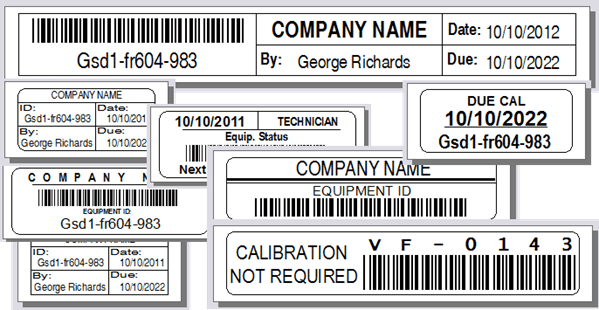
Fixed: Future Due Cal Labels Missing Due Cal Date (AI 3367 – Defect) |
| 19 |
Fixed: Missing Password Message for New User Record Incorrect (AI 3385 – Aesthetic) |
| 20 |
Fixed: Null Auto Notify Template Variables = Crash When Sending (AI 3368 – Defect) |
| 21 |
Fixed: Position of Sample Database Graphic Not Always Properly Aligned (AI 3370 – Aesthetic) |
| 22 |
Fixed: Print Certificate(s) from Equipment Grid Doesn't Always Print Most Recent (AI 3373 – Defect) |
| 23 |
Fixed: Printing Certificates Directly to PDF Files Crashes (AI 3389 – Defect) |
| 24 |
Fixed: Refreshing Sample DB Dates Fails with Null Fields (AI 3371 – Defect) |
| 25 |
Fixed: Report Designer Tabs Cut Off When Dialog Size Increased (AI 3387 – Aesthetic) |
| 26 |
Fixed: Significant Digits Not Updated in Uncertainty Component Dialog (AI 3383 – Defect) |
| 27 |
Fixed: SQL Grids in Auto Notifications Dialog Incorrectly Appear Editable (AI 3386 – Defect) |
| 28 |
Removed: Size & Range Sample Records from Blank Database (AI 3388 – Usability) |
| 29 |
Upgraded: Update Model Number Linked Equipment Records Dialog (AI 3395 – Feature) |
Version 9.2.3 (2 Jul 2020)
Bug Fix
|
Item
|
Description
|
| 1 |
Fixed: Start With Windows Authentication Fails (AI 3365 – Defect) |
Version 9.2.2 (1 Jul 2020)
Bug Fixes and Minor Improvements
|
Item
|
Description
|
| 1 |
Added: Additional Fields to Documents Grid (AI 3358 – Usability) |
| 2 |
Added: Equipment Barcode Scanning in Terminal Mode (AI 3363 – Feature) |
| 3 |
Added: Maintenance Labels as Global Setting (AI 3354 – Feature) |
| 4 |
Added: TemperatureAndUnits Label Field & Changed Temperature to Numeric Value (AI 3355 – Usability) |
| 5 |
Changed: Choose DB Format Dialog In Lowest Z Order When Switching DBs (AI 3348 – Usability) |
| 6 |
Changed: Display Help Icon Instead of Min/Max Buttons in Equipment & Calibration Dialogs (AI 3351 – Usability) |
| 7 |
Changed: Save Record Message Reworded (AI 3346 – Usability) |
| 8 |
Changed: Starting Certificate Mask Increment Too Low in Sample DB (AI 3350 – Usability) |
| 9 |
Changed: Upgraded DBs Already Using SMTP Should Default to Legacy Mail (AI 3353 – Usability) |
| 10 |
Changed: Use Last Cal as Template Option Defaulted to True (AI 3344 – Usability) |
| 11 |
Changed: Wording of Prevent Check Out Feature in Options Dialog (AI 3343 – Usability) |
| 12 |
Fixed: Exporting Groups of Certificates to PDFs from Equipment Grid = Crash (AI 3359 – Defect) |
| 13 |
Fixed: Group Field Not Highlighted as Required in New Codes Dialog (AI 3361 – Defect) |
| 14 |
Fixed: Hiding Advanced Tools Group in Ribbon Menu = Crash (AI 3345 – Defect) |
| 15 |
Fixed: Manual Due Dates Reset to Auto Calculated When Re-Opening Equipment Record (AI 3364 – Defect) |
| 16 |
Fixed: Software Open in Lowest Z-Order (Hidden by Other Windows) - Intermittent (AI 3349 – Usability) |
| 17 |
Fixed: SQL Statement for Site Due Cal Equipment Requires Locations (AI 3352 – Defect) |
| 18 |
Fixed: SQL Structure Update to 9.0 Looses Attach Links with Bad Data (AI 3357 – Defect) |
| 19 |
Fixed: Update to 9.2 or Higher from 9.0.2 or Lower = Missing tblUsersInRoles Error (AI 3356 – Defect) |
Version 9.2.1 (12 Jun 2020)
Major Bug Fix & New Minor Features
|
Item
|
Description
|
| 1 |
Added: Ability to Send Selected Test/Live Messages from Auto Notify Dialog (AI 3336 – Feature) |
| 2 |
Added: Highlight Future & Null Due Dates in Equipment - Email Research Grid (AI 3331 – Feature) |
| 3 |
Changed: Can Add New Equipment Records in Equipment Panel Grid Using Double-Click (AI 3339 – Security) |
| 4 |
Changed: System Barcode Labels to Use New Barcode ID Field (AI 3335 – Usability) |
| 5 |
Fixed: Can't Create new User Records (AI 3332 – Defect) |
| 6 |
Fixed: Syntax Error in Table SQL of Department Manager Auto Email (AI 3337 – Defect) |
| 7 |
Fixed: System Asset Label SQL Statement Due Cal (AI 3338 – Defect) |
| 8 |
Fixed: System Barcode ID's Not Auto Assigned During Last Update (AI 3333 – Defect) |
| 9 |
Fixed: System Labels Print Only One Record (AI 3334 – Defect) |
| 10 |
Fixed: Too Many Records Displayed in Equipment-Email Relationships (AI 3330 – Defect) |
| 11 |
Fixed: Use Count, Use Days, Use Hours Not Highlighted for Past Due in Equipment Grid (AI 3341 – Defect) |
| 12 |
Fixed: Use Days Not Calculated Consistently Using Check In Dialog (AI 3342 – Defect) |
Version 9.2 (8 Jun 2020)
New features and bug fixes.
|
Item
|
Description
|
| 1 |
Added: Additional Default Mask Fields to PDF Certificate Mask (AI 3252 – Unknown) |
| 2 |
Added: Advanced Skills Permission Added for SQL and HTML in User Records (AI 3316 – Security) |
| 3 |
Added: Ape Server-Based Subscription Product Key (for Cloud Hosting) (AI 3300 – Security) |
| 4 |
Added: Azure (Cloud) Sample & Blank DB as New DB Choices (AI 3268 – Feature) |
| 5 |
Added: Barcode ID to Equipment Systems (Smaller/Cleaner Barcodes) (AI 3318 – Feature) |
| 6 |
Added: Calibration Company Address Fields to Certificate View (Usable on Certificates) (AI 3326 – Feature) |
| 7 |
Added: Change Password Dialog (AI 3301 – Feature) |
| 8 |
Added: Default Technician in New Calibrations to Current User (if Technician) (AI 3238 – Feature) |
| 9 |
Added: Due Date Refresh for Sample Database (AI 3329 – Feature) |
| 10 |
Added: Email Activity Log (AI 3317 – Feature) |
| 11 |
Added: Equipment Panel Grid to System Dialog (AI 3324 – Feature) |
| 12 |
Added: Equipment Systems Ability to Status Change Dialog (AI 3319 – Feature) |
| 13 |
Added: Equipment/Email Investigation Grids (Ensure Equipment is Included in Auto Emails) (AI 3311 – Feature) |
| 14 |
Added: Five Additional Settings for Measure Group Added to Calibration Template (AI 3239 – Feature) |
| 15 |
Added: Graphic Dashboard (AI 1258 – Feature) |
| 16 |
Added: Grid & Dialog Load Times Now Visible (AI 3297 – Research) |
| 17 |
Added: Highlighted Required Fields in Codes Record (AI 3248 – Usability) |
| 18 |
Added: Locked Measurement Group Tolerance (AI 3275 – Feature) |
| 19 |
Added: No Auto Email Checkbox to Companies (Exclude from Auto Emails) (AI 3308 – Feature) |
| 20 |
Added: Notes Memo Field to Notes Panel Grid (AI 3249 – Usability) |
| 21 |
Added: Open Equipment Record from Calibration Grid (AI 3262 – Feature) |
| 22 |
Added: Personal Property Field to Equipment Grid (AI 3261 – Usability) |
| 23 |
Added: Print Equipment System Asset Label (AI 3250 – Feature) |
| 24 |
Added: Quick Add Buttons and Combo Edit Functionality to Model Dialog (AI 3243 – Feature) |
| 25 |
Added: Restart Navigate to DB Easily After Connecting to Wrong DB (AI 3258 – Usability) |
| 26 |
Added: Update Equipment Records from Model Dialog (AI 3263 – Feature) |
| 27 |
Changed: Dialogs Should Stay Open After [Esc] -> [Save] -> [Not Unique] (AI 3240 – Usability) |
| 28 |
Changed: Do Not Reset Mask Increments to Zero When Already Used (AI 3306 – Usability) |
| 29 |
Changed: Edit & Link Buttons in Panel Grids Invisible Instead of Disabled (AI 3242 – Usability) |
| 30 |
Changed: Email Body Templates Now Part of Auto Emails Table (AI 3256 – Feature) |
| 31 |
Changed: Layout of Update Use Hours Dialog (AI 3251 – Aesthetic) |
| 32 |
Changed: Model Number Uniqueness Test to Include Manufacturer (AI 3320 – Feature) |
| 33 |
Changed: Product Key Format to Include Terminal Licensing (AI 3302 – Security) |
| 34 |
Changed: Show Better Message for Read-Only Access Databases (AI 3259 – Usability) |
| 35 |
Changed: Show Software Version in Update & New Startup Dialogs (AI 2762 – Usability) |
| 36 |
Changed: Uncertainty Study Feature Now Free (AI 3283 – Feature) |
| 37 |
Fixed: Attempt to Delete Grid Record When Not Selected = Crash (AI 3246 – Defect) |
| 38 |
Fixed: Calibration Records Unlink (Disappear) When Using Templates (AI 3312 – Defect) |
| 39 |
Fixed: Calibration Templates with No Measurements Don't Work (AI 3237 – Defect) |
| 40 |
Fixed: Can't Fix Invalid Invalid Connection String Without Deleting Config File (AI 3325 – Defect) |
| 41 |
Fixed: Can't Immediately Edit New Codes in Codes Grid (AI 3253 – Defect) |
| 42 |
Fixed: Crash Screen During DB Update at Lowest Z-Order (Can't See) (AI 3269 – Defect) |
| 43 |
Fixed: Desktop Due Cal Popup Incorrect Count (AI 3241 – Defect) |
| 44 |
Fixed: Duplicate Masked Certificate Numbers w/Concurrent Users (AI 3307 – Defect) |
| 45 |
Fixed: Edit Procedural Group from Linking Combo in Equipment = Crash (AI 3244 – Defect) |
| 46 |
Fixed: Exporting from Grouped Grid = No Data (AI 2754 – Defect) |
| 47 |
Fixed: Grid Layout Lost After Creating New Record (AI 3322 – Defect) |
| 48 |
Fixed: Invalid Value Allowed in Last Combobox Edited (AI 3257 – Defect) |
| 49 |
Fixed: Non-Standard Fonts in Options Dialog (AI 3233 – Aesthetic) |
| 50 |
Fixed: OOT Fields Disappear on Re-Open of Calibration (AI 3235 – Defect) |
| 51 |
Fixed: Print Cal Label from Equipment Grid (SQL Only) = Crash (AI 3229 – Defect) |
| 52 |
Fixed: Required Fields for Calibrations Should Not Affect Templates (AI 3327 – Defect) |
| 53 |
Fixed: Selecting Equipment Rows in Terminal Mode = Crash (AI 3260 – Defect) |
| 54 |
Fixed: Site Combo Does Not Include All Company Types ID'd as Site (AI 3234 – Defect) |
| 55 |
Fixed: SMA Renewal Web Page Link in Announcements Broken (AI 3321 – Defect) |
| 56 |
Fixed: Too Many Open Session w/SQL Server (AI 3291 – Security) |
| 57 |
Fixed: Units Editable with Yearly Frequency in Equipment Dialog Edit (AI 3245 – Defect) |
| 58 |
Fixed: Worksheet for Calibration w/No Measure Group Displays Wrong Record (AI 3247 – Defect) |
| 59 |
Improved: Auto Emails Table and Dialog with Several New Features (AI 3315 – Feature) |
| 60 |
Improved: Auto Notify Grid & Dialog Re-Created w/New Features (AI 3309 – Usability) |
| 61 |
Improved: User Grid & Dialog Re-Created w/New Features (AI 2833 – Feature) |
| 62 |
Modified: Status Bar Messages When Using SQL Server (AI 3299 – Aesthetic) |
| 63 |
Moved: Current User Required Check Out Option to Check Out Options (AI 3328 – Usability) |
| 64 |
Moved: Permissions to the Main Grid Level (AI 0963 – Feature) |
| 65 |
Removed: Is Hidden Field from People Status Code Dialog (Not Used) (AI 3303 – Usability) |
| 66 |
Replaced: Windows Mail SmtpClient with MailKit - Additional Options (AI 3314 – Feature) |
| 67 |
Updated: Humidity Field for Default Calibration Certificate for SQL (AI 3323 – Aesthetic) |
Version 9.1.2 (7 Jan 2020)
Periodic release to add features and address bugs.
|
Item
|
Description
|
| 1 |
Added: Ability to Save SQL Connection String in Single Dialog (AI 3192 – Usability) |
| 2 |
Added: Backup Function Re-Added & Improved (AI 2984 – Feature) |
| 3 |
Added: Record Job Dialog Re-Added & Improved (AI 3169 – Feature) |
| 4 |
Added: Select Top N Feature to Notes | Calibrations Grids (AI 3219 – Usability) |
| 5 |
Added: Selected Record Counter Added to Bottom-Right of Main Screen (AI 3221 – Feature) |
| 6 |
Added: Vertical Scroll Bars to All New Multiline Text Boxes (AI 3189 – Usability) |
| 7 |
Changed: Access DB Backup Simplified File Name Format (AI 3164 – Usability) |
| 8 |
Changed: Calibration Options from Tab to Separate Dialog (AI 3210 – Usability) |
| 9 |
Changed: Check Out Options from Tab to Separate Dialog (AI 3208 – Usability) |
| 10 |
Changed: Cleaned Up Layout for Permissions Dialog (AI 3220 – Usability) |
| 11 |
Changed: Cleaned Up Layout to SQL Server Sign-In Dialog (AI 3190 – Usability) |
| 12 |
Changed: Dialog Font Size Setting Now Specific to Each Machine (AI 3197 – Usability) |
| 13 |
Changed: Email Options from Tab to Separate Dialog (AI 3207 – Usability) |
| 14 |
Changed: Layout of Change Log | Added Reset (AI 3215 – Usability) |
| 15 |
Changed: Layout of Check Out Log | Added Reset (AI 3216 – Usability) |
| 16 |
Changed: Layout of Future Calibration Label Dialog (AI 3222 – Aesthetic) |
| 17 |
Changed: Re Layed Out Connection String Dialog (AI 3194 – Usability) |
| 18 |
Changed: Re Layed Out Startup INI Settings Dialog (AI 3196 – Usability) |
| 19 |
Changed: Re Layed Out Update Equipment from Systems Dialog (AI 3195 – Unknown) |
| 20 |
Changed: Reports & Labels Options from Tab to Separate Dialog (AI 3209 – Usability) |
| 21 |
Changed: Security Options from Tab to Separate Dialog (AI 3211 – Usability) |
| 22 |
Changed: Tolerance Masks Do Not Auto Update Without Measurements (AI 3203 – Usability) |
| 23 |
Fixed: Auto Null Calibration Received Date Option Doesn't Work (AI 3167 – Defect) |
| 24 |
Fixed: Auto Status Option on Calibration Pass/Fail Doesn't Work (AI 3168 – Defect) |
| 25 |
Fixed: Bumped By Info Blank When Bumped from Session Grid (AI 3202 – Defect) |
| 26 |
Fixed: Bumping Other Sessions = Crash | SQL Server Only (AI 3224 – Defect) |
| 27 |
Fixed: Cal Due Date Range Site Filter Report Missing Sites in Parameter (AI 3213 – Defect) |
| 28 |
Fixed: Calibration Temp Changes (Converts) When Re-Opening Record (AI 3225 – Defect) |
| 29 |
Fixed: Default Status Codes Missing in Blank SQL Database (AI 3160 – Defect) |
| 30 |
Fixed: Measure Group Nominals Allow Invalid Characters & Crash (AI 3191 – Defect) |
| 31 |
Fixed: New Code Custom Date & Number Fields Not Blank (AI 3204 – Defect) |
| 32 |
Fixed: Null Status Code in Standard = Select Standard Crash (SQL Only) (AI 3161 – Defect) |
| 33 |
Fixed: Read Only & Terminal Users Can't Open Records (AI 3200 – Defect) |
| 34 |
Fixed: Sample Measurement Dialog Does Not Use Measure Group Mask (AI 3198 – Defect) |
| 35 |
Fixed: Setting Startup Screen of None Still Opens Equipment Grid (AI 3217 – Defect) |
| 36 |
Fixed: Software Version Not Visible in About Dialog (AI 3162 – Usability) |
| 37 |
Fixed: Standards Cert Number Not Auto Copied in Calibration Templates (AI 3223 – Defect) |
| 38 |
Fixed: Too Many Bumped Messages for Bumped Session (AI 3201 – Usability) |
| 39 |
Fixed: User Removes Required Calibration Fields = Cal Grid Crash (AI 3226 – Usability) |
| 40 |
Improved: Disconnected Access DB Crash Message Simplified (AI 3227 – Stability) |
| 41 |
Improved: Speed of Equipment Dialog Load (AI 3218 – Usability) |
| 42 |
Removed: Reminder Days Field (not implemented) from Equipment Grid (AI 3166 – Defect) |
| 43 |
Updated: Manual to Exclude User Sites (AI 3163 – Help - HTML) |
| 44 |
Updated: Options Dialog (AI 3214 – Usability) |
Version 9.1.1 (24 Nov 2019)
Bug Fixes & Minor Features
|
Item
|
Description
|
| 1 |
Added: Default Report Grouping - if Missing (AI 3151 – Usability) |
| 2 |
Added: Populate/Display Meta Values in New Records (AI 3158 – Usability) |
| 3 |
Added: Real Time Combo Validation (when leaving combo) (AI 3157 – Feature) |
| 4 |
Added: Record Exporting of Grids in Change Log (AI 3153 – Feature) |
| 5 |
Added: Record Printing and Preview of Reports in Change Log (AI 3152 – Feature) |
| 6 |
Fixed: Blank Line in Required Fields Causes Crash (AI 3154 – Defect) |
| 7 |
Fixed: Can Delete Measurements After Calibration Approved (AI 3156 – Defect) |
| 8 |
Fixed: Can't Change Files Folder (AI 3147 – Defect) |
| 9 |
Fixed: Crash When Saving Calibration with Null Cal Date Field (AI 3148 – Defect) |
| 10 |
Fixed: Double Measure Groups w/Approved Cal Record Templates (AI 3159 – Defect) |
| 11 |
Fixed: Good/Bad Highlights Don't Save (AI 3155 – Defect) |
| 12 |
Fixed: Open Equipment Dialog 14 Times = Crash (AI 3149 – Defect) |
| 13 |
Improved: Cannot Find Table 0 Errors Now More Explicit (AI 3150 – Stability) |
Version 9.1 (19 Nov 2019)
New Features, Stability, Bug Fixes, & Minor Improvements
|
Item
|
Description
|
| 1 |
Added: Additional Custom Fields to Part Categories (AI 3143 – Feature) |
| 2 |
Added: Certificate Field Shown by Default in Calibration Panel Grid (AI 3117 – Usability) |
| 3 |
Added: Coverage Factor Table to Reference Record Refresh (AI 3105 – Usability) |
| 4 |
Added: Custom Highlight Colors for Good & Bad Responses (AI 3135 – Feature) |
| 5 |
Added: Document Panel Grid to Uncertainty Budget Dialog (AI 1772 – Feature) |
| 6 |
Added: Dynamic Dialog Titles for Most Dialogs (21) (AI 3137 – Usability) |
| 7 |
Added: Equipment & Calibration Alternate Grids for Documents (AI 3118 – Feature) |
| 8 |
Added: Equipment Count to Equipment Systems Grid (AI 3116 – Feature) |
| 9 |
Added: Full Refresh Capability of all Reference Record Tables (AI 3104 – Stability) |
| 10 |
Added: Image Tab to People Dialog (AI 1423 – Feature) |
| 11 |
Added: Link & Basic Instructions to SQL Server Update Scripts (AI 3113 – Usability) |
| 12 |
Added: Notes & More Custom Fields to Code Edit (AI 3140 – Feature) |
| 13 |
Added: Password Obfuscation in SQL Credentials Dialog (AI 3107 – Security) |
| 14 |
Added: Process Flow (AI 3123 – Feature) |
| 15 |
Added: Projects Panel Grid to Equipment Dialog (AI 3103 – Feature) |
| 16 |
Added: Required Fields (Customizable) (AI 1417 – Feature) |
| 17 |
Added: Shortcut Keys to Alternate Equipment Grids (e.g., Due Cal) (AI 3145 – Usability) |
| 18 |
Added: Size/Range to Auto Model Field in Equipment Dialog (AI 3106 – Feature) |
| 19 |
Added: Status Change to Equipment Grid Context Menu (AI 3120 – Usability) |
| 20 |
Added: Version Test Method to SQL Update Scripts (AI 3115 – Usability) |
| 21 |
Added: Work Order Panel Grid to Equipment Dialog (AI 3102 – Feature) |
| 22 |
Changed: Default Crash Notify Set to True (AI 3095 – Usability) |
| 23 |
Changed: Default Widths of Toolbox & Report Explorer (AI 3097 – Usability) |
| 24 |
Changed: Disallow Blocking of Own Machine (AI 3110 – Usability) |
| 25 |
Changed: Don't Set DB Type Until DB Selected (AI 3099 – Usability) |
| 26 |
Changed: Enable SQL Test Button When Fields Complete (AI 3108 – Usability) |
| 27 |
Changed: Font Size Setting in Options Now Affects Grids As Well (AI 3122 – Aesthetic) |
| 28 |
Changed: Notes Grid Date Field Now DateTime Format (AI 3136 – Usability) |
| 29 |
Changed: Print Work Order Button Enabled When WO Approved (AI 3144 – Usability) |
| 30 |
Changed: Report Designer Font Size Increase (AI 3096 – Usability) |
| 31 |
Changed: Several Multiline Text Boxes Do Not Accept Return (AI 3129 – Usability) |
| 32 |
Changed: Work Order to Reference in Check Out Log (AI 3141 – Usability) |
| 33 |
Fixed: Block All But Me on SQL Server = Crash (AI 3094 – Defect) |
| 34 |
Fixed: Can't Approve Completion of Work Orders (AI 3126 – Defect) |
| 35 |
Fixed: Can't Open Code Record After Un-Grouping when Signed In (AI 3139 – Defect) |
| 36 |
Fixed: Can't Un-Approve Maintenance Event (AI 3128 – Defect) |
| 37 |
Fixed: Check Out Requirement for Person/Ref No. Can Be Bypassed (AI 3133 – Security) |
| 38 |
Fixed: Delete Significant Digits in Uncertainty Study = Crash (AI 3112 – Defect) |
| 39 |
Fixed: F1 Help Topics in Many Grids Only Links to Help Contents (non specific) (AI 3146 – Defect) |
| 40 |
Fixed: GUID Approved By in Calibration Dialog After User Deleted (AI 3111 – Aesthetic) |
| 41 |
Fixed: Inactive Departments/Models Visible in Combo Boxes (AI 3130 – Defect) |
| 42 |
Fixed: New Codes from Related Dialogs Not Active by Default (AI 3101 – Defect) |
| 43 |
Fixed: New Procedural Steps Sequence in Group Not Editable (AI 3138 – Defect) |
| 44 |
Fixed: New Procedure Group Type Not Immediately Available (AI 3132 – Usability) |
| 45 |
Fixed: OOT Equipment Record Not Immediately Highlighted (AI 3119 – Defect) |
| 46 |
Fixed: Panel Grids Editable in Approved Calibrations & Maintenance Records (AI 3127 – Defect) |
| 47 |
Fixed: Print & Make Template Buttons Disabled in Approved Calibrations (AI 3125 – Usability) |
| 48 |
Fixed: Report Parameter Layout Scrunched in Magnified Monitors (AI 3114 – Usability) |
| 49 |
Fixed: Selecting Ribbon Icon of Minimized MDI Form = Stays Minimized (AI 3131 – Usability) |
| 50 |
Fixed: Split Containers Not Even w/New Companies in Panel Grids (AI 3100 – Aesthetic) |
| 51 |
Fixed: Web Page Date Fields Begin with {LOC} (AI 3142 – Defect) |
| 52 |
Fixed: Wrong Time in Change Log - SQL Server Only (AI 3134 – Defect) |
| 53 |
Improved: Application Sign-In Field Names on Different Rows (AI 3109 – Aesthetic) |
| 54 |
Improved: Layout of About Box - Redesigned (AI 3093 – Usability) |
| 55 |
Improved: Re-Layed Out Check Out Dialog (AI 3124 – Aesthetic) |
| 56 |
Improved: Re-Layed Out Code Edit Dialog (AI 3121 – Aesthetic) |
| 57 |
Removed: SQL Server Not ID'd Dialog on Statup (AI 3098 – Usability) |
Version 9.0.7.1 (18 Oct 2019)
Patch Release (Access DB drivers no longer needed for SQL Server deployments due to AI 3091)
|
Item
|
Description
|
| 1 |
Added: Smart Frequencies (Combines Freq & Unit) for Certificates (AI 3092 – Feature) |
| 2 |
Changed: Language & Settings to XML Files (Access Drivers Not Required) (AI 3091 – Usability) |
| 3 |
Fixed: Open Grid in Terminal = Crash (AI 3090 – Defect) |
Version 9.0.7 (8 Oct 2019)
Stability Release - Bug Fixes and Minor Improvements
|
Item
|
Description
|
| 1 |
Added: Attachments for Model Records (AI 2551 – Feature) |
| 2 |
Added: Auto Populate Equip Fields When Model Selected (AI 3082 – Feature) |
| 3 |
Added: DB Update Help Offer With Records Updates (AI 3072 – Usability) |
| 4 |
Added: Hover Text on Equip Image with Attach Path (AI 3080 – Usability) |
| 5 |
Added: Project Summary Report from Grid & Dialog (AI 3089 – Feature) |
| 6 |
Added: Sign Out Menu Item in Ribbon Menu (AI 3085 – Feature) |
| 7 |
Added: Work Order Reports from Grid & Dialog (AI 3088 – Feature) |
| 8 |
Changed: Attachment Dialog Verifying Existence Too Often (AI 3077 – Usability) |
| 9 |
Changed: New Calibration Auto Standards Use Current Equipment Description (AI 3084 – Usability) |
| 10 |
Changed: Registration Wizard Replaced By Product Key Dialog (AI 0992 – Usability) |
| 11 |
Fixed: Adding Attachment in Panel w/Buttons Doesn't Link (AI 3076 – Defect) |
| 12 |
Fixed: Choose SQL on Startup Then Change to Access = Crash (AI 3086 – Defect) |
| 13 |
Fixed: Equipment Image Crash After Deleting Related Attachment (AI 3079 – Defect) |
| 14 |
Fixed: Image Select OK Button Disabled When Signed In (AI 3081 – Defect) |
| 15 |
Improved: Layout of Choosing DB Format (Access or SQL) (AI 3073 – Usability) |
| 16 |
Improved: Layout of Choosing DB Type (AI 3069 – Usability) |
| 17 |
Improved: Layout of Print Menu on Magnified Monitors (AI 3083 – Usability) |
| 18 |
Improved: Layout of Sign-In Dialog - Sizable (AI 3068 – Usability) |
| 19 |
Improved: Layout of SMA Status Dialog (AI 3074 – Aesthetic) |
| 20 |
Improved: Layout of Status Change Dialog (AI 3071 – Usability) |
| 21 |
Improved: MDI Tab Text Too Small on Magnified Monitors (AI 3075 – Usability) |
| 22 |
Improved: Resize of Splash Screen (AI 3070 – Aesthetic) |
| 23 |
Improved: Show Field Selector Too Small on Magnified Monitors (AI 3078 – Usability) |
| 24 |
Improved: SQL Config Wizard Replaced by SQL Connect Dialog (AI 3087 – Usability) |
Version 9.0.6 (1 Oct 2019)
Bug Fix Release
|
Item
|
Description
|
| 1 |
Added: Certificate Number to Equipment Cal Grids (AI 3063 – Usability) |
| 2 |
Changed: Crash Report Start Position Now Center Screen (AI 3062 – Usability) |
| 3 |
Fixed: Cal Status Options Show as GUIDs in Sample DB (AI 3067 – Defect) |
| 4 |
Fixed: Equips Shown Twice on Startup When Allow Multiple Equips = True (AI 3065 – Defect) |
| 5 |
Fixed: New Record Button Not Re-Enabled When Valid Grid Gains Focus (AI 3064 – Defect) |
| 6 |
Fixed: System Record Not Visible Unless Linked to Equipment (AI 3066 – Defect) |
| 7 |
Fixed: Updating Access DB from 8.x = Crash (AI 3061 – Defect) |
Version 9.0.5 (30 Sep 2019)
Stability Release - Bug Fixes and Minor Improvements
|
Item
|
Description
|
| 1 |
Added: 7 Auto Email Templates for Maintenance (AI 3057 – Feature) |
| 2 |
Added: Ability to Disable Sys Grid & Cal History in Terminal (AI 3054 – Feature) |
| 3 |
Added: Additional Custom Fields to Procedural Groups (AI 3042 – Usability) |
| 4 |
Added: Additional Custom Fields to Procedural Steps (AI 3043 – Usability) |
| 5 |
Added: Changing Temp Units in Cal Record Converts Temp (AI 3035 – Usability) |
| 6 |
Added: Drag & Drop Attachments in Panel Grid (AI 3027 – Feature) |
| 7 |
Added: Drag & Drop Attachments Main Grid (AI 3026 – Feature) |
| 8 |
Added: Drag & Drop Equipment Image (AI 3028 – Feature) |
| 9 |
Added: Export Only Selected from Top-Level Grids (AI 3029 – Feature) |
| 10 |
Added: Feature to Block All But Current Machine (AI 3037 – Feature) |
| 11 |
Added: Feature to Bump All But Current Session (AI 3038 – Feature) |
| 12 |
Added: Maintenance Worksheets (AI 3058 – Feature) |
| 13 |
Added: New Record Button to Ribbon Menu (AI 3031 – Feature) |
| 14 |
Added: Session End Field to Current Sessions Grid (AI 3033 – Usability) |
| 15 |
Added: URL/Folder Name Too Long Attachment Message (AI 3023 – Usability) |
| 16 |
Changed: Auto THUM Temp Same Units as Global Setting (AI 3036 – Usability) |
| 17 |
Changed: Cleaned Up Layout for Procedural Steps (AI 3044 – Usability) |
| 18 |
Changed: Hide InActive or Hidden Calibration Standards in Search Grid (AI 3022 – Usability) |
| 19 |
Changed: Improved Layout of Inactivity Message Dialog (AI 3046 – Aesthetic) |
| 20 |
Changed: Increased Size of Procedural Group / Step Notes (AI 3047 – Usability) |
| 21 |
Changed: Option to Delay Restart After Changing Language (AI 3053 – Usability) |
| 22 |
Changed: Removed Excess Relationship Fields from Procedural Groups Panel (AI 3041 – Usability) |
| 23 |
Fixed: Adding Non Number to Procedure Steps Sequence = Crash (AI 3040 – Defect) |
| 24 |
Fixed: Attempt to Delete the Filter Row = Crash (AI 3025 – Defect) |
| 25 |
Fixed: Blank Fields in Calibration Worksheets (AI 3059 – Defect) |
| 26 |
Fixed: Broken Relationships for Documents & Attachments During Update (AI 3055 – Defect) |
| 27 |
Fixed: Can't Edit Sequence of Procedural Steps (AI 3039 – Defect) |
| 28 |
Fixed: Clearing Last Cal Does Not Clear Next Cal (AI 3024 – Defect) |
| 29 |
Fixed: Control Date Format Doesn't Work (AI 3050 – Defect) |
| 30 |
Fixed: Custom Date Masks in Panel Grids Don't Work on First Load (AI 3049 – Defect) |
| 31 |
Fixed: Equipment Record Not Auto Saving Before Printing Label (AI 3034 – Defect) |
| 32 |
Fixed: Inactivity Shut Down Doesn't Work if Message Time Set to Zero (AI 3045 – Defect) |
| 33 |
Fixed: Mask & Format Explanation Reversed in Date Masks Dialog (AI 3051 – Defect) |
| 34 |
Fixed: Mode Grid & Dialog Procedure Group Field = Code (AI 3030 – Defect) |
| 35 |
Fixed: No Records in Standards Select While User Sites = On (AI 3032 – Defect) |
| 36 |
Fixed: Panel Grid Custom Grid Fields Don't Auto Update (AI 3048 – Usability) |
| 37 |
Fixed: Restart from Options Dialog Causes an Already Signed In Message (AI 3052 – Defect) |
| 38 |
Fixed: Users w/No Roles Still Counted As Licensed Users (AI 3021 – Defect) |
| 39 |
Fixed: Wrong Report Template for Cal Worksheet w/No Measure Group in Template (AI 3060 – Defect) |
| 40 |
Improved: Auto Resize of MDI Tabs & New Style (AI 3056 – Usability) |
Version 9.0.4.2 (9 Sep 2019)
Interim Release to Address User Bug
|
Item
|
Description
|
| 1 |
Added: Better Report SQL Error Messages (AI 3020 – Usability) |
| 2 |
Added: Menu Item for Windows Steps Recorder (AI 3013 – Feature) |
| 3 |
Added: Menu Item to Refresh All Templates (AI 3019 – Feature) |
| 4 |
Added: Print Calibration Scatter Plot (AI 3012 – Feature) |
| 5 |
Added: Recent Activity Data to Crash Reports (AI 3014 – Research) |
| 6 |
Changed: New Cal Template Added from Cal Dialog Not Immediately in Combos (AI 3015 – Usability) |
| 7 |
Fixed: Double-Click on Measurement Row Selector = Crash (AI 3011 – Defect) |
| 8 |
Fixed: Equipment Dialog Closing After Creating New Calibration (AI 3018 – Defect) |
| 9 |
Fixed: Masks Not Included in Copied Calibration Templates (AI 3017 – Defect) |
| 10 |
Fixed: Measure Units Not Included in Copied Calibration Templates (AI 3016 – Defect) |
Version 9.0.4.1 (4 Sep 2019)
Interim Release to Address User Bug
|
Item
|
Description
|
| 1 |
Changed: Do Not Auto Use Non-Standards in Templates (AI 3010 – Usability) |
| 2 |
Fixed: New Calibration Record Intermittent Crash (AI 3009 – Defect) |
| 3 |
Fixed: Update Fails With Old SQL DBs Using Technician Initials (AI 3008 – Defect) |
Version 9.0.4 (2 Sep 2019)
Stability Release - Bug Fixes and Minor Improvements
|
Item
|
Description
|
| 1 |
Added: Button Graphics for Equip Dialog Navigation (AI 2990 – Aesthetic) |
| 2 |
Added: Current Session / Machine Now Highlighted (AI 2978 – Usability) |
| 3 |
Added: Custom Fields to Departments Grid (AI 2976 – Usability) |
| 4 |
Added: Date Mask Instructions (AI 2987 – Usability) |
| 5 |
Added: Separate Maint Due Grid Apart from Cal Due (AI 2971 – Usability) |
| 6 |
Added: Type & Class to Document Panel Grids (AI 2983 – Feature) |
| 7 |
Changed: Add Attachment Dialog Too Small When Font Sized Increased (AI 2997 – Usability) |
| 8 |
Changed: New Button Graphics for Panel Grids (AI 2989 – Aesthetic) |
| 9 |
Changed: THUM Error Message Not Enough Info (AI 2995 – Usability) |
| 10 |
Ensure Non Null Values in Created/Updated Equipment & Cal Records (AI 2991 – Stability) |
| 11 |
Fixed: Approved Cal Event Doesn't Update Equip Date (AI 2973 – Defect) |
| 12 |
Fixed: Auto Masks w/Already Used Intervals = Crash (AI 3004 – Defect) |
| 13 |
Fixed: Blanks Fields on Default Cal Cert (AI 2974 – Defect) |
| 14 |
Fixed: Can't Enter Negative Nominals (AI 2979 – Defect) |
| 15 |
Fixed: Date Formats in Image Select Contain {LOC} (AI 2998 – Defect) |
| 16 |
Fixed: Date Mask Dialog Tab Order (AI 2988 – Defect) |
| 17 |
Fixed: Description Not Updated Immediately in Part Number Panel Grid (AI 3007 – Defect) |
| 18 |
Fixed: Documents Not Copied from Template in New Cal Events (AI 2985 – Defect) |
| 19 |
Fixed: Due Date Incorrect on Certificate (AI 2993 – Defect) |
| 20 |
Fixed: Duplicate Barcode ID's (AI 2977 – Defect) |
| 21 |
Fixed: Equips w/Maint Due & No Status Not Visible (AI 2970 – Defect) |
| 22 |
Fixed: Fields Not Instantly Displayed in Document Panel Grid (AI 3006 – Defect) |
| 23 |
Fixed: Grid Date Mask Shows 'd' After 9.0 Update (AI 3003 – Defect) |
| 24 |
Fixed: Print Cert in Equip Dialog w/No Cal Events = Crash (AI 2975 – Defect) |
| 25 |
Fixed: SQL Server Auto Emails Don't Work (AI 2994 – Defect) |
| 26 |
Fixed: Temp/Humidity Not Auto Added to Template Cal Events (AI 2996 – Defect) |
| 27 |
Fixed: Temperature Units Not Converted for SQL Properly in 9.0 (AI 3005 – Defect) |
| 28 |
Fixed: Unknown + Pass Measure Groups = Cal Event Pass (AI 3001 – Defect) |
| 29 |
Fixed: Verify Attachments w/Null SQL Fields = Crash (AI 2986 – Defect) |
| 30 |
Improved: Equipment Grid Loading Too Slow (AI 2972 – Usability) |
| 31 |
Removed: Encrypted SMTP Password from Crash Reporting (AI 2982 – Security) |
| 32 |
Renamed: Procedural Group Button in Equip (was Procedure) (AI 2981 – Usability) |
Version 9.0.3 (18 Aug 2019)
Stability Release - Bug Fixes and Minor Improvements
|
Item
|
Description
|
| 1 |
Added: Cal Cost & Checked Out By to Equipment Grid (AI 2961 – Feature) |
| 2 |
Added: Calibration Cost to Equipment Dialog (AI 2962 – Feature) |
| 3 |
Added: Default SQL-Version Certificate & OOT Worksheet (AI 2965 – Usability) |
| 4 |
Changed: Cal Template Standards Tab Renamed (AI 2959 – Usability) |
| 5 |
Changed: Equip Links in Template Can Only Select Standards (AI 2966 – Usability) |
| 6 |
Email Notifications Now Use General (Label) Date Mask (AI 2952 – Defect) |
| 7 |
Fixed: Attachment Open Button in Dialog Too Small (AI 2955 – Aesthetic) |
| 8 |
Fixed: Attachments Don't Open from Attachment Dialog (AI 2954 – Defect) |
| 9 |
Fixed: Can't Print Cal Labels from SQL Server (AI 2953 – Defect) |
| 10 |
Fixed: Equip Image Tab Images Not Imported Properly from V8 to V9 (AI 2969 – Defect) |
| 11 |
Fixed: Equip Not Auto Saved Before Creating Cal (AI 2960 – Usability) |
| 12 |
Fixed: Equipment Images from Pre-9 Versions Not Visible in Image Tab (AI 2968 – Defect) |
| 13 |
Fixed: Incorrect Barcode Id Created w/New Equipment (AI 2956 – Defect) |
| 14 |
Fixed: New Cal Record Linked Docs Crash - SQL Only (AI 2957 – Defect) |
| 15 |
Fixed: OOT Worksheet Humidity Percent 100% Higher Than Recorded (AI 2963 – Defect) |
| 16 |
Fixed: OOT Worksheet w/No Measure Group = Crash (AI 2967 – Defect) |
| 17 |
Removed As Found/Left in Template Measure Groups Panel (AI 2964 – Usability) |
Version 9.0.2 (9 Aug 2019)
Bug Fix Release
|
Item
|
Description
|
| 1 |
Active Field Now Included in Codes Grid (AI 2945 – Usability) |
| 2 |
Added Calibration & Maintenance Companies to Equipment Grid (AI 2946 – Usability) |
| 3 |
Fixed: 9.0 Update Failing with Old Jet Drivers Using Replace Function (AI 2951 – Defect) |
| 4 |
Fixed: 9.0 Update Fails When DB Has Sample Records (AI 2937 – Defect) |
| 5 |
Fixed: Admins Designated as Terminal Users Cannot Sign In (AI 2941 – Defect) |
| 6 |
Fixed: Can't Print Worksheet from Template w/No Measure Groups (AI 2948 – Defect) |
| 7 |
Fixed: Date Selection Shows a 'd' Instead of Date (AI 2939 – Defect) |
| 8 |
Fixed: Deleting Measure Group Doesn't Immediately Release As Found/Left (AI 2943 – Defect) |
| 9 |
Fixed: Edit Standards in New Measure Group Template (AI 2944 – Defect) |
| 10 |
Fixed: Grids Have Mixed Boolean & Check Fields (AI 2947 – Usability) |
| 11 |
Fixed: Last Cal Date Not Updated on First Submit (AI 2940 – Defect) |
| 12 |
Fixed: New Calibrations w/Old Templates = Crash (AI 2938 – Defect) |
| 13 |
Fixed: Print Cert from Cal Event Doesn't Auto Save (AI 2949 – Defect) |
| 14 |
Fixed: Print Worksheet from Equip Dialog Doesn't Auto Save (AI 2950 – Defect) |
| 15 |
Removed As Found / Left from Measure Group Template (AI 2942 – Usability) |
Version 9.0.1 (2 Aug 2019)
Bug Fix Release
|
Item
|
Description
|
| 1 |
Fixed: Attachment Titles Blank (AI 2934 – Defect) |
| 2 |
Fixed: MS Driver Download URL No Longer Available (AI 2929 – Usability) |
| 3 |
Fixed: Open Attachment Record With Blank Type = Crash (AI 2933 – Defect) |
| 4 |
Fixed: Part Number Panel Grid Auto Update (AI 2932 – Defect) |
| 5 |
Update Failing Using Old DB Drivers (AI 2936 – Defect) |
| 6 |
Updating from Version 5.x Fails (AI 2930 – Defect) |
Version 9.0 (26 Jul 2019)
Major Release
|
Item
|
Description
|
| 1 |
Added "Is Hidden" Field to Codes Table (AI 2086 – Feature) |
| 2 |
Added Ability to Copy Calibration Templates (AI 1201 – Feature) |
| 3 |
Added Active, Notes, & Custom Fields to Model Dialog (AI 2663 – Usability) |
| 4 |
Added Additional Default Start Screens (AI 2808 – Usability) |
| 5 |
Added Calibrations Panel Grid in Parts Dialog (AI 2750 – Feature) |
| 6 |
Added Check Out Grid Displaying Check Out History (AI 2321 – Feature) |
| 7 |
Added Date/Time Masks/Formats for Grids & Controls (AI 2864 – Feature) |
| 8 |
Added Equipment Panel Grid in Parts Dialog (AI 2749 – Feature) |
| 9 |
Added Field Check Out Requirements Options (AI 2891 – Feature) |
| 10 |
Added New Date/Time Mask/Format Dialog (AI 2865 – Feature) |
| 11 |
Added Nominal Masking Separate from Measurement Masking (AI 2643 – Feature) |
| 12 |
Added Note Date Field to Asset Transfer Dialog (AI 2871 – Feature) |
| 13 |
Added Notes Grid to Company Dialog (AI 2388 – Feature) |
| 14 |
Added Parts Panel Grid in Calibration Dialog (AI 2748 – Feature) |
| 15 |
Added Parts Panel Grid in Equipment Dialog (AI 2747 – Feature) |
| 16 |
Added: Attachment Tab in Company Dialog (AI 1434 – Feature) |
| 17 |
Added: Attachment Tab in People Dialog (AI 2790 – Feature) |
| 18 |
Added: Auto Note Approval of Calibration Event (AI 2859 – Feature) |
| 19 |
Added: Calibration Standards at Calibration Event Level (AI 2854 – Feature) |
| 20 |
Added: Calibration Standards at Measurement Level (AI 2855 – Feature) |
| 21 |
Added: Change Global Font Size of Dialogs (AI 2860 – Usability) |
| 22 |
Added: Custom Maintenance Highlight Colors (AI 2911 – Feature) |
| 23 |
Added: Equipment Maintenance Event (AI 2836 – Feature) |
| 24 |
Added: Font Resizing for All Grids (AI 2850 – Feature) |
| 25 |
Added: Print Certificate from Calibration Event Dialog (AI 2858 – Feature) |
| 26 |
Added: Projects Grid and Dialog (AI 2843 – Feature) |
| 27 |
Added: Uncertainty Field for Each Measurement (AI 2853 – Feature) |
| 28 |
Added: Unlimited Sample Measurements (AI 2856 – Feature) |
| 29 |
All Users Write Users If Any Permission Set to Any User (AI 2896 – Security) |
| 30 |
Allow Multiple Read Only Users With Single Log In (AI 2897 – Security) |
| 31 |
Asset Transfer Dialog Now Resizable (AI 2857 – Usability) |
| 32 |
Auto Remove Illegal File Name Characters from Certificate PDFs (AI 2829 – Feature) |
| 33 |
Barcode IDs Now Editable in DB (AI 2917 – Usability) |
| 34 |
Calibration Templates Replace Measurement Templates (AI 2894 – Feature) |
| 35 |
Cancel Button Enabled in New Calibration Events (AI 1534 – Defect) |
| 36 |
Classify Single Company Record as Multiple Company Types (AI 1578 – Feature) |
| 37 |
Company Status Codes Now Editable in Codes Grid (AI 2800 – Usability) |
| 38 |
Converted All SQL Server ntext Fields to nvarchar(max) (AI 2693 – Stability) |
| 39 |
Converted Attachments to a Global System (AI 1139 – Feature) |
| 40 |
Created New Company Types Grid and Dialog (AI 2476 – Usability) |
| 41 |
Custom SQL Statements Protected from Auto Update (AI 2665 – Usability) |
| 42 |
Database Structures & Records Version Added to Chage Log (AI 2786 – Research) |
| 43 |
Database Update Free Offer of Help (AI 2912 – Usability) |
| 44 |
Display IsHidden in Codes Table (AI 2772 – Usability) |
| 45 |
Display Location Name When Checking Equipment In (AI 2844 – Feature) |
| 46 |
Email Addresses Now Accessible in Top-Level Grid (AI 2660 – Usability) |
| 47 |
Equipment Status Codes Moved to Codes Table (AI 2810 – Usability) |
| 48 |
Equipment Systems Grid & Dialog Upgraded (AI 2806 – Usability) |
| 49 |
Equipment Types Grid & Dialog Upgraded (AI 2807 – Usability) |
| 50 |
Equipment, Model, & Type Panels in Uncertainty Dialog (AI 2905 – Feature) |
| 51 |
Faster Equipment Load with Alternate Grid SQL (AI 2835 – Usability) |
| 52 |
Fixed: Cancel Using DB w/Password = Crash (AI 2914 – Defect) |
| 53 |
Fixed: Can't Filter for Blanks and NonBlanks in Grid Filter Row (AI 2862 – Defect) |
| 54 |
Fixed: Codes Grid Custom Fields Not Updating Instantly (AI 2838 – Defect) |
| 55 |
Fixed: ComboBox Drop Downs Don't Resize (AI 2849 – Usability) |
| 56 |
Fixed: Custom Note Types Don't Display in Equipment Grid Notes (AI 2765 – Defect) |
| 57 |
Fixed: Error Messages Not Visible During DB Updates (AI 2828 – Defect) |
| 58 |
Fixed: Open Files Folder w/Missing Folder = Crash (AI 2851 – Defect) |
| 59 |
Fixed: Panel Grids Custom Fields Not Updating Instantly (AI 2839 – Defect) |
| 60 |
Fixed: Sample DB Graphic Missing in Sample DB (AI 2745 – Defect) |
| 61 |
Grid Layout and Show Fields Permissions Changed to Options (AI 2923 – Security) |
| 62 |
Increased Part Number Table Field Lengths (AI 2746 – Usability) |
| 63 |
Link Person Record to Multiple Company Records, Not Just One (AI 1819 – Feature) |
| 64 |
Measurement Group Notes Displays as Expr1 for Calibration Worksheet Views (SQL) (AI 2659 – Defect) |
| 65 |
Measurement Units Now in Codes (AI 2814 – Usability) |
| 66 |
Merge Part Category Codes with Code Groups (AI 2363 – Stability) |
| 67 |
Meta Tabs Added to Several Dialogs (AI 2802 – Usability) |
| 68 |
Minimum Default Permission Now Production (AI 2895 – Security) |
| 69 |
Minimum SQL Version Now 2012 (from 2008 R2) (AI 2926 – Stability) |
| 70 |
Model Grid & Dialog Updated (AI 2834 – Usability) |
| 71 |
Model Number Field Sizes Increased to 255 (AI 2328 – Usability) |
| 72 |
Moved Certificate Number Field to First Tab of Calibration Dialog (AI 2471 – Usability) |
| 73 |
Notes Field Added to Equipment Types (AI 2824 – Feature) |
| 74 |
Notes for All Records Now Have Their Own Grid (AI 2818 – Feature) |
| 75 |
Panel Grids Added for Many-to-Many Table Relationships (AI 2819 – Feature) |
| 76 |
People Status Codes Now Editable in Codes Grid (AI 2816 – Usability) |
| 77 |
Permissions Added to Error Log (AI 2899 – Research) |
| 78 |
Phone Numbers Now Accessible in Top-Level Grid (AI 2661 – Usability) |
| 79 |
Phone Types Now Editable in Codes Grid (AI 2817 – Usability) |
| 80 |
Print Certificates from Calibration History Grid (AI 1762 – Feature) |
| 81 |
Procedures Expanded to Documents (AI 2812 – Feature) |
| 82 |
Production Role Changed to Terminal User Role (AI 2922 – Security) |
| 83 |
Raised Target CLR to .NET 4.7.2 (AI 2863 – Usability) |
| 84 |
Record All Check Out Dialog Activity (AI 2269 – Feature) |
| 85 |
Re-Layed Out / Simplified Part Number Dialog (AI 2662 – Usability) |
| 86 |
Removed Backup & Restore for Access DB Files (AI 2869 – Usability) |
| 87 |
Removed Restart Message After DB Update (AI 2845 – Usability) |
| 88 |
Replaced Job Grid & Dialog with Check Out Function (AI 1083 – Feature) |
| 89 |
Report Preview Windows Now Closes When [Esc] Pressed (AI 2873 – Feature) |
| 90 |
Require Group Type When Adding New Code (AI 2743 – Defect) |
| 91 |
Salutations Now Editable in Codes Grid (AI 2815 – Usability) |
| 92 |
Sample DB Graphic Moved to All Grids (AI 2868 – Usability) |
| 93 |
Sample Locations/Companies Removed from Blank SQL DBs (AI 2788 – Usability) |
| 94 |
Sample SQL DB Included (AI 2925 – Feature) |
| 95 |
Separate Documents Assignable to Equipment & Calibration Records (AI 2813 – Feature) |
| 96 |
Simplified (Reduced) Default Company Type Codes (AI 2797 – Usability) |
| 97 |
Size/Range Field Added to Equipment Types (AI 2825 – Feature) |
| 98 |
Sizes & Ranges Moved to Codes Table (AI 2811 – Usability) |
| 99 |
Standards & Docs Part of Calibration Templates (AI 1230 – Feature) |
| 100 |
Starting Barcode ID Set to 101 (AI 2916 – Usability) |
| 101 |
System Asset Label Removed (AI 2822 – Usability) |
| 102 |
Top-Level Attachment Grid (AI 2791 – Feature) |
| 103 |
Two Measurements w/Same Letters & Different Case (AI 2451 – Feature) |
| 104 |
Uncertainty Grid & Dialog Upgraded (AI 2901 – Usability) |
| 105 |
Uncertainty Panel in Equipment Dialog (AI 2902 – Feature) |
| 106 |
Uncertainty Panel in Equipment Types Dialog (AI 2904 – Feature) |
| 107 |
Uncertainty Panel in Model dialog (AI 2903 – Feature) |
| 108 |
Unique System Names Now Required (AI 2210 – Stability) |
| 109 |
Updated Attachments in Calibration Dialog (AI 2793 – Usability) |
| 110 |
Updated Attachments in Equipment Dialog (AI 2792 – Usability) |
| 111 |
Updated DB Connection Error Message (AI 2847 – Usability) |
| 112 |
Updated Infragistics Controls to 18.2 (AI 2861 – Usability) |
| 113 |
Upgraded Default DBs to 2010 Format (AI 2913 – Stability) |
| 114 |
URL Selection Length Increased to Unlimited (AI 2764 – Usability) |
| 115 |
Work Order Tracking (AI 1097 – Feature) |
Version 8.11.9 (12 Apr 2019)
Minor bug fix release while we’re still working on the final pieces to version 9.0’s release.
|
Item
|
Description
|
| 1 |
Added: Option to Disable User Dictionaries (Spell Folder) (AI 2877 – Usability) |
| 2 |
Digitally Sign EXE in Addition to MSI (AI 2879 – Security) |
| 3 |
Fixed: Can't Save Spell Checker Settings (AI 2830 – Defect) |
| 4 |
Fixed: Could Not Delete from Model Grid (AI 2778 – Defect) |
| 5 |
Fixed: High Session Counts when Users Have Multiple Roles (AI 2876 – Defect) |
| 6 |
Fixed: SQL Server Report Designer Deletes Query Statement (AI 2875 – Defect) |
| 7 |
Only One Sign-In Per User Allowed (AI 2878 – Security) |
| 8 |
Set Default Spell Checker Option to Off for New DBs (AI 2831 – Usability) |
Version 8.11.8 (10 Nov 2018)
|
Item
|
Description
|
| 1 |
Clarified What Report Will Be Printed in Asset Issue/Receive Dialogs (AI 2796 – Usability) |
| 2 |
Fixed: Any Role Can Edit Department Records (AI 2820 – Defect) |
| 3 |
Fixed: Deleting Spell Folder -> Opening Equipment Edit = Crash (AI 2799 – Defect) |
| 4 |
Fixed: Not All Custom Fields Visible in Equipment Grid (AI 2787 – Defect) |
| 5 |
Hide Asset Receive/Issue by Default (AI 2795 – Usability) |
| 6 |
Removed Email Address from BCC Field in Sample DB (AI 2794 – Defect) |
Version 8.11.7 (29 Sep 2018)
|
Item
|
Description
|
| 1 |
Access DB File Properties Recorded in Connection Log (AI 2775 – Feature) |
| 2 |
Added Customizable Mask for Calibration Certificate PDF File Name (AI 1441 – Feature) |
| 3 |
Added Issue/Receive Asset Transfer Dialogs with Memory (AI 2724 – Feature) |
| 4 |
Added Number Masks for Custom Calibration Numbers (AI 2783 – Feature) |
| 5 |
Added Spell Checking to All Multi-Line Text Boxes (AI 2009 – Feature) |
| 6 |
Additional Calculated Fields for All Reports (AI 2767 – Feature) |
| 7 |
Calibration History Grid in Equipment Dialog Now Customizable (AI 2773 – Feature) |
| 8 |
Check Out Dialog Now Re-Sizable (AI 2785 – Usability) |
| 9 |
Fixed: Add New When Code Grid is Grouped = Crash (AI 2742 – Defect) |
| 10 |
Fixed: Any User Can Edit an Equipment Record (AI 2837 – Security) |
| 11 |
Fixed: Equipment Notes Scrollbar Not Visible (AI 2779 – Defect) |
| 12 |
Fixed: Five Digit Master ID Barcodes Don't Scan Without [F3] (AI 2744 – Defect) |
| 13 |
Fixed: User Without Role Could Make Equipment Changes (AI 2771 – Defect) |
| 14 |
Group Codes Grid by GroupName by Default (AI 2664 – Usability) |
| 15 |
Measure Group Add/Delete Added to Change Log (AI 2774 – Defect) |
| 16 |
Measurement Notes Field Available in Calibration Worksheets (AI 2763 – Feature) |
| 17 |
New Measure Template Recorded in Change Log (AI 2784 – Defect) |
| 18 |
Null Measurements Now Treated as Zeros - More Reliable Math (AI 2752 – Usability) |
| 19 |
Print Worksheet from Issue/Receive Asset Transfer Dialogs (AI 2725 – Feature) |
| 20 |
Technican Field Added to Standards Select Grid (AI 2781 – Usability) |
Version 8.11.6 (23 May 2018)
|
Item
|
Description
|
| 1 |
Added a Custodian Calibration Due Report (AI 2732 – Feature) |
| 2 |
Added Additional Instructions When Database Drivers Are Missing (AI 2654 – Usability) |
| 3 |
Added Adjustable Font Size in Row Sizing for Grids (AI 2522 – Feature) |
| 4 |
Added Connection String to Automatically Populate in Report Designer (AI 2413 – Usability) |
| 5 |
Added Maximized Print Preview Window By Default (AI 2740 – Usability) |
| 6 |
Added New Auto Email for Past Due Custodians (AI 2716 – Feature) |
| 7 |
Added Remarks Field to the Calibration History Grid (AI 2759 – Usability) |
| 8 |
Added Vertical Scroll-Bar in Equipment Notes Dialog (AI 2713 – Aesthetic) |
| 9 |
Changed the Splash Screen Display for Less Time (AI 2739 – Usability) |
| 10 |
Enable Selection of Currently Past Due Standards to Link In Older Historical Calibration Events (AI 2668 – Defect) |
| 11 |
Fixed Ability to Change Field Names in Person Dialog (AI 2709 – Defect) |
| 12 |
Fixed Asset Transfer Disable Option to Save (AI 2722 – Defect) |
| 13 |
Fixed Barcode Scanning of Single-Digit Master IDs (AI 2705 – Defect) |
| 14 |
Fixed Calendar Crash When Clicking on Date Selection Box - SQL Server Only (AI 2686 – Defect) |
| 15 |
Fixed Equipment Status by Department Chart Causing Crashes in SQL (AI 2692 – Defect) |
| 16 |
Fixed Error Loading Equipment Grid if the Standard Field is NULL Value (AI 2669 – Defect) |
| 17 |
Fixed Error When Deleting Person Record Relating to Old Dept Codes Table (AI 2681 – Defect) |
| 18 |
Fixed Error When Updating Database from Version 7 (AI 2684 – Defect) |
| 19 |
Fixed Intermittent Calibration Date Parameter Error When Opening Equipment Dialog (AI 2679 – Defect) |
| 20 |
Fixed Intermittent Error When Checking for Bump Status (AI 2677 – Defect) |
| 21 |
Fixed Invalid Value for Department/Location in Asset Transfer Causing Crash (AI 2697 – Defect) |
| 22 |
Fixed Missing Certificate Data When Equipment Does Not Have a Location - MS Access Only (AI 2667 – Defect) |
| 23 |
Fixed Option Setting for Global Manual Due Date (AI 2700 – Defect) |
| 24 |
Fixed Password Security Fields Too Small for Easy Use (AI 2712 – Usability) |
| 25 |
Fixed Print Range of Certificates or Worksheets Dialog Causing Crash (AI 2698 – Defect) |
| 26 |
Fixed Queries Not Updating During Update - Intermittent - MS Access DBs (AI 2741 – Defect) |
| 27 |
Fixed Rare DataTable Error When Opening Dialog - 1 Incident (AI 2680 – Defect) |
| 28 |
Fixed Rare Occurrence of an Object Reference Error in Equipment / Calibration Dialogs (AI 2678 – Defect) |
| 29 |
Fixed Rare Update Freezes in 8.10 Structure Update - MS Access (AI 2738 – Defect) |
| 30 |
Fixed Report Date Parameter Error When Printing in Spanish (AI 2728 – Defect) |
| 31 |
Fixed Report Designer Save Button Function For Brand New Reports (AI 2270 – Defect) |
| 32 |
Fixed Report Errors with No OleDb Data Query Source (AI 2233 – Defect) |
| 33 |
Fixed Sessions Table Error Caused by Network Interruption (AI 2676 – Defect) |
| 34 |
Fixed Startup INI Feature (AI 2717 – Defect) |
| 35 |
Fixed Systems Grid Crashes in CC Terminal Mode (AI 2731 – Defect) |
| 36 |
Fixed the Inactivity Setting Features Which Were Non Functional (AI 2711 – Defect) |
| 37 |
Fixed the SQL Update 20 Which Completed with Errors (AI 2734 – Defect) |
| 38 |
Fixed the SQL Update 21 Which Completed with Errors (AI 2735 – Defect) |
| 39 |
Fixed to Delete Inactive Auto Notify Events from Task Scheduler (AI 2710 – Defect) |
| 40 |
Fixed Updating Reference Tables Which Would Freeze DB Update With a Missing Field Error Message (AI 2733 – Defect) |
| 41 |
Improved Overall Speed (AI 2727 – Usability) |
| 42 |
Made Calibration Control Terminal Mode Dialog To Be Resizable (AI 2758 – Usability) |
| 43 |
Modified StartUp Not To Clear Saved SQL Connections Settings On Lost Connections (AI 2726 – Usability) |
| 44 |
Removed Version 4 Import Code (AI 2737 – Usability) |
| 45 |
Removed Location Visability Settings in Feature Visibility (AI 2695 – Defect) |
| 46 |
Updated Calendar Layout (AI 2704 – Usability) |
| 47 |
Updated Calibration Due Date Range Department Filter Report (AI 2718 – Defect) |
| 48 |
Updated the Instructions During Setup with URL for .NET Installment Referring to Wrong Version (AI 2670 – Defect) |
| 49 |
Updated User-Seat Count For a Single User with Multiple Roles To Not Be Counted as Multiple User (AI 2657 – Defect) |
Version 8.11.5 (25 Jan 2018)
Patch release to address 3 important bugs.
|
Item
|
Description
|
| 1 |
Fixed Default Colors Dialog To Save Changes When Signed In (AI 2689 – Defect) |
| 2 |
Fixed Due Cal Report To Include Equipment Without a Location - MS Access (AI 2658 – Defect) |
| 3 |
Fixed Font Setting for the Calibration Received Field in Calibration Dialog (AI 2736 – Aesthetic) |
| 4 |
Fixed Missing qryEquipment View Which Caused Some Reports To Not Work (AI 2690 – Defect) |
Version 8.11.3 (15 Dec 2017)
|
Item
|
Description
|
| 1 |
Fixed Change Table Update For 8.11 When Can't Update Very Large Change Tables in MS Access Databases (AI 2655 – Defect) |
| 2 |
Fixed Error of Can't Delete KitID Message During v8.11 - MS Access Database Update (AI 2656 – Defect) |
Version 8.11.2 (10 Dec 2017)
|
Item
|
Description
|
| 1 |
Added Brief Dialog Note for New Meta Tabs (AI 1184 – Feature) |
| 2 |
Added Buttons to Next & Previous Record in Equipment Dialog (AI 1555 – Feature) |
| 3 |
Added Change Display Order of Measurement Groups (AI 2640 – Feature) |
| 4 |
Added Default Colors Help Topic (AI 2628 – Help - HTML) |
| 5 |
Added More Specific Machine & Session Grid Help Topics (AI 2652 – Help - HTML) |
| 6 |
Fixed Crash After Notification that SQL Structure Update Required (AI 2646 – Defect) |
| 7 |
Fixed Previous Measure Group Save When Adding New Group (AI 2648 – Defect) |
| 8 |
Fixed Resetting Default Colors Without Config Dialog Appearing (AI 2649 – Defect) |
| 9 |
Fixed SQL Server w/User Authentication Error on Startup (AI 2645 – Defect) |
| 10 |
Fixed When 'As Left' Meas Field Doesn't Auto-Update with Auto Fill After Enabled (AI 2642 – Defect) |
| 11 |
Fixed When Barcode Scan in Equipment Browse Grid Not Working (AI 2651 – Defect) |
| 12 |
Fixed Windows Text 150% = No Measure Group Navigation Buttons (AI 2641 – Defect) |
| 13 |
Modified Height of Calibration Dialog - Too Short With Text Magnification at 150% (AI 2647 – Usability) |
| 14 |
Updated Infragistics Controls to 17.2 (AI 2653 – Usability) |
Version 8.11.1 (4 Dec 2017)
|
Item
|
Description
|
| 1 |
Auto Emails Fail - SQL Statements Refer to Old Locations Table (AI 2631 – Defect) |
| 2 |
Blank DepartmentTypeCode Column in Departments Grid (AI 2632 – Defect) |
| 3 |
Creating Department Web Page from SQL Server = Error (AI 2637 – Defect) |
| 4 |
Due Cal Calendar in SQL Server Errors (AI 2638 – Defect) |
| 5 |
Measure Group Add Button Not Visible on High Resolution Monitors (AI 2634 – Defect) |
| 6 |
Measurement Group Navigation Context Menu (AI 2635 – Usability) |
| 7 |
Resize OOT Button and Checkbox in Calibration Dialog (AI 2636 – Aesthetic) |
| 8 |
Update to 8.11 Freezes When Updating Department Codes Table When Index is Modified (AI 2630 – Usability) |
Version 8.11 (30 Nov 2017)
|
Item
|
Description
|
| 1 |
Add Major Guids to Calibration History Table (AI 2575 – Usability) |
| 2 |
Cancel & Submit Buttons to Equipment Dialog (AI 2608 – Usability) |
| 3 |
Change Pass Color to LightGreen - Confusing Argb Number (AI 2622 – Usability) |
| 4 |
Combine tblLocations with tblCodes Table (AI 2578 – Usability) |
| 5 |
Compatibility With Ape Sample SQL Server (AI 2596 – Feature) |
| 6 |
Custom Fields in Calibration Dialog - Add All 10 of Each Type (AI 2611 – Feature) |
| 7 |
Custom Fields in Equipment Dialog - Add All 10 of Each Type (AI 2607 – Feature) |
| 8 |
Enable / Disable Highlighting for Equipment In Calibration (AI 2605 – Feature) |
| 9 |
Extra Spaces in Product Key = Bad Key (AI 2595 – Usability) |
| 10 |
Good Key Displayed as Expired in Announcements Page (AI 2584 – Defect) |
| 11 |
Grid DateTime Mask - Add (AI 2621 – Usability) |
| 12 |
Hide Checked Features Dialog to Sizable (AI 2620 – Usability) |
| 13 |
Hide Procedural Groups/Steps - Add Feature (AI 2619 – Usability) |
| 14 |
Hide User-Sites Option by Default (AI 2618 – Usability) |
| 15 |
Label/Report Changes Not in Change Log: Equipment (AI 2610 – Defect) |
| 16 |
Location Types - Add (AI 2623 – Feature) |
| 17 |
Machines (Computers) In Use Grid (AI 2606 – Feature) |
| 18 |
Named Colors Not Auto Displayed in Default Colors (AI 2581 – Usability) |
| 19 |
New Key Format Not Included in Renewal Link (AI 2585 – Defect) |
| 20 |
New Report: All Users & Role Permissions (AI 2598 – Feature) |
| 21 |
New Report: Calibration Due Grouped by Site (AI 2600 – Feature) |
| 22 |
New Report: Department Date Range Due Cal (AI 2599 – Feature) |
| 23 |
New Report: Equipment History Notes (AI 2601 – Feature) |
| 24 |
New Reports Are RDL Type Instead of Section (AI 2602 – Usability) |
| 25 |
Not Equal (<>) & Report Parameter = No Drop Downs (AI 2626 – Defect) |
| 26 |
Note Dialog - Relayout - Better Resizing (AI 2625 – Usability) |
| 27 |
Part Numbers Grid Crash (AI 2591 – Defect) |
| 28 |
Print Worksheet Button in Equipment Dialog (AI 2609 – Usability) |
| 29 |
Procedural Group Dialog - Better Resizing (AI 2629 – Aesthetic) |
| 30 |
Raise Target CLR to .NET 4.7.1 (AI 2612 – Usability) |
| 31 |
Remove Outdated ReadMe File (AI 2589 – Usability) |
| 32 |
Remove Unused Code Groups (AI 2582 – Usability) |
| 33 |
Resizable Equipment Dialog (AI 2357 – Feature) |
| 34 |
Session History Table (AI 2122 – Feature) |
| 35 |
Show More Activity During Large GUID Updates (AI 2579 – Usability) |
| 36 |
Simplify Change Log Grid & Convert to GUID (AI 2580 – Usability) |
| 37 |
Update Department Dialog and Table (AI 2577 – Usability) |
| 38 |
Update Grid Style for Equipment Browse (AI 2593 – Usability) |
| 39 |
Update Menu Ribbon from Office 2010 to 2013 (AI 2594 – Aesthetic) |
| 40 |
Update Status Bar to Note Authentication Mode (AI 2624 – Usability) |
| 41 |
Update to 8.10 Freezes with Corrupted Equipment Table (AI 2583 – Defect) |
| 42 |
Update to ActiveReports 12 (AI 2614 – Usability) |
| 43 |
Upgrade to Web Help Linking to Live Website (AI 2590 – Usability) |
| 44 |
Value Members Displays in Report Parameter Combo (AI 2603 – Defect) |
Version 8.10.1 (1 Nov 2017)
|
Item
|
Description
|
| 1 |
Calibration Label Doesn't Print (AI 2568 – Defect) |
| 2 |
Improve Product Icon Resolution (AI 2572 – Aesthetic) |
| 3 |
Label/Report Changes Not in Change Log: Options (AI 2571 – Defect) |
| 4 |
Option for Link Only Attachment as Default (AI 2567 – Feature) |
| 5 |
Printing Asset Label Crashes (AI 2569 – Defect) |
| 6 |
Product Manual Update (AI 2573 – Usability) |
| 7 |
Select All in Cell Equipment Grid = Crash (AI 2546 – Defect) |
Version 8.10 (23 Oct 2017)
|
Item
|
Description
|
| 1 |
Add New Step to Procedural Group in SQL = Crash (AI 2347 – Defect) |
| 2 |
Can't Update Attachment Notes in SQL (AI 2279 – Defect) |
| 3 |
Custom Fields in Notes Dialog Missing (AI 2384 – Defect) |
| 4 |
Custom Grid Highlighting Colors (AI 1622 – Feature) |
| 5 |
Default Measurement Group Mask to 0000.0000 (AI 2359 – Usability) |
| 6 |
Disable Grid Sum Feature - 9.0 (AI 2354 – Usability) |
| 7 |
Equipment Custom Due Cal Date Not Saved (AI 2556 – Defect) |
| 8 |
Equipment Dialog Asks to Save with No Changes (AI 2552 – Defect) |
| 9 |
Equipment ID as Possible Entry in Update Use Hours Dialog (AI 2558 – Feature) |
| 10 |
Equipment Super Type (AI 2318 – Feature) |
| 11 |
Equipment System ID (AI 2211 – Feature) |
| 12 |
Highlight for Equipment in Calibration/Repair (AI 2535 – Feature) |
| 13 |
Improve Layout of Hide Checked Features Dialog (AI 2561 – Usability) |
| 14 |
Keep Asset Transfer Dialog Open until Finished (AI 2530 – Usability) |
| 15 |
Measurements in New Records NULL = PASS Results in SQL (AI 2553 – Usability) |
| 16 |
New Measurement Units and Types (AI 2381 – Usability) |
| 17 |
Notes Field in Companies Dialog Too Small (AI 2386 – Defect) |
| 18 |
Notes Grid in Equipment Dialog Too High (AI 2563 – Aesthetic) |
| 19 |
Null Frequencies = Startup Crash (AI 2250 – Defect) |
| 20 |
oCol Used Before Being Assigned Value (AI 2352 – Stability) |
| 21 |
Open Date for Opportunities (AI 2185 – Feature) |
| 22 |
Opening Part Number Dialog Always Asks to Save (AI 2342 – Defect) |
| 23 |
Prevent Cal Label with Failed Calibration (AI 2554 – Feature) |
| 24 |
Public, Active, & Sort Fields in Bugs Grid (AI 2010 – Feature) |
| 25 |
Record Use of Use Day Recalculate
(AI 2534 – Feature) |
| 26 |
Remove CRM & Samples Module (AI 2560 – Usability) |
| 27 |
Remove Update Pauses for SQL Server (AI 2559 – Usability) |
| 28 |
row Used Before Being Assigned Value (AI 2353 – Stability) |
| 29 |
Setting to Limit Number of Emails Per Day (AI 2168 – Feature) |
| 30 |
Several Additional Fields for ReleaseTable (CRM) (AI 2052 – Feature) |
| 31 |
Show Password Option in Sign In Dialog (AI 2562 – Usability) |
| 32 |
Update to Brother b-PAC 3.1.005 Drivers (AI 2422 – Stability) |
Version 8.9.17 (20 Aug 2017)
|
Item
|
Description
|
| 1 |
Active Reports 11 SP1 (AI 2541 – Stability) |
| 2 |
Check-In Increments Use Days Too Much (AI 2528 – Defect) |
| 3 |
Create an Update Use Hours Dialog (AI 2540 – Feature) |
| 4 |
Don't Delete Custom Auto Notifies During Updates (AI 2548 – Feature) |
| 5 |
Frequency Units and Use Count - Increase Size (AI 2539 – Usability) |
| 6 |
Hidden Equipment Always Show in Browse Due Cal Grid (AI 2527 – Defect) |
| 7 |
Not All Use Day Equipment Recalculated Automatically (AI 2531 – Defect) |
Version 8.9.16 (28 Mar 2017)
|
Item
|
Description
|
| 1 |
Option to Auto Use Current User in Check Out Dialog (AI 2523 – Usability) |
| 2 |
Option to Block Check Out of Hidden Equipment (AI 2525 – Feature) |
| 3 |
Option to Require Person When Checking Out (AI 2524 – Feature) |
| 4 |
Remember Date of Last Use Count in Hidden Field (AI 2526 – Usability) |
| 5 |
Vertically Re-Centered Calibration Grid in Equipment Dialog (AI 2521 – Aesthetic) |
Version 8.9.15 (24 Mar 2017)
|
Item
|
Description
|
| 1 |
Close Cal History Dialog with X = Crash (Access Only) (AI 2516 – Defect) |
| 2 |
Primary Key Constraint Error During SQL Update (AI 2517 – Defect) |
| 3 |
Quarter of Calibration Frequency (AI 2513 – Feature) |
| 4 |
Update Check Out Response Area w/All Equipment ID Changes (AI 2520 – Usability) |
| 5 |
Use Count/Use Day Past Not Visible in Browse Due Cal Grid (AI 2519 – Defect) |
| 6 |
Use Days Incremented After First Time on Same Day (AI 2518 – Defect) |
Version 8.9.14 (20 Mar 2017)
|
Item
|
Description
|
| 1 |
Account Record Faster Load (AI 2506 – Usability) |
| 2 |
Add Owner Field to Equipment Grid (AI 2511 – Usability) |
| 3 |
Add Security for Editing/Creating Config Files (AI 2478 – Security) |
| 4 |
Additional Default Contract Type of Upgrade (AI 2488 – Usability) |
| 5 |
Asset Transfer with Exponential Notation as Equipment ID = Crash (AI 2480 – Defect) |
| 6 |
Calculate All Due Dates Should Not Include Overridden Records (AI 2503 – Defect) |
| 7 |
Calibration History Grid Duplicate Records in User-Site Mode (AI 2490 – Defect) |
| 8 |
Calibration History Grid Shows GUIDs for Who Updated (AI 2479 – Defect) |
| 9 |
Changes to People Records Not Recorded in Change Log (AI 2504 – Defect) |
| 10 |
Check Out Use Day Equipment Twice in Same Day = 2 Days (AI 2495 – Usability) |
| 11 |
Check Out Use Days Gives Bad Description (AI 2498 – Defect) |
| 12 |
Custom Fields in Labels (AI 2508 – Feature) |
| 13 |
Default Response to Delete in Panel Grid Should be 'No' (AI 2486 – Usability) |
| 14 |
Default Tech Permissions Doesn't Allow Measure Group Add (AI 2492 – Defect) |
| 15 |
Define Working Days for Use Days Frequency (AI 2497 – Feature) |
| 16 |
Hide 'Recalculate All Due Dates' by Default (AI 2501 – Usability) |
| 17 |
Link to Folder or URL from Procedure Record (AI 2493 – Feature) |
| 18 |
Missing DB Drivers Dialog Should Reference 2007 Drivers (AI 2494 – Usability) |
| 19 |
Permissions for Codes & Other CRM Tables (AI 2510 – Feature) |
| 20 |
Print System Label in SQL Server = Intermittent Crash (AI 2502 – Defect) |
| 21 |
Recalculate Use Days for Checked Out Equipment (AI 2509 – Feature) |
| 22 |
Resetting All Permissions to Default = Crash (AI 2491 – Defect) |
| 23 |
Universal Time Recorded in Connection Log (AI 2485 – Usability) |
| 24 |
Use Trash Can as Delete Icon in Panel Grids (AI 2489 – Usability) |
Version 8.9.13 (16 Dec 2016)
|
Item
|
Description
|
| 1 |
Auto Notify Does Not Work With Authentication (AI 1504 – Feature) |
| 2 |
Biennial Calibration Frequency (AI 2468 – Feature) |
| 3 |
Calibration Grid Layout Not Auto Saved After Adding Field (AI 2470 – Defect) |
| 4 |
Calibration History Record Update Date Field Not Updating (AI 2467 – Defect) |
| 5 |
Certificate Number in Calibration Grid of Equipment Dialog (AI 2469 – Feature) |
| 6 |
Chain Printing for Labels Without Space Tab Waste (AI 1206 – Feature) |
| 7 |
Codes Not Re-Loaded After Editing (AI 2475 – Usability) |
| 8 |
Diable Ability to Remember Config File Name (AI 2466 – Feature) |
| 9 |
Equipment Note Types in Codes Not Linked to Notes (AI 2474 – Defect) |
| 10 |
Open Company Types Record with Null Booleans = Crash (AI 2472 – Defect) |
| 11 |
Wrong Version SQL Tools for New SQL Server Installs (AI 2465 – Defect) |
Version 8.9.12 (6 Dec 2016)
|
Item
|
Description
|
| 1 |
Active Contract Column in Accounts Grid (AI 2460 – Usability) |
| 2 |
Add ID Number Field to Account Grid (AI 2440 – Usability) |
| 3 |
Add IsPublic Field to Bugs Grid (AI 2458 – Usability) |
| 4 |
Add Notes Field to Contact Grid (AI 2417 – Usability) |
| 5 |
Add Since Field to Account Grid (AI 2418 – Usability) |
| 6 |
Add Site Field to Asset Transfer Dialog (AI 2053 – Feature) |
| 7 |
Adding Fields in PanelGrids Not Saving (AI 2454 – Defect) |
| 8 |
Can't Create Call Record in Access (AI 2438 – Defect) |
| 9 |
Chinese Encoding for Web Page Export (AI 2426 – Feature) |
| 10 |
CRM - Custom Grid Layouts Not Working (AI 2434 – Defect) |
| 11 |
Current Windows User (AI 2433 – Defect) |
| 12 |
Custom Cert Number Disappears (AI 2459 – Defect) |
| 13 |
Default Next On Site Date in Company Should be Null (AI 2444 – Usability) |
| 14 |
Default SQL Database Upgrade to 2008 R2 (AI 2461 – Stability) |
| 15 |
Delete Measure Units -> Data Reader Error - SQL (AI 2450 – Defect) |
| 16 |
Filter for MDB & ACCDB Files at Same Time (AI 2427 – Usability) |
| 17 |
GUID Instead of Person Recorded During Asset Transfer (AI 2447 – Defect) |
| 18 |
License for PDF Export Cannot be Found (AI 2420 – Defect) |
| 19 |
Link to a Folder as an Attachment (AI 1435 – Feature) |
| 20 |
Lots of Failed Log-In's for User = Can't Open User Record (AI 2430 – Defect) |
| 21 |
New Users Not Immediately Displayed in Combos (AI 2439 – Usability) |
| 22 |
NominalSpan Should Be a Double (AI 2437 – Usability) |
| 23 |
Password Protect Windows User & User Domain Fields (AI 2423 – Security) |
| 24 |
Program Description in Digital Signature (AI 2463 – Security) |
| 25 |
Reset Option for Calibration Grid in Equipment Dialog (AI 2436 – Usability) |
| 26 |
Save Equipment Record with DateTime Last Cal = Crash (AI 2452 – Defect) |
| 27 |
Saving Reports in HTML Format Doesn't Work (AI 1323 – Defect) |
| 28 |
Short Date Format for Due Cal Emails (AI 2428 – Usability) |
| 29 |
Spelling Error in Filter Dialog for Calibration History Grid (AI 2453 – Aesthetic) |
| 30 |
SQL Server Optional Update 20 Fails on Old Servers (AI 2462 – Stability) |
| 31 |
TechnicianCalibration Field Doesn't Work With Future Calibrations (AI 2435 – Defect) |
| 32 |
Update False Records in Legacy Auto Emails Table (AI 2449 – Stability) |
| 33 |
Update to ActiveReports 11 (AI 2421 – Stability) |
| 34 |
Upgrade Security on Install File from SHA1 to SHA256 (AI 2464 – Security) |
Version 8.9.11 (27 Aug 2016)
|
Item
|
Description
|
| 1 |
Ability to Change Due Dates (AI 2404 – Security) |
| 2 |
ACCDB DB Type Not in Open Dialog by Default (AI 2411 – Usability) |
| 3 |
Active Directory Compatibility for User Authentication (AI 1290 – Feature) |
| 4 |
Asset Transfer Dialog Displays Wrong Initial Department (AI 2409 – Defect) |
| 5 |
Can't Change Column Names in New Grids (AI 2407 – Defect) |
| 6 |
Can't Exit Calibration Dialog with Invalid Calibration Frequency (AI 2249 – Defect) |
| 7 |
Ctrl + A in Filter Row to Select All in Cell (AI 2408 – Usability) |
| 8 |
Default Export Permission Should be Any (AI 2406 – Usability) |
| 9 |
Delete Model Record = Crash (AI 2403 – Defect) |
| 10 |
Future Calibration Label Technician Parameter (AI 1759 – Feature) |
| 11 |
Include Size/Range When Selecting Model in Equipment (AI 2271 – Feature) |
| 12 |
Increase Measure Sample Size to 5 (AI 2293 – Feature) |
| 13 |
Names for Two Description Fields in Uncertainty Grid (AI 2415 – Defect) |
| 14 |
Received for Calibration Field Does Not Resize (AI 2414 – Aesthetic) |
| 15 |
SizeRange Label Button in Model Dialog Doesn't Work (AI 2416 – Defect) |
| 16 |
Supplier Field Not Visible in Company Types Dialog (AI 2402 – Defect) |
Version 8.9.10 (29 Jul 2016)
|
Item
|
Description
|
| 1 |
Calender Crash w/ No Equip Records (AI 2398 – Defect) |
| 2 |
Delete Model Number = Crash (AI 2400 – Defect) |
| 3 |
Index Out of Range Loading Equipment - Intermittent (AI 2399 – Defect) |
| 4 |
Saving Equipment Record w/Alt ID = DataReader Error (AI 2394 – Defect) |
| 5 |
Select Standards Only from User-Site, if Enabled (AI 2397 – Feature) |
| 6 |
Send Test Message Doesn't Work (AI 2393 – Defect) |
Version 8.9.9.1 (12 Apr 2016)
|
Item
|
Description
|
| 1 |
Access Database Password Feature Does Not Work (AI 2385 – Defect) |
| 2 |
Change Default Calibration Lead Time to 30 Days (AI 2382 – Usability) |
Version 8.9.9 (12 Apr 2016)
|
Item
|
Description
|
| 1 |
Create a Template From Template Crashes (AI 2344 – Defect) |
| 2 |
Grouped By In Panel Grids Doesn't Work (AI 2340 – Defect) |
Version 8.9.9.3 (12 Apr 2016)
|
Item
|
Description
|
| 1 |
Nominal Span Calculated Field for Certificates (AI 2392 – Feature) |
Version 8.9.9.2 (12 Apr 2016)
|
Item
|
Description
|
| 1 |
Only Super User and Higher Roles Can Print Labels (AI 2390 – Defect) |
Version 8.9.9 (12 Apr 2016)
|
Item
|
Description
|
| 1 |
Send Auto Notification Test Message = Crash (AI 2377 – Defect) |
| 2 |
Submit Changes to Task Schedules = Crash (AI 2376 – Defect) |
Version 8.9.8 (10 Apr 2016)
|
Item
|
Description
|
| 1 |
Label Printing Crashes (AI 2374 – Defect) |
Version 8.9.7 (7 Apr 2016)
|
Item
|
Description
|
| 1 |
Add Calibration Due Field to System Labels (AI 2368 – Feature) |
| 2 |
Additional Default System and Calibration Labels (AI 2369 – Feature) |
| 3 |
Asset Transfer Dialog Disabled for 'Any' Role (AI 2360 – Defect) |
| 4 |
Calibration Due Department Grouping Report Updated (AI 2370 – Usability) |
| 5 |
Calibration Frequency Reports Updated (AI 2371 – Usability) |
| 6 |
Can't Access Second Measurement Group - Intermittent (AI 2326 – Defect) |
| 7 |
Contacts of Prospects Not Visible by Default in Contact Grid (AI 2364 – Usability) |
| 8 |
Digital Signature (AI 2361 – Usability) |
| 9 |
Lost 32bit Compatability (AI 2373 – Defect) |
| 10 |
Measurement Error Not Rounded in Database (AI 2366 – Defect) |
| 11 |
New Procedural Steps Not Visible in Worksheets (AI 2367 – Defect) |
| 12 |
Permission for Exporting (AI 2299 – Feature) |
| 13 |
Refresh All Reference Records - Don't Include Custom Records (AI 2362 – Defect) |
| 14 |
Refreshing All Reference Records Includes Size/Range (AI 2355 – Defect) |
| 15 |
Samples Print Menu Does Not Work (AI 2365 – Defect) |
| 16 |
Units Field in Calibration Dialog Should be Blank-able (AI 2358 – Usability) |
Version 8.9.6 (18 Mar 2016)
|
Item
|
Description
|
| 1 |
Crash on Start After Update to 8.9.x - Some Users (AI 2349 – Defect) |
| 2 |
Include Related Table Fields for System Asset Labels (AI 2218 – Feature) |
| 3 |
Number Fields in Part Number Dialog are Integer (AI 2350 – Defect) |
| 4 |
Updating Records to 8.8.7 in SQL Takes Too Long (AI 2348 – Defect) |
Version 8.9.5 (2 Mar 2016)
|
Item
|
Description
|
| 1 |
Assigned To Field in Opportunities Grid (AI 2333 – Usability) |
| 2 |
Calibration Due Report - All Due Dates Same (AI 2341 – Defect) |
| 3 |
Can't Add New Cycle in Lots Dialog (AI 2332 – Defect) |
| 4 |
Config File Options Should be Full Version Only (AI 2327 – Stability) |
| 5 |
Duplicates in Equipment Grid w/User-Site Records & No User Site (AI 2297 – Defect) |
| 6 |
Loading Measure Group Sometimes Triggers Crash - 1 User (AI 2338 – Stability) |
| 7 |
New Calibration Record in Group Grid = Crash (AI 2339 – Defect) |
| 8 |
Office 2010 Navigation Ribbon Style (AI 2343 – Aesthetic) |
| 9 |
Select Default File Not in Default Folder = Crash (AI 2336 – Defect) |
Version 8.9.4 (12 Feb 2016)
|
Item
|
Description
|
| 1 |
Add New Contract Types (AI 2313 – Usability) |
| 2 |
Calibration Grid Doesn't Automatically Update After Deleting Records (AI 2305 – Defect) |
| 3 |
Can't Access the Sample Module Features (AI 2315 – Defect) |
| 4 |
Checkboxes Not Anchored In Contact Dialog (AI 2311 – Defect) |
| 5 |
Default Company Type to Unknown (AI 2303 – Usability) |
| 6 |
Edit User Sites in SQL = Crash (AI 2309 – Defect) |
Version 8.9.4.1 (12 Feb 2016)
|
Item
|
Description
|
| 1 |
Equipment ID Changes When Scanning Badge in Check Out (AI 2320 – Defect) |
Version 8.9.4 (12 Feb 2016)
|
Item
|
Description
|
| 1 |
Equipment System Asset Label Doesn't Work
(AI 2306 – Defect) |
| 2 |
Expose Link Attributes for Procedural Steps (AI 2301 – Feature) |
| 3 |
Increase Max Length of Account Notes Field (AI 2312 – Usability) |
| 4 |
Minor Field Updates to Calibration Certificates (AI 2317 – Aesthetic) |
| 5 |
New About Dialog (AI 2304 – Usability) |
| 6 |
OOT Investigation Forms Grayed Out (AI 2316 – Defect) |
| 7 |
Remove Record Job Button from Terminal (AI 2310 – Usability) |
| 8 |
Show Version Number on Select Config Dialog (AI 2314 – Usability) |
| 9 |
Undefined Code for Procedural Response Types (AI 2302 – Stability) |
Version 8.9.3 (26 Jan 2016)
|
Item
|
Description
|
| 1 |
MSVCR110.DLL Missing On Some Computers (AI 2298 – Defect) |
Version 8.9.2 (25 Jan 2016)
|
Item
|
Description
|
| 1 |
Can't Print Labels (AI 2296 – Defect) |
| 2 |
Open Options Dialog Failed When Can't Retrieve Printers (AI 2295 – Defect) |
Version 8.9.1 (20 Jan 2016)
|
Item
|
Description
|
| 1 |
Add New Codes Edit to Calibration Module (AI 2287 – Feature) |
| 2 |
Always Show Config File Name (AI 2291 – Feature) |
| 3 |
Auto Web CSS Copied to Settings Folder (AI 2276 – Defect) |
| 4 |
Bugs Displayed More Than Once in Bug Panel (AI 2288 – Defect) |
| 5 |
Can't Add Note Record - Access (AI 2282 – Defect) |
| 6 |
Clean Up Format of Procedural Calibration Worksheet (AI 2283 – Defect) |
| 7 |
Code Abbreviations (AI 2208 – Feature) |
| 8 |
Crash When Deleting Procedural Groups (AI 2281 – Defect) |
| 9 |
Do Not Email/Contact Fields to Contact Dialog (AI 2034 – Feature) |
| 10 |
Foreign Language Announcements Not Visible (AI 2242 – Defect) |
| 11 |
Machine Name in Connection Log (AI 2278 – Feature) |
| 12 |
New Bug Type Code: Aesthetic (AI 2285 – Feature) |
| 13 |
New Procedural Step Type Codes (AI 2277 – Feature) |
| 14 |
New Splash Screen - Simplify (AI 2286 – Aesthetic) |
| 15 |
Procedural Groups Not Automatically Refreshed (AI 2280 – Defect) |
Version 8.9 (13 Jan 2016)
|
Item
|
Description
|
| 1 |
Ability to Edit Sample Types (AI 1988 – Feature) |
| 2 |
Add Size/Range & Procedures to the Model Number Dialog (AI 1505 – Feature) |
| 3 |
Additional Fields in Connection Log (AI 2266 – Stability) |
| 4 |
Additional Type Fields for Phone Numbers (AI 2232 – Feature) |
| 5 |
Cannot Modify tblDbVersion When Updating to Version 8.3 (AI 2251 – Defect) |
| 6 |
Can't Sign In w/Custom SQL Database Name (AI 2274 – Defect) |
| 7 |
Change to Default MS Folder Browser Dialog (AI 2247 – Stability) |
| 8 |
Check In Default Count Always 1 (AI 2263 – Defect) |
| 9 |
Codes Quick Reference Query In Database (AI 2259 – Feature) |
| 10 |
Delete Account Record = Crash (AI 2261 – Defect) |
| 11 |
Hide Job Browse Menu Topics by Default (AI 2238 – Stability) |
| 12 |
Importing V5 DB Crashes (AI 2065 – Defect) |
| 13 |
Include Show Samples In Measure Templates (AI 2253 – Feature) |
| 14 |
Link Button in Account Dialog Not Anchored (AI 2265 – Defect) |
| 15 |
Procedural Steps (AI 2216 – Feature) |
| 16 |
Raise Target CLR to .NET 4.0
(WINDOWS XP OS No longer supported) (AI 2246 – Stability) |
| 17 |
Row Highlight Doesn't Auto Update After Edit (AI 2260 – Defect) |
| 18 |
Select Fields Displayed in Calibration Standards (AI 2268 – Feature) |
| 19 |
Show Samples by Default Global Option (AI 2255 – Feature) |
| 20 |
Standards Intermittently Visible on Access Certs (AI 2091 – Defect) |
| 21 |
Start Fails When ACE = False + ACE Drivers (AI 2262 – Defect) |
| 22 |
Unknown & Other Company Should Be Visible by Default (AI 2008 – Feature) |
| 23 |
Update Active Report Drivers (AI 2245 – Stability) |
| 24 |
Update Infragistics Drivers for Most Controls (AI 2244 – Stability) |
Version 8.8.75 - Mixed (24 Dec 2015)
|
Item
|
Description
|
| 1 |
Add New Equipment Record While Grouped = Error (AI 2243 – Defect) |
| 2 |
Hide All Calibration Menu Items = Startup Crash (AI 2237 – Defect) |
| 3 |
Name of Current Config File in Error Report (AI 2240 – Feature) |
| 4 |
New Default Bug Type Code of Custom Feature (AI 2235 – Feature) |
| 5 |
Null Number or Date in CRM Dialogs = Crash (AI 2236 – Defect) |
| 6 |
Show Visibility Setting Changes in Change Log (AI 2217 – Feature) |
| 7 |
Two Errors When Files Folder Doesn't Exist (AI 2222 – Defect) |
Version 8.8.74 - Bug (15 Dec 2015)
|
Item
|
Description
|
| 1 |
List of Config Files is Missing One File (AI 2229 – Defect) |
Version 8.8.73 - Bug (14 Dec 2015)
|
Item
|
Description
|
| 1 |
Access + Non Mapped Network Doesn't Work (AI 2224 – Defect) |
| 2 |
Adding Attachments in Equipment or Calibrations = Error (AI 2228 – Defect) |
| 3 |
Can't Change Auto Fill After Setting - MS Access (AI 2225 – Defect) |
| 4 |
Measurement Groups Do Not Delete Immediately (AI 2227 – Defect) |
| 5 |
Switch Between Different Databases (AI 1981 – Feature) |
| 6 |
Try to Open Non-Existant Web Folder = Error (AI 2220 – Defect) |
Version 8.8.7.1 - Bug (2 Dec 2015)
|
Item
|
Description
|
| 1 |
Check Out Recognizes Numeric Equipment ID as Master ID (AI 2215 – Defect) |
| 2 |
DB Version Higher Than Program Version (AI 2214 – Defect) |
Version 8.8.7 - Bugs (30 Nov 2015)
|
Item
|
Description
|
| 1 |
Accounts Grid Type for Customer/Client Different from Dialog (AI 2181 – Stability) |
| 2 |
Action Cycle Dialog Combos Not Loading (AI 2190 – Defect) |
| 3 |
Add Hour Glass When Refreshing Calibration History Grid (AI 2178 – Feature) |
| 4 |
Add Notes field to Calls Grid (AI 2129 – Feature) |
| 5 |
Add Release In Sequence to Bug Grids (AI 2172 – Feature) |
| 6 |
Add/Missing Ref Records Buttons Labeled Incorrectly (AI 2141 – Defect) |
| 7 |
Additional Bug Grid Filters (AI 2013 – Feature) |
| 8 |
Additional Default Bug Resolutions (AI 2043 – Feature) |
| 9 |
Additional Default Phone Type of 'Direct' (AI 2143 – Feature) |
| 10 |
Additional Grid Filters for Contracts (AI 2169 – Feature) |
| 11 |
After Deleting a Location Record The Grid Format Resets (AI 1448 – Defect) |
| 12 |
Asset Label for Equipment Systems (AI 2202 – Feature) |
| 13 |
Attempting to Link Duplicate Record in Panels = Error (AI 2187 – Stability) |
| 14 |
Auto Emails Failed in Isolated Applications (AI 2139 – Defect) |
| 15 |
Auto Emails w/Bad Emails = Data Reader Errors (AI 2138 – Defect) |
| 16 |
Bug Panel in Opportunities Dialog (AI 2164 – Feature) |
| 17 |
Bug Panel Non Functional in Releases Dialog (AI 2068 – Defect) |
| 18 |
Calibration Certificate Due Date & Standards Not Visible (AI 2180 – Defect) |
| 19 |
Calibration Due Grouped by Department Report (AI 2173 – Feature) |
| 20 |
Calibration Record Due Dates Blank (AI 2192 – Defect) |
| 21 |
Can't Create New Note in Account Dialog (AI 2183 – Defect) |
| 22 |
Can't use [Enter] in Address Fields of New Group Dialog (AI 2161 – Feature) |
| 23 |
Change Log - Simplify Language (AI 1003 – Stability) |
| 24 |
Change New Dialog All Tab Controls to Size-to-Fit (AI 2195 – Usability) |
| 25 |
Changes to Cal Due Dates in Calibration Dialog Don't Save (AI 2157 – Defect) |
| 26 |
Check In/Out & Change Status of Equipment in Systems (AI 1645 – Feature) |
| 27 |
Check In/Out with Custom Barcode (AI 2199 – Feature) |
| 28 |
Check Out Intermittent With Some Data (AI 1992 – Defect) |
| 29 |
Codes Table Grids (AI 2044 – Feature) |
| 30 |
Contact Calls, Notes, & Bugs Visible at Account Level (AI 2175 – Feature) |
| 31 |
Contracts Notes Should Hold More than 255 Characters (AI 2113 – Feature) |
| 32 |
Copy & Paste from CRM Data Grids (AI 2107 – Feature) |
| 33 |
Crash After Exporting Excel Document (AI 2145 – Defect) |
| 34 |
Create Website to Non Existant Folder = Crash (AI 2137 – Defect) |
| 35 |
Database Not Update for Web Databases (AI 2191 – Defect) |
| 36 |
Default Best & Worst to Amount in New Group Dialog (AI 2162 – Feature) |
| 37 |
Default Email Delay to 5 Seconds (AI 2167 – Stability) |
| 38 |
Dialog to Increment Use Count by Filters (AI 2171 – Feature) |
| 39 |
Disable Data Entry Fields in Check In/Out When Scanning (AI 2177 – Feature) |
| 40 |
Do Not Copy Default File Option Grayed Out When Signed In (AI 2136 – Defect) |
| 41 |
Encrypt Connection String in Config File (AI 2101 – Defect) |
| 42 |
Filtered Count Doesn't Update for Custom Filters (AI 2090 – Defect) |
| 43 |
Found/Fixed In Combo Items Not in Sequence Order (AI 2069 – Stability) |
| 44 |
Hide BackUp/Restore When Using SQL (AI 2014 – Feature) |
| 45 |
Highlight Soon & Past Due Use Count/Day Equipment (AI 2212 – Feature) |
| 46 |
Inactivity Application Exit (AI 2022 – Feature) |
| 47 |
Include Parameter Selections in Available Report Fields (AI 1660 – Feature) |
| 48 |
Inspector Initials to Technican Name in Simple Cert (AI 2123 – Defect) |
| 49 |
Language Database Not Updating During Updates (AI 2140 – Defect) |
| 50 |
Leading Space in the Display Name (AI 2170 – Defect) |
| 51 |
Make URL Field in Accounts Clickable (AI 2019 – Feature) |
| 52 |
Manual Check Out With Numeric Equipment ID = Wrong Equipment (AI 2213 – Defect) |
| 53 |
New Cal Event Missing Template - MS Access + Slow PCs (AI 2194 – Defect) |
| 54 |
New Default Types of Trial & Returning for Contracts (AI 2163 – Feature) |
| 55 |
New Ops from New Group Need Better Default Dates (AI 2038 – Feature) |
| 56 |
New Release Dialog Should Default Active as Checked (AI 2029 – Feature) |
| 57 |
No Default Sample Log Types (AI 2193 – Defect) |
| 58 |
Non Alphanumeric Equipment IDs Do Not Scan (AI 2200 – Defect) |
| 59 |
Note Field in Opportunities too Small (AI 2160 – Defect) |
| 60 |
Notes Grid Sort Should Default to Most Recent (AI 2018 – Feature) |
| 61 |
Open Part Number Lots = Crash (AI 2196 – Defect) |
| 62 |
Opportunity Tab Order for Next Step in Wrong Position (AI 2159 – Stability) |
| 63 |
Option to Default Check In/Out Counts (AI 2059 – Feature) |
| 64 |
Option to Re-Enter Password When Signing (AI 2021 – Feature) |
| 65 |
Panel Grids Display Null Dates as 01/01/0001 (AI 2166 – Defect) |
| 66 |
Partner & Prospective Partner as Default Account Types (AI 2087 – Feature) |
| 67 |
Pressing [Enter] Should Submit in Manual Check In/Out (AI 2179 – Feature) |
| 68 |
Remove Calibration Control Name from Default Databases (AI 2197 – Stability) |
| 69 |
Report Param Values Not Visible With Lower Case FROM (AI 2176 – Defect) |
| 70 |
Save Equipment Record Before Printing (AI 2111 – Stability) |
| 71 |
Scan Barcoded Equipment IDs to Open Equipment (AI 2201 – Feature) |
| 72 |
Second Equipment ID Field for Equipment Labels (AI 2198 – Feature) |
| 73 |
Select All Records in CRM Grids (AI 1682 – Feature) |
| 74 |
Should Not Be Able to Delete Contact from Bug Dialog (AI 2146 – Stability) |
| 75 |
Some Fields in Cal Dialog Not Disabled When Approved (AI 2158 – Defect) |
| 76 |
Synchronized Client Files Folders (AI 2017 – Feature) |
| 77 |
Systems Dialog Asks to Save When Already Saved (AI 2203 – Defect) |
| 78 |
Unlink & Delete Buttons Stay Enabled w/No Records (AI 2174 – Defect) |
| 79 |
Updated Several Reports Formats (AI 2188 – Feature) |
| 80 |
Verticle Scrolls for All Multi-Line CRM Text Boxes (AI 2028 – Feature) |
Version 8.8.6 - Bug (25 Sep 2015)
|
Item
|
Description
|
| 1 |
Add 'Checked Out By' to Equipment Browse (AI 2126 – Feature) |
| 2 |
Add Missing & Out of Service Status Codes (AI 2106 – Feature) |
| 3 |
Asset Transfer Dialog Data Reader Error (AI 2124 – Defect) |
| 4 |
Can't Change Phone Type from Panel Grid (AI 2128 – Defect) |
| 5 |
Change Cal Frequency In Cal Dialog = Crash (AI 2097 – Defect) |
| 6 |
Enable, Disable, or Zero Cal Units Field When Changing Freq (AI 2112 – Defect) |
| 7 |
Grid Filter Count Not Updated After Adding (AI 2070 – Defect) |
| 8 |
Improve Format of a Few Standard Reports (AI 2134 – Feature) |
| 9 |
Lines in Measure Group Notes Don't Grow in Certificate (AI 2102 – Defect) |
| 10 |
New Model in Equip Dialog = Model Desc, not Model Num (AI 2099 – Defect) |
| 11 |
New Model in Equip Dialog Shows Description (AI 2095 – Defect) |
| 12 |
Next Cal 2 Missing from Equipment Browse (AI 2100 – Defect) |
| 13 |
Next Cal 2 Missing from Equipment Grid (AI 2094 – Defect) |
| 14 |
Populate Due Dates in Historical Calibration Records (AI 2103 – Feature) |
| 15 |
Remember Layout of Calibration Standards Grid (AI 2108 – Defect) |
| 16 |
Remove Sample Co's & Size/Ranges from Blank DB (AI 2105 – Stability) |
| 17 |
Report for Calibration Events Without Standards (AI 2117 – Feature) |
| 18 |
Reset Standards Grid to Default Menu Option (AI 2132 – Feature) |
| 19 |
Since Field in Account Dialog Moves During Resize (AI 2078 – Defect) |
| 20 |
Switch from SQL to Access Sample = Freeze (AI 2104 – Defect) |
| 21 |
Switch to Sample DB Includes Flash of Error (AI 2133 – Defect) |
| 22 |
Trying to Create New Measure Template = Error (AI 2088 – Defect) |
Version 8.8.5 - Bugs (8 Sep 2015)
|
Item
|
Description
|
| 1 |
Add Measure Unit Type = Crash (AI 2080 – Defect) |
| 2 |
Add Part Category = Crash (AI 2082 – Defect) |
| 3 |
Additional Row Sizing and Line Wrap for Grids (AI 2067 – Feature) |
| 4 |
Connect to New SQL Server Starts 2 Instances of CC (AI 1987 – Defect) |
| 5 |
Custom SQL Server Database Name = Schema Error (AI 2035 – Defect) |
| 6 |
Filter Row Should Have Initial Focus in Search Grids (AI 2016 – Feature) |
| 7 |
Importing V4 DB Only Works from CC2000 Folder (AI 2064 – Defect) |
| 8 |
INI + Access = Can't Backup DB (AI 1991 – Defect) |
| 9 |
New Calibration Company Doesn't Default Type to Calibration (AI 2056 – Defect) |
| 10 |
New Contacts Not Active by Default (AI 2058 – Feature) |
| 11 |
New Group CRM Erratic Tabs (AI 2033 – Defect) |
| 12 |
New Group Tab Order Not Dynamic (AI 2032 – Defect) |
| 13 |
Owners Auto Notify = @DueBy Error (AI 2057 – Defect) |
| 14 |
SQL Servers Not Listed in Combo of Registration Dialog (AI 2062 – Defect) |
| 15 |
Updating Permissions for a User = Crash (AI 2081 – Defect) |
| 16 |
Wait Cursor While Refreshing CRM Grids (AI 2066 – Feature) |
Version 8.8.4 - Bugs (31 Aug 2015)
|
Item
|
Description
|
| 1 |
Add/Change Release = No Data Table Update (AI 1999 – Defect) |
| 2 |
Adding a Company Record Clears the Company Grid (AI 1831 – Defect) |
| 3 |
Calibration Approved Checkbox Text Incorrect (AI 2037 – Defect) |
| 4 |
Can't Immediately Delete New Contacts from Account (AI 2031 – Defect) |
| 5 |
Can't Unlink Contact When Panel is Parent (AI 2030 – Defect) |
| 6 |
Contact Dialog Says Person Dialog (AI 2036 – Defect) |
| 7 |
Delete New Panel Record = @DeletedGuid Error (AI 2027 – Defect) |
| 8 |
Dept & Loc Not Instantly in Grid for New Equipment (AI 1995 – Defect) |
| 9 |
Enable User-Site + Refresh Grid w/o Restarting = Crash (AI 2005 – Defect) |
| 10 |
Navigate to DB in Root Folder = Crash (AI 2042 – Defect) |
| 11 |
New Panel Note/Calls Blank Row Until Refresh (AI 1994 – Defect) |
| 12 |
Reference Tables Not Updating or Refreshing (AI 2054 – Defect) |
| 13 |
Unapproving Calibration Does Not Enable Right-Click Menu (AI 1686 – Defect) |
Version 8.8.3 - Bugs (29 Aug 2015)
|
Item
|
Description
|
| 1 |
Entering Large Notes in CRM = Crash (AI 1997 – Defect) |
| 2 |
Measure Group Not Auto Saved When Adding New Group (AI 1998 – Defect) |
| 3 |
Print Cal Certs = Error (Access Only) (AI 1996 – Defect) |
Version 8.8 - CRM (1 Aug 2015)
|
Item
|
Description
|
| 1 |
35 New Label Templates (AI 1904 – Feature) |
| 2 |
Ability to View Only Equipment Records Linked to Active Sites (AI 1913 – Feature) |
| 3 |
Add Short Model Numbers from Equipment Dialog = Crash (AI 1915 – Defect) |
| 4 |
Additional Fields Accessible in Main Equipment Browse (AI 1918 – Feature) |
| 5 |
Admin Changes Own Password In User Dialog Becomes Temp Password (AI 1916 – Defect) |
| 6 |
All Samples Appear in New Lot Record (AI 1895 – Defect) |
| 7 |
As Found/Left in Certs Don't Match - SQL Intermittent (AI 1971 – Defect) |
| 8 |
Auto Emails from SQL Server = Crash (AI 1970 – Defect) |
| 9 |
Blank Cycle Row Created When New Record Action is Cancelled (AI 1900 – Defect) |
| 10 |
Calculate Next Due Date Based on Scheduled Next Site Visit (AI 1917 – Feature) |
| 11 |
Calibration Dialog Sizable (AI 1938 – Feature) |
| 12 |
Calibration Due Date in Calibration Record (AI 1920 – Feature) |
| 13 |
Calibration Due Site Filter Report Crashes (AI 1975 – Defect) |
| 14 |
Can't Add Part Category with User Authentication Enabled (AI 1899 – Defect) |
| 15 |
Category Quick Add from Part Number Dialog (AI 1907 – Feature) |
| 16 |
Certificate Field From Calibration Event Required in Default Labels (AI 1909 – Feature) |
| 17 |
Change Auto Fill: Updatable Query Error (AI 1951 – Defect) |
| 18 |
Client Company Type (AI 1908 – Feature) |
| 19 |
Cloud (Web/Internet) Connectivity for SQL Server (AI 1969 – Feature) |
| 20 |
Company & Size/Range Records Should Not Exist in Default Blank DB (AI 1931 – Defect) |
Version 8.8.1 - Bugs (1 Aug 2015)
|
Item
|
Description
|
| 1 |
Create Measure Template from Existing = Error (SQL) (AI 1979 – Defect) |
Version 8.8 - CRM (1 Aug 2015)
|
Item
|
Description
|
| 1 |
Custom Connection String (AI 1968 – Feature) |
| 2 |
Customer Relationship Management (CRM) Module (AI 1961 – Feature) |
| 3 |
Dash Key Twice in Filter Row = Crash (AI 1933 – Defect) |
| 4 |
Database File Icon Not Always Present (AI 1932 – Defect) |
| 5 |
Default Permission to Edit Calibrations is Supervisor - Should be Technician (AI 1903 – Feature) |
| 6 |
Delete Cals from Equipment Dialog = Int Crash (AI 1955 – Defect) |
| 7 |
Delete Measurement Group = Int Crash (AI 1956 – Defect) |
| 8 |
Display FILTERED in Grids When Filter is Applied (AI 1935 – Feature) |
| 9 |
Double Click on Blank Uncertainty Details Grid = Crash (AI 1960 – Defect) |
| 10 |
Double-Clicking in Model Field Always Results in Blank Model Dialog (AI 1901 – Defect) |
| 11 |
Edit Status Code from Equipment Record (AI 1902 – Feature) |
| 12 |
Expr3 Should Be MeasureGroupNotes in Cal Cert View (AI 1964 – Defect) |
| 13 |
French Language Option (AI 1860 – Feature) |
| 14 |
Grid Count Not Updated When Creating/Deleting Sample Records (AI 1891 – Defect) |
| 15 |
Hide Ribbon Menu Groups with No Visible Tools (AI 1928 – Defect) |
| 16 |
History Errors on Equipment Load - Low Intermittency (AI 1927 – Defect) |
| 17 |
Include Calibration History in User Site System (AI 1919 – Feature) |
| 18 |
Intermittent: Set Feature Visibility to False on Some Items = Crash (AI 1914 – Defect) |
| 19 |
Layout & Backup Files to Sub Folders (AI 1965 – Feature) |
| 20 |
Loading Measurement Group Crash (network) (AI 1947 – Defect) |
| 21 |
Lot and Sampling Labels (AI 1830 – Feature) |
| 22 |
Lot Labels (AI 1888 – Feature) |
| 23 |
Manual Check Out w/Small #'s = Crash (AI 1959 – Defect) |
| 24 |
Menu Rename: App Utilities -> Utilities & Common Data -> Common (AI 1937 – Feature) |
| 25 |
MS Access 2007, 2010, 2013 Compatability (AI 1939 – Feature) |
| 26 |
New Cal Record w/Template = Intermittent Crash (AI 1954 – Defect) |
Version 8.8.1 - Bugs (1 Aug 2015)
|
Item
|
Description
|
| 1 |
New Equip w/Duplicate ID Overwrites Existing (AI 1977 – Defect) |
Version 8.8 - CRM (1 Aug 2015)
|
Item
|
Description
|
| 1 |
New Equipment Record w/Auto ID = Intermittent Crash (network) (AI 1945 – Defect) |
| 2 |
New Sample Record + User Authentication = GUID in Sampled By FIeld (AI 1890 – Defect) |
| 3 |
New Units Not Immediately Available in Drop Downs (AI 1892 – Defect) |
Version 8.8.1 - Bugs (1 Aug 2015)
|
Item
|
Description
|
| 1 |
Next Cal Enabled in New Equipment Records (AI 1980 – Defect) |
Version 8.8 - CRM (1 Aug 2015)
|
Item
|
Description
|
| 1 |
Not Saving New Lot Does Not Auto Focus on Lot ID Field (AI 1896 – Defect) |
| 2 |
Open Asset Transfer Dialog by Right-Clicking on Equipment (AI 1687 – Feature) |
| 3 |
Open Connection Log + Start Program = Crash (AI 1910 – Defect) |
| 4 |
Open Equipment with Use Count > 9,999 = Crash (AI 1912 – Defect) |
| 5 |
Open People Record w/Null Email Field = Crash (AI 1958 – Defect) |
| 6 |
Open Report Dialog Does Not Default to Reports Folder (AI 1921 – Defect) |
| 7 |
Part Number Add Record Link in Lot Dialog (AI 1906 – Feature) |
| 8 |
Populate Asset Transfer Dialog with Current Equipment (AI 1885 – Feature) |
| 9 |
Print Certificate from Highlighted Record = Nothing (AI 1934 – Defect) |
| 10 |
Print Report w/Disconnected Network DB = Crash (AI 1943 – Defect) |
| 11 |
Printing Certificates in Terminal -> Equipment Grid = Crash (AI 1936 – Defect) |
| 12 |
Printing w/Malformed Report Parameters = Crash (AI 1942 – Defect) |
| 13 |
Procedure Titles Available for Calibration Certificates & Worksheets (AI 1922 – Feature) |
| 14 |
Quick Add Record Links in Sample Dialog (AI 1905 – Feature) |
| 15 |
Recalculate Due Dates in SQL Server = Int Fail (AI 1967 – Defect) |
| 16 |
Received for Calibration Field in Calibration Dialog (AI 1963 – Feature) |
| 17 |
Remove Column from Note Grid in Equipment Dialog = Crash (AI 1924 – Defect) |
| 18 |
Removing Fields from Attachments Grid in Equipment = Crash (AI 1925 – Defect) |
| 19 |
Resource Pooling for Faster Access Connections (AI 1940 – Feature) |
| 20 |
Sample Data Graphic in Sample DB Sometimes Partially Off Screen (AI 1911 – Defect) |
| 21 |
Sample ID Auto Increment Increases When New Record Not Saved (AI 1889 – Defect) |
| 22 |
Sample Measurements (Averages of As Founds/Lefts) (AI 1693 – Feature) |
| 23 |
Samples Due Grid Can Have Missing Action Cycles (AI 1898 – Defect) |
| 24 |
Save Equipment Record w/Down Network = Crash (AI 1946 – Defect) |
Version 8.8.1 - Bugs (1 Aug 2015)
|
Item
|
Description
|
| 1 |
Sending Auto Emails = Periodic Crash (AI 1978 – Defect) |
Version 8.8 - CRM (1 Aug 2015)
|
Item
|
Description
|
| 1 |
SQL Server Tries to Use OleDb Sql Code (AI 1966 – Defect) |
| 2 |
SQL Version of Equipment by Location Report (AI 1973 – Feature) |
| 3 |
SQL Version of Last Calibration Failed Report (AI 1974 – Feature) |
| 4 |
Startup INI Menu Option Should be Hidden by Default (AI 1930 – Feature) |
| 5 |
Streamlined +/- Tolerance Wording on Certificates (AI 1972 – Feature) |
| 6 |
Tabs of Lot Dialog Not Showing Up in Language Table (AI 1897 – Defect) |
| 7 |
Tracking Fields in the Sample Dialog Should Be Longer (AI 1893 – Feature) |
| 8 |
Unlock Program Menu Option Should Changed If Key Present (AI 1929 – Feature) |
| 9 |
View Print Menu + Missing Reports Folder = Crash (AI 1941 – Defect) |
Version 8.7.5 - Bug Fix (14 Jul 2015)
|
Item
|
Description
|
| 1 |
Files Folders not Auto Created in Custom Folders (AI 1887 – Defect) |
| 2 |
Send Feedback Menu Option (AI 2055 – Feature) |
Version 8.7 - Features (3 Jul 2015)
|
Item
|
Description
|
| 1 |
#35 When Selecting Folder While Print Certs (AI 1873 – Defect) |
| 2 |
Ability to Manually Define Network Location of Language Database (AI 1850 – Feature) |
| 3 |
Access DB Connection Remains After Initial Startup (AI 1863 – Defect) |
| 4 |
Access Options from the File Drop Down Menu (AI 1878 – Feature) |
| 5 |
Add the Approved By Name to the Calibration History Query/View (AI 1702 – Feature) |
| 6 |
Allow Negative Temperatures in Calibration Event (AI 1825 – Feature) |
| 7 |
As Found Report (AI 1882 – Feature) |
| 8 |
Attempt to Restore Access Database = Crash (AI 1827 – Defect) |
| 9 |
Calibration Past and Soon Due Report + SQL Server = Crash (AI 1862 – Defect) |
| 10 |
Can't Change the Field Names of Calibration History Grid (AI 1829 – Defect) |
| 11 |
Can't Hide Status Records in Site-Person Browse Grids (AI 1856 – Defect) |
| 12 |
Can't Select Standards After Customizing Standards Grid Field Positions (AI 1839 – Defect) |
| 13 |
Caption of Calibration Grid in Equipment Dialog Slightly Cut Off (AI 1841 – Defect) |
| 14 |
Check In/Out Dialog Enabled in Terminal When Using SIMPLE Key (AI 1872 – Defect) |
| 15 |
Choose Database Type Dialog Checkboxes Confusing (AI 1874 – Defect) |
| 16 |
Choose Start Screen (AI 1884 – Feature) |
| 17 |
Company Dialog Does Not Trigger Save Question (AI 1845 – Defect) |
| 18 |
Creating Measure Template & Assigning to Model at Same Time = Crash (AI 1847 – Defect) |
| 19 |
Data Connection Remains Open During/After Printing Certificate (AI 1866 – Defect) |
| 20 |
Delete Person w/SQL Server DB = Intermittent Crash (AI 1852 – Defect) |
| 21 |
Display Status in Companies Grid & Edit SQL (AI 1836 – Feature) |
| 22 |
Double-Click on Filter Row of Change Log = Error (AI 1840 – Defect) |
| 23 |
Even With No Permissions Closing Equipment Record Asks to Save (AI 1826 – Defect) |
| 24 |
Feature Visibility Dialog Too Confusing (AI 1871 – Defect) |
| 25 |
First and Last Measurement Group Buttons (AI 1833 – Feature) |
| 26 |
Hover Text (Tool Tips) Don't Work for Navigation Ribbon (AI 1868 – Defect) |
| 27 |
Language Width Calculation (AI 1877 – Feature) |
| 28 |
Make Language User Specific When Signed In (AI 1849 – Feature) |
| 29 |
Missing OleDb Data Source Error Message in Print Menu (AI 1876 – Defect) |
| 30 |
Model Number Report Overrides Not Working (AI 1875 – Defect) |
| 31 |
No Permission User Prints Labels Is Asked to Save Equipment Record (AI 1880 – Defect) |
| 32 |
No Permission Users Can Open a New Blank Equipment Dialog (AI 1881 – Defect) |
| 33 |
Open Code Records (in Combo Boxes) from Equipment Dialog (AI 1870 – Feature) |
| 34 |
Open Data Connection While Editing Most Code Records (AI 1865 – Defect) |
| 35 |
Open People Record from SQL Server w/>1 Email Address = Intermittent Crash (AI 1851 – Defect) |
| 36 |
Print Menu in Terminal Dialog (AI 1854 – Feature) |
| 37 |
Print Range of Certificates/Worksheets Through Quick Dialog (AI 1681 – Feature) |
| 38 |
Sampling Log (AI 1588 – Feature) |
| 39 |
Save? Message Not Shown After Changing Fields in Systems Dialog (AI 1864 – Defect) |
| 40 |
Select Fields to Update When Updating from Systems Dialog (AI 1861 – Feature) |
| 41 |
Serial & Cal Dates Not Blank When New Record from Existing (AI 1869 – Defect) |
| 42 |
Setting THUM DB in Options Dialog Sometimes Doesn't Work (Blank) (AI 1822 – Defect) |
| 43 |
Show/Hide Calibration/Sample Frequencies Used - Edit Table Directly (AI 1842 – Feature) |
| 44 |
Slow Networks + Large Measure Templates + New Cal + MS Access = Crash (AI 1824 – Defect) |
| 45 |
Status Field in the Asset Transfer Dialog (AI 1853 – Feature) |
| 46 |
Too Many Database Connections At One Time (AI 1690 – Defect) |
| 47 |
Update Equipment Locations from People Record in SQL Server = Error (AI 1879 – Defect) |
| 48 |
Updating Default Image on SQL Server = Crash (AI 1855 – Defect) |
| 49 |
Version in Title of Main & Terminal (AI 1828 – Feature) |
Version 8.7.4 - Bug Fix (3 Jul 2015)
|
Item
|
Description
|
| 1 |
Windows Dialogs for Labels, Reports, Folders, Print - Crash Some Computers (AI 1886 – Defect) |
Version 8.6 - Features (3 Jan 2015)
|
Item
|
Description
|
| 1 |
Ability to Minimize Terminal Dialog (AI 1811 – Feature) |
| 2 |
Calibration and Systems Grids in Terminal (AI 1810 – Feature) |
| 3 |
Folder Browsing Should Be As Easy As File Browsing (AI 0911 – Feature) |
| 4 |
Option for "Prevent Entry of Future Date for Calibration Events" (AI 1814 – Feature) |
| 5 |
Provide Sample Data & Easy Removal Method (AI 1378 – Feature) |
| 6 |
Quick Delete Sample Records (AI 0437 – Feature) |
| 7 |
Reload Data Tables -> Open Equipment Dialog = Crash (AI 1818 – Defect) |
| 8 |
Renew with Credit Card Link in SMA Status Dialog (AI 1820 – Feature) |
| 9 |
Resetting DB Drivers to New Version (ACE) Should be Easier (AI 1321 – Feature) |
| 10 |
Set Initial As Found/Left Values to Zeros Instead of Nulls (AI 1812 – Feature) |
| 11 |
Use Access Databases with Custom Names (AI 1821 – Feature) |
Version 8.5.4 - Bugs (11 Dec 2014)
|
Item
|
Description
|
| 1 |
Can't Check Checkbox in Select Standards Dialog (AI 1806 – Defect) |
| 2 |
Measurement Grid Partly Editable Without Proper Permissions (AI 1808 – Defect) |
| 3 |
Remember Layout of Calibration Standards Grid (AI 1807 – Feature) |
Version 8.5.3 - Bugs (10 Dec 2014)
|
Item
|
Description
|
| 1 |
Can't Save Changes in User Dialog (AI 1805 – Defect) |
| 2 |
THUM Device Not Working (AI 1804 – Defect) |
Version 8.5.1 - Bugs (9 Dec 2014)
|
Item
|
Description
|
| 1 |
Click on Standards Button in SQL Server = Invalid Column Name Error (AI 1803 – Defect) |
Version 8.5.2 - Feature (9 Dec 2014)
|
Item
|
Description
|
| 1 |
Freeze During Update of Database to 8.5 on Some Instances (AI 1802 – Defect) |
Version 8.5 - Features (8 Dec 2014)
|
Item
|
Description
|
| 1 |
100 Record Inexpensive Version (AI 1558 – Feature) |
| 2 |
Ability to Disable Record Job in Terminal (AI 1798 – Feature) |
| 3 |
Ability to Make Unused Features Invisible (AI 1801 – Feature) |
| 4 |
Alternate ID Available for Labels (AI 1739 – Feature) |
| 5 |
Check In/Out Dialog Not Protected With Editable Permission (AI 1800 – Defect) |
| 6 |
Current User Names for Labels (AI 1792 – Feature) |
| 7 |
Current User Names for Reports (AI 1793 – Feature) |
| 8 |
Dates in Auto Emails Same Format as Dates in Grids (AI 1794 – Feature) |
| 9 |
Editable Calibration Standards Grid (AI 1791 – Feature) |
| 10 |
Editable SQL Statement for Label Fields (AI 1740 – Feature) |
| 11 |
Grid Sql Statements for Labels Not Always Accurately Selected (AI 1790 – Defect) |
| 12 |
Override Calibration Event As Found/Left Fields (AI 1704 – Feature) |
| 13 |
Past Due Colors Not Visible in Auto Emails Sent to GMail (AI 1795 – Defect) |
| 14 |
Set Permissions on All Dialogs in Terminal (AI 1799 – Feature) |
| 15 |
SIMPLE Version (AI 1557 – Feature) |
Version 8.4 (25 Nov 2014)
|
Item
|
Description
|
| 1 |
Ability to Delete Uncertainty Budgets (AI 1788 – Feature) |
| 2 |
Ability to Disable Record Job Dialog In Terminal Version (AI 1797 – Feature) |
| 3 |
Adjustable Delay Between Sending Auto Emails (AI 1781 – Feature) |
| 4 |
Admins Cannot Link Users to All Sites (AI 1717 – Defect) |
| 5 |
Auto Email Sometimes Doesn't Work with Google SMTP (AI 1780 – Defect) |
| 6 |
Delete Records From New Calibration History Grid (AI 1787 – Feature) |
| 7 |
Editing Uncertainty Detail Moves Detail to Last (AI 1785 – Defect) |
| 8 |
Open User Record = Intermittent Crash (AI 1796 – Defect) |
| 9 |
Right-Click Print of Uncertainty Budget from Grid (AI 1786 – Feature) |
| 10 |
Save Layouts by User on Each Client or Terminal Server (AI 1193 – Feature) |
| 11 |
Selecting THUM DB Location With Unused DB = Crash (AI 1784 – Defect) |
| 12 |
Show Equipment With No Site When User-Site Feature On (AI 1782 – Feature) |
Version 8.3.1 - Bugs (10 Nov 2014)
|
Item
|
Description
|
| 1 |
Hidden Standard Should Not be a Standard (AI 1165 – Feature) |
| 2 |
Open Data Folder for SQL Should Show Message Not Folder (AI 1664 – Feature) |
| 3 |
Opening New User Record = Crash (AI 1778 – Defect) |
| 4 |
Too Many Company Fields in Calibration History (AI 1776 – Defect) |
Version 8.3 - Features (4 Nov 2014)
|
Item
|
Description
|
| 1 |
Ability to Choose Fields, Sorts, & Filters for Web Reports (AI 0563 – Feature) |
| 2 |
Add Phone Numbers to Certificate Default Fields (AI 1769 – Feature) |
| 3 |
Additional Password Security Features (AI 1768 – Feature) |
| 4 |
Asterisk in Department Name + Create Auto Website = Crash (AI 1775 – Defect) |
| 5 |
Calibration History Does Detect Grid Sort (AI 1745 – Defect) |
| 6 |
Calibration History Grid Should Execute Grid Filters Against Database (AI 1756 – Feature) |
| 7 |
Change Calibration History Label to Custom Report (AI 1764 – Defect) |
| 8 |
Changes in People Record Do Not Instantly Affect People Drop Downs (AI 1750 – Defect) |
| 9 |
Changes Made In Some Dialogs Not Recorded in Change Log (AI 1774 – Defect) |
| 10 |
Changing Barcode Field Does Not Trigger Save Message (AI 1752 – Defect) |
| 11 |
Creating an Equipment Note Throws an Error (AI 1757 – Defect) |
| 12 |
Customizable Auto Website (AI 0821 – Feature) |
| 13 |
Deleting Values Equipment Combos Does Not Ask to Save (AI 1773 – Defect) |
| 14 |
Home Page Blank in Web Reporting (Publish Website) (AI 1744 – Defect) |
| 15 |
Implement IsBlockedKey Method (AI 1132 – Feature) |
| 16 |
Measure Groups in SQL Cal Certificate Mixed (AI 1767 – Defect) |
| 17 |
Measurement Uncertainty Budget (AI 0923 – Feature) |
| 18 |
More Decimal Places Required in Custom Number Fields (AI 1755 – Feature) |
| 19 |
Move Report SQL to Sql Table (AI 1763 – Feature) |
| 20 |
OOT Report for Sql Server (AI 1766 – Defect) |
| 21 |
Startup INI Not Secured (AI 1754 – Defect) |
| 22 |
Tech Checkbox Not Checked When Creating Tech From System Dialog (AI 1751 – Defect) |
| 23 |
Using an SqlDb DataSource in Reports = Blank Print Menu (AI 1765 – Defect) |
Version 8.2.4 - Bug (21 Oct 2014)
|
Item
|
Description
|
| 1 |
Measure Groups Not Together in SQL Server Certificate (AI 1771 – Defect) |
Version 8.2.3 - Bugs (20 Oct 2014)
|
Item
|
Description
|
| 1 |
Recalculate Due Cal Function When Users Change Key Field in DB = Crash (AI 1753 – Defect) |
| 2 |
Updating Records to 7.3.3 on SQL Server = Freeze (AI 1770 – Defect) |
Version 8.2.2 - Bug (30 Sep 2014)
|
Item
|
Description
|
| 1 |
Printing Certificate in SQL = Error Message (AI 1760 – Defect) |
Version 8.2.1 - Bugs (4 Sep 2014)
|
Item
|
Description
|
| 1 |
Certificate Number Not In Default Tool Browse Grid (AI 1747 – Feature) |
| 2 |
Crash on Permission Edit (AI 1746 – Defect) |
| 3 |
Update Equipment Records from Common Fields in System Dialog (AI 1749 – Feature) |
Version 8.2 - Features (20 Aug 2014)
|
Item
|
Description
|
| 1 |
Calibration Frequencies for Month End & Start (AI 1659 – Feature) |
| 2 |
Calibration Grid at Top Level (AI 1642 – Feature) |
| 3 |
Check In/Out Dialog Should Display Remaining Use Counts (AI 1683 – Feature) |
| 4 |
Format Dates in Data Grids (AI 1634 – Feature) |
| 5 |
Menu Option to Reset Code Grids to Default (AI 1742 – Feature) |
| 6 |
New Calibration Events From Templates in SQL Server = Crash (AI 1743 – Defect) |
| 7 |
Reference Only Calibration Frequency (AI 1703 – Feature) |
| 8 |
Use Data Adapter to Calculate Due Dates (AI 1741 – Feature) |
Version 8.1.6 - Bugs (12 Aug 2014)
|
Item
|
Description
|
| 1 |
About Box Link Broken and Copyright Text Missing (AI 1678 – Defect) |
| 2 |
Cannot Delete Job Record (AI 1732 – Defect) |
| 3 |
Cannot Enter Job Using SQL Server Database (AI 1457 – Defect) |
| 4 |
Cost Should Not be Default Field in Tool Browse (AI 1673 – Defect) |
| 5 |
Custodian Field Doesn't Print On Labels (AI 1691 – Defect) |
| 6 |
Default SQL Server Not Current (AI 1669 – Defect) |
| 7 |
Department Auto Emails Do Not Include Complete Equipment List (AI 1676 – Defect) |
| 8 |
Duplicate Certificate Numbers with Multiple Users (AI 1667 – Defect) |
| 9 |
Duplicate Equipment IDs With Multiple CC Windows (AI 1730 – Defect) |
| 10 |
Equipment Count by Department Graphs (AI 1711 – Feature) |
| 11 |
Equipment Type Code Not Available in Tool Browse Grid (AI 1708 – Feature) |
| 12 |
Equipment Type Name, Not Code, Should Display in Drop Down (AI 1709 – Defect) |
| 13 |
Error Log Files Not Working (AI 1697 – Defect) |
| 14 |
Expose All 10 Custom Character Fields in Calibration Dialog (AI 1706 – Feature) |
| 15 |
Include Measurement Notes in Worksheets (AI 1729 – Feature) |
| 16 |
Initial Start Does Not Provide SQL Server Option (AI 1692 – Defect) |
| 17 |
Link Button In Procedure Dialog (AI 1722 – Feature) |
| 18 |
Month/Week Of Shows Past Due in Grid When Not Past Due (AI 1736 – Defect) |
| 19 |
Monthly Auto Notify in CC Creates Daily Windows Task (AI 1677 – Defect) |
| 20 |
Permission Changes Do Not Always Save (AI 1731 – Defect) |
| 21 |
Print Menu Blank When tblReportGroups Has Duplicate Groups (AI 1685 – Defect) |
| 22 |
Printing Lots of Worksheets from Grid = Crash (AI 1725 – Defect) |
| 23 |
Reload Data Tables Leads to Program Closing (AI 1714 – Defect) |
| 24 |
Require Check In Before Check Out (Option) (AI 1712 – Feature) |
| 25 |
Restart Dialog Shows Up Behind Database Update Dialog (AI 1707 – Defect) |
| 26 |
Second Next Cal in Tool Browse to Perform Range Filters (AI 1696 – Feature) |
| 27 |
Status Combos in Options Dialog Have No Data (AI 1694 – Defect) |
| 28 |
Tool Browse Grid Reset Doesn't Default Sort by Equipment ID (AI 1680 – Feature) |
| 29 |
Tool Browse Grid Updated Even When Equipment Dialog Cancelled (Blank Fields) (AI 1674 – Defect) |
| 30 |
Use INI File to Define Connection Properties (AI 1689 – Feature) |
Version 8.1.7 - Bug (12 Aug 2014)
|
Item
|
Description
|
| 1 |
Using Measure Templates w/Multiple Groups Creates Same Set of Measurements for All Groups (AI 1737 – Defect) |
Version 8.1.5 - Features (28 Apr 2014)
|
Item
|
Description
|
| 1 |
[New] Button in Equipment Dialog Doesn't Clear All Fields (AI 1587 – Defect) |
| 2 |
Ability to Edit Measurement Types (AI 1600 – Feature) |
| 3 |
Ability to Sort & Filter Standards Dialog During Selection (AI 1579 – Feature) |
| 4 |
Add a Checkbox to ID People as Technicians for Combo Choices (AI 1463 – Feature) |
| 5 |
Additional Error Details When Labels Cannot Print (AI 1627 – Feature) |
| 6 |
AlternateId Missing from qryEquipment (AI 1572 – Feature) |
| 7 |
Attachments Links Should be Possible for Web URLs (AI 1573 – Feature) |
| 8 |
Auto Emails Don't Work with Secure SMTP Connections (AI 1561 – Defect) |
| 9 |
Base Calibration Standard Availability On Calibration Event Date (AI 1049 – Feature) |
| 10 |
Cal Due Date Range Should Default to BOM and EOM (AI 1606 – Feature) |
| 11 |
Calibration Due Report Should Have a Default Sort (AI 1615 – Feature) |
| 12 |
Calibration Frequencies Based on Use Count and Use Days (AI 1328 – Feature) |
| 13 |
Calibration History View References Old Cal Co Table (qryCalibrationHistory) (AI 1580 – Defect) |
| 14 |
Calibration Past Due and Soon Due Grouped Separately Report (AI 1649 – Feature) |
| 15 |
Calibration Summary As Found/Left Fields No Longer Colored (AI 1564 – Defect) |
| 16 |
Calibration Time and Cost Fields (AI 1614 – Feature) |
| 17 |
Cannot Use Backspace to Edit Measurement Sequences (AI 1285 – Feature) |
| 18 |
Chart Combo Boxes Not Limited to List Values (AI 1593 – Defect) |
| 19 |
Check Out Dialog with Corresponding Fields (AI 1271 – Feature) |
| 20 |
Closing Cal Asks to Update Even When Already Same Date (AI 1609 – Defect) |
| 21 |
Convert Calibration History Report to Custom Equipment Report (AI 1571 – Feature) |
| 22 |
Create New User Insert Fails Without Department (AI 1569 – Defect) |
| 23 |
Default Status Codes Should Include More Codes (AI 1577 – Feature) |
| 24 |
Default Values for Report Date Parameters (AI 1007 – Feature) |
| 25 |
Delete File for Default Image + View Default Image = Crash (AI 1565 – Defect) |
| 26 |
Disable Cal Due Date Field When Auto Calculated (AI 1446 – Feature) |
| 27 |
Dropdown Report Parameters (AI 0970 – Feature) |
| 28 |
Equipment ID Still Increments When New Record Cancelled (AI 1574 – Feature) |
| 29 |
Equipment Status Changed After Calibration When [No] Button (AI 1591 – Defect) |
| 30 |
Highlight Equipment Systems When Children Out of Cal (AI 1497 – Feature) |
| 31 |
Import from V4 Broken w/Duplicate Departments or Locations (AI 1632 – Defect) |
| 32 |
Inspector Initials Dialog Sizable - Shouldn't Be (AI 1568 – Defect) |
| 33 |
Limit Users to Specific Site (AI 1639 – Feature) |
| 34 |
Link Users to People - Disable Duplicate Fields (AI 1617 – Feature) |
| 35 |
Manual Calibration Frequency (AI 1445 – Feature) |
| 36 |
Manually Extend Calibration Cycle - Need Method (AI 1607 – Feature) |
| 37 |
Manufacture Add Link Button Always Disabled When Signed In (AI 1636 – Defect) |
| 38 |
Model Number Not Saved When Not Part of Drop Down (AI 1635 – Defect) |
| 39 |
Multiple BCCs in Auto Emails w/ >1 Delimiter = Crash (AI 1562 – Defect) |
| 40 |
No Grams in Default Measurement Units (AI 1626 – Feature) |
| 41 |
Open Old Attachment in SQL = Crash (AI 1559 – Defect) |
| 42 |
Phone Numbers in Companies Don't Save or Show in Grid (AI 1647 – Defect) |
| 43 |
Print a Range of Due Cal Labels Before Actual Cal Event (AI 1304 – Feature) |
| 44 |
Print Certificate When Connected to SQL = Error (AI 1612 – Defect) |
| 45 |
Record Current Due Date As Part of Calibration Event (AI 1296 – Feature) |
| 46 |
Record Job Dialog Does Not Allow Slashes (/ or \) (AI 1590 – Defect) |
| 47 |
Record Job Dialog Should Remember if Scanner Was Last Used (AI 1594 – Feature) |
| 48 |
Report for Custodian Equipment Grouped by Type (AI 1605 – Feature) |
| 49 |
Reset Data Grid Layout from Popup Menu (AI 1556 – Feature) |
| 50 |
Select Label Printer Option (AI 0961 – Feature) |
| 51 |
Sequence in Measurement Groups Should be Double (AI 1589 – Feature) |
| 52 |
Serial & Model to Equipment Grouped by Description/Department (AI 1601 – Feature) |
| 53 |
Show Most Current Child Due Date in Equipment Systems (AI 1582 – Feature) |
| 54 |
Site Field Does Not Update in Equipment Dialog (AI 1633 – Defect) |
| 55 |
Size/Range Table Allows Duplicates (AI 1567 – Defect) |
| 56 |
Speed Up Browse Load by Offering Different Load Sets (AI 1439 – Feature) |
| 57 |
SQL Server Sign-In Error Dialog Does Not Provide Enough Data (AI 1637 – Defect) |
| 58 |
SQL Server Worksheet Views Broken (AI 1576 – Defect) |
| 59 |
Status Change Dialog w/Numeric Equipment ID Find Master IDs (AI 1621 – Defect) |
| 60 |
Technician Can Approve Calibration Event by Default (AI 1597 – Defect) |
| 61 |
Toggling Highlight Past Due = Repeating Past Due Header Text (AI 1297 – Defect) |
| 62 |
Too Many Open Connections to SQL Database (AI 1610 – Defect) |
| 63 |
Tool Browse Changes Position After Edit (AI 1161 – Defect) |
| 64 |
Type Code for Equipment Types & New Equipment ID Label Field (AI 1604 – Feature) |
| 65 |
UDL File via Executable Switch for SQL Server (AI 1611 – Feature) |
| 66 |
Unspecified Error When Authentication Turned On (AI 1583 – Defect) |
| 67 |
Update Equipment Department/Location from Custodian (AI 1602 – Feature) |
| 68 |
Use Cal Event Date as Past Due Date Date for Standards (AI 1432 – Feature) |
| 69 |
Use Equipment ID as Defalt Barcode - Option (AI 1581 – Feature) |
| 70 |
Yes/No Dialog to Create/Find DB Should Default to Cancel (AI 1424 – Feature) |
Version 8.0.9 - Bugs (21 Nov 2013)
|
Item
|
Description
|
| 1 |
Code Grids Say 1 Record Returned When No Records Visible (AI 1552 – Defect) |
| 2 |
Custodian Charts w/No People Records = Crash (AI 1550 – Defect) |
| 3 |
Delete or Print Cert of New Cal Record = Crash, Open = New Cert (AI 1547 – Defect) |
| 4 |
Excess Records with "In Site" Duplicate IDs (AI 1553 – Defect) |
| 5 |
GUID Displays in Mfg Field When Changing Model Number (AI 1551 – Defect) |
| 6 |
Icons in the 8.0.7 Version Say 8.0.8 - Arrrrgg! (AI 1548 – Defect) |
Version 8.0.7 - Bugs (17 Nov 2013)
|
Item
|
Description
|
| 1 |
Add Footer to Link Multi-Page Calibration Certificates (AI 1475 – Feature) |
| 2 |
Attach File with Apostrophe = Crash (AI 1542 – Defect) |
| 3 |
Cal Event with OOT Checked Still Asks to Print OOT Form (AI 1537 – Defect) |
| 4 |
Company in Company Grid of Equipment Dialog Doesn't Load (AI 1532 – Defect) |
| 5 |
Default Measurement System for New DBs is Metric (AI 1538 – Defect) |
| 6 |
Delete Button Does Not Highlight on New Calibration Records (AI 1535 – Defect) |
| 7 |
Do Not Send Emails to Inactive People (AI 1540 – Defect) |
| 8 |
Labels and Report Overrides Should Display in Grids (AI 1543 – Feature) |
| 9 |
Main CC Form Always Open Center When Normalized (AI 1533 – Feature) |
| 10 |
New Equipment Records Created with an ID Mask Don't Auto Save (AI 1536 – Defect) |
Version 8.0.3 - Bugs (1 Nov 2013)
|
Item
|
Description
|
| 1 |
Ability to Add New Equipment Type in Model Dialog (AI 1513 – Feature) |
Version 8.0 - Features (1 Nov 2013)
|
Item
|
Description
|
| 1 |
Ability to Customize Email Notifications with Variables (AI 0948 – Feature) |
Version 8.0.2 - Bugs (1 Nov 2013)
|
Item
|
Description
|
| 1 |
Ability to Reset Individual Form Records (AI 1489 – Feature) |
Version 8.0 - Features (1 Nov 2013)
|
Item
|
Description
|
| 1 |
Add Multiple Standards for Each Measure Group & Measurement (AI 1168 – Feature) |
Version 8.0.1 - Bugs (1 Nov 2013)
|
Item
|
Description
|
| 1 |
Add New Manufacturer Inside Add Model Dialog = Crash (AI 1471 – Defect) |
Version 8.0 - Features (1 Nov 2013)
|
Item
|
Description
|
| 1 |
Add Site Company Field to Equipment Edit (AI 1069 – Feature) |
Version 8.0.2 - Bugs (1 Nov 2013)
|
Item
|
Description
|
| 1 |
Adding Model via Equipment Dialog Places Description in Model Field (AI 1500 – Defect) |
Version 8.0.1 - Bugs (1 Nov 2013)
|
Item
|
Description
|
| 1 |
Adding New Department or Location Does Not Fill Combo (AI 1472 – Defect) |
Version 8.0.5 - Bugs (1 Nov 2013)
|
Item
|
Description
|
| 1 |
Adding Size/Range from Equipment Dialog = Crash (AI 1545 – Defect) |
Version 8.0 - Features (1 Nov 2013)
|
Item
|
Description
|
| 1 |
Additional Employee (People) Fields (AI 0794 – Feature) |
| 2 |
Alternate Equipment ID for Client Equipment (AI 1309 – Feature) |
Version 8.0.2 - Bugs (1 Nov 2013)
|
Item
|
Description
|
| 1 |
Approved By in Calibration Dialog Shows GUID Instead of Name (AI 1490 – Defect) |
Version 8.0 - Features (1 Nov 2013)
|
Item
|
Description
|
| 1 |
Ask to Print OOT Worksheet Dialog - Option (AI 1404 – Feature) |
| 2 |
Assigned In-House Technicians for Specific Equipment (AI 0817 – Feature) |
Version 8.0.3 - Bugs (1 Nov 2013)
|
Item
|
Description
|
| 1 |
Attach File Dialog Has Too Many Fields in Grid (AI 1512 – Defect) |
Version 8.0.4 - Bugs (1 Nov 2013)
|
Item
|
Description
|
| 1 |
Auto Email Should Use No Signature by Default (AI 1525 – Feature) |
| 2 |
Auto Emails Sent When Person "Send Emails" Not Checked (AI 1528 – Defect) |
Version 8.0 - Features (1 Nov 2013)
|
Item
|
Description
|
| 1 |
Auto Increment Equipment ID With User Mask (AI 1277 – Feature) |
Version 8.0.4 - Bugs (1 Nov 2013)
|
Item
|
Description
|
| 1 |
Auto-Fill After Should Populate As Left When Enabled (AI 1141 – Feature) |
Version 8.0.2 - Bugs (1 Nov 2013)
|
Item
|
Description
|
| 1 |
Blank Model Field While Adding Model = Notice and Dialog Close (AI 1482 – Defect) |
| 2 |
Cal Co & Tech Add Buttons Not Enabled after Cal Un-Approve (AI 1498 – Defect) |
Version 8.0 - Features (1 Nov 2013)
|
Item
|
Description
|
| 1 |
Cal Company Combo Does Not Save After Adding New Co (AI 1283 – Defect) |
Version 8.0.2 - Bugs (1 Nov 2013)
|
Item
|
Description
|
| 1 |
Cal Status - Equipment Data Table Incorrect Name in Charts (AI 1486 – Defect) |
Version 8.0 - Features (1 Nov 2013)
|
Item
|
Description
|
| 1 |
Calendar Report (AI 0840 – Feature) |
| 2 |
Calendar View (AI 0473 – Feature) |
| 3 |
Calibration Certificate Auto Number With Mask (AI 1420 – Feature) |
Version 8.0.3 - Bugs (1 Nov 2013)
|
Item
|
Description
|
| 1 |
Calibration Certificate Group Header Keep Together Issue (AI 1516 – Defect) |
Version 8.0 - Features (1 Nov 2013)
|
Item
|
Description
|
| 1 |
Calibration Certificates Should Have Degree Symbol (AI 1071 – Feature) |
Version 8.0.1 - Bugs (1 Nov 2013)
|
Item
|
Description
|
| 1 |
Calibration Grid Still Shows Old Inspector Field (AI 1464 – Defect) |
Version 8.0.2 - Bugs (1 Nov 2013)
|
Item
|
Description
|
| 1 |
Can Not Delete Type, Manufacturer, or Other Combo Fields (AI 1492 – Defect) |
| 2 |
Cannot Edit Company Types When Signed In (AI 1485 – Defect) |
Version 8.0 - Features (1 Nov 2013)
|
Item
|
Description
|
| 1 |
Cannot Enter Job Using SQL Server Database (AI 1438 – Defect) |
Version 8.0.4 - Bugs (1 Nov 2013)
|
Item
|
Description
|
| 1 |
Cannot Remove Signature File In Auto Email Dialog (AI 1529 – Defect) |
Version 8.0.1 - Bugs (1 Nov 2013)
|
Item
|
Description
|
| 1 |
Can't Add Standards With Authentication Enabled (AI 1466 – Defect) |
Version 8.0 - Features (1 Nov 2013)
|
Item
|
Description
|
| 1 |
Change Log - Add Exporting Capability (AI 0879 – Feature) |
| 2 |
Change Log Printing, Exporting, & Grouping (AI 0880 – Feature) |
Version 8.0.4 - Bugs (1 Nov 2013)
|
Item
|
Description
|
| 1 |
Changing Signature File Does Not Work (AI 1531 – Defect) |
Version 8.0.2 - Bugs (1 Nov 2013)
|
Item
|
Description
|
| 1 |
Charts Needed for Custodians (AI 1487 – Feature) |
Version 8.0 - Features (1 Nov 2013)
|
Item
|
Description
|
| 1 |
Checkbox for Personal Equipment (AI 1167 – Feature) |
Version 8.0.2 - Bugs (1 Nov 2013)
|
Item
|
Description
|
| 1 |
Company in Calibration Edit Still Saving to Old Field (AI 1491 – Defect) |
Version 8.0.3 - Bugs (1 Nov 2013)
|
Item
|
Description
|
| 1 |
Company Name Not Replaced in Labels (AI 1508 – Defect) |
Version 8.0.2 - Bugs (1 Nov 2013)
|
Item
|
Description
|
| 1 |
Company Records Can Be Created Without Company Name (AI 1483 – Defect) |
Version 8.0.4 - Bugs (1 Nov 2013)
|
Item
|
Description
|
| 1 |
Connection Log (AI 1521 – Feature) |
Version 8.0 - Features (1 Nov 2013)
|
Item
|
Description
|
| 1 |
Convert Top Menu to MS Office 2007/2010-Type Ribbon Menu (AI 1430 – Feature) |
| 2 |
Converting from 5.x Does Not Auto Calculate Due Dates (AI 1398 – Defect) |
| 3 |
Converting Measurements During 5.x or 7.3 Upgrade Too Slow (AI 1399 – Defect) |
Version 8.0.4 - Bugs (1 Nov 2013)
|
Item
|
Description
|
| 1 |
Could Not Find Table 0 When Loading Tool Browse - Intermittent (AI 1518 – Defect) |
Version 8.0 - Features (1 Nov 2013)
|
Item
|
Description
|
| 1 |
Custodian Field on Both Default Worksheets (AI 1442 – Feature) |
Version 8.0.3 - Bugs (1 Nov 2013)
|
Item
|
Description
|
| 1 |
Custodian Field Should be Part of Default Department Emails (AI 1515 – Feature) |
Version 8.0 - Features (1 Nov 2013)
|
Item
|
Description
|
| 1 |
Custom Labels and Reports by Site (AI 1440 – Defect) |
| 2 |
Date Acquired & In Service Fields in Equipment Dialog (AI 1149 – Feature) |
| 3 |
Date Received Field for Calibration Tab of Equipment (AI 1403 – Feature) |
| 4 |
Default Active/Inactive Instead of Accepted/Rejected (AI 1317 – Feature) |
Version 8.0.4 - Bugs (1 Nov 2013)
|
Item
|
Description
|
| 1 |
Delete Record from Equipment Dialog Also Creates New Record (AI 1527 – Defect) |
Version 8.0.2 - Bugs (1 Nov 2013)
|
Item
|
Description
|
| 1 |
Deleting an Attachment = Crash (AI 1480 – Defect) |
Version 8.0.4 - Bugs (1 Nov 2013)
|
Item
|
Description
|
| 1 |
Detaching an Attachment = Crash (AI 1517 – Defect) |
Version 8.0 - Features (1 Nov 2013)
|
Item
|
Description
|
| 1 |
Disable [Update Database] Button After Beginning Update (AI 1400 – Feature) |
| 2 |
Disabling Asset Transfer Should Only Affect Terminal Version (AI 1281 – Feature) |
| 3 |
Due Cal Lead Days in Options Dialog (AI 1408 – Feature) |
| 4 |
Duplicate [Measure Unit] Record Error During Update (AI 1428 – Defect) |
Version 8.0.1 - Bugs (1 Nov 2013)
|
Item
|
Description
|
| 1 |
Edit Form Labels Button in Options Dialog = Crash (AI 1473 – Defect) |
| 2 |
Email Field in Crash Reporter is Not Enabled (AI 1465 – Defect) |
Version 8.0.3 - Bugs (1 Nov 2013)
|
Item
|
Description
|
| 1 |
Enter Non Combo Value in Model Field in New Record = Crash (AI 1506 – Defect) |
Version 8.0.1 - Bugs (1 Nov 2013)
|
Item
|
Description
|
| 1 |
Enter Non-Combo Value in Combo Boxes of People = Crash (AI 1458 – Defect) |
Version 8.0.3 - Bugs (1 Nov 2013)
|
Item
|
Description
|
| 1 |
Entering Model Field Causes Default Values to Load (AI 1511 – Defect) |
Version 8.0 - Features (1 Nov 2013)
|
Item
|
Description
|
| 1 |
Equipment Cost Field (AI 0784 – Feature) |
| 2 |
Equipment Grid Print Does Not Allow Choice of Printers (AI 1427 – Feature) |
| 3 |
Equipment Groups / Systems (AI 1010 – Feature) |
| 4 |
Expanded Company Contact Fields (AI 0793 – Feature) |
Version 8.0.3 - Bugs (1 Nov 2013)
|
Item
|
Description
|
| 1 |
First Letter Typed in Combo Box Sometimes Disappears (AI 1507 – Defect) |
Version 8.0 - Features (1 Nov 2013)
|
Item
|
Description
|
| 1 |
From/To Filters on Change Log Not Working (AI 1409 – Defect) |
| 2 |
Full Set of Fields for People Records (AI 1098 – Feature) |
| 3 |
Graphical Reporting with Pie, Column, and Bar Charts (AI 1259 – Feature) |
Version 8.0.1 - Bugs (1 Nov 2013)
|
Item
|
Description
|
| 1 |
In Chart Enter Value in Combo Box Not in List = Crash (AI 1460 – Defect) |
Version 8.0.4 - Bugs (1 Nov 2013)
|
Item
|
Description
|
| 1 |
In People, Send Emails Is No for Existing Records (AI 1522 – Feature) |
Version 8.0 - Features (1 Nov 2013)
|
Item
|
Description
|
| 1 |
Increase Dept, Location, & Status Codes Field Size (AI 1406 – Feature) |
| 2 |
Inspector Field as Dropdown in Equipment & Calibrations Dialogs (AI 0529 – Feature) |
| 3 |
Inventory Grouped by Location Report (AI 1429 – Feature) |
| 4 |
Is Active Checkbox on People Edit Dialog (AI 1426 – Feature) |
| 5 |
Job Browse Errors on Spanish Windows 7 OS (AI 1421 – Defect) |
Version 8.0.1 - Bugs (1 Nov 2013)
|
Item
|
Description
|
| 1 |
Language DB Copied to Files Path Instead of Settings Path (AI 1469 – Defect) |
Version 8.0 - Features (1 Nov 2013)
|
Item
|
Description
|
| 1 |
Link Equipment Status to Calibration Status - Option (AI 1402 – Feature) |
| 2 |
Link-Only Attachments - Not Copied to CC Files Folder (AI 0819 – Feature) |
| 3 |
Lots More Custom Fields in Equipment Dialog (AI 0812 – Feature) |
| 4 |
Make Calibration Certificate Number Visible in Dialog (AI 1352 – Feature) |
| 5 |
Measure Template Not Applied When THUM Not Installed (AI 1419 – Defect) |
| 6 |
Measurement Notes Limited to 150 Characters (AI 1396 – Defect) |
Version 8.0.2 - Bugs (1 Nov 2013)
|
Item
|
Description
|
| 1 |
Modify Fields in Language Table = Crash (AI 1488 – Defect) |
Version 8.0.4 - Bugs (1 Nov 2013)
|
Item
|
Description
|
| 1 |
Multiple BCCs in Auto Emails = Crash (AI 1530 – Defect) |
Version 8.0.2 - Bugs (1 Nov 2013)
|
Item
|
Description
|
| 1 |
New Calibration Always Generates a Custom Certificate Number (AI 1477 – Defect) |
Version 8.0 - Features (1 Nov 2013)
|
Item
|
Description
|
| 1 |
New Equipment Record Based on Existing Records (AI 0795 – Feature) |
| 2 |
New Label Type for Next Use (AI 1224 – Feature) |
Version 8.0.2 - Bugs (1 Nov 2013)
|
Item
|
Description
|
| 1 |
New Measure Template Not in Combo Immediately After Creation (AI 1503 – Defect) |
| 2 |
New Reports Not Auto Updating in Files -> Reports Folder (AI 1494 – Defect) |
| 3 |
No Edit Procedure List in Calibration Dialog is Confusing (AI 1481 – Feature) |
Version 8.0 - Features (1 Nov 2013)
|
Item
|
Description
|
| 1 |
Notify Specific Individuals of Equipment Due Cal (AI 0822 – Feature) |
Version 8.0.2 - Bugs (1 Nov 2013)
|
Item
|
Description
|
| 1 |
OOT Investigation Form Needs to Be Updated for V8 (AI 1496 – Defect) |
Version 8.0.6 - Bugs (1 Nov 2013)
|
Item
|
Description
|
| 1 |
Opening Options Dialog = Crash (AI 1546 – Defect) |
Version 8.0.1 - Bugs (1 Nov 2013)
|
Item
|
Description
|
| 1 |
Option Prevent Auto Copy of Files on Startup (AI 1467 – Feature) |
Version 8.0 - Features (1 Nov 2013)
|
Item
|
Description
|
| 1 |
Poor Grammar of AttachFile Message (AI 1284 – Defect) |
| 2 |
Port Equipment Templates to Database (AI 0947 – Feature) |
Version 8.0.4 - Bugs (1 Nov 2013)
|
Item
|
Description
|
| 1 |
Prevent Password Save Option Will Not Save, Always False (AI 1526 – Defect) |
Version 8.0 - Features (1 Nov 2013)
|
Item
|
Description
|
| 1 |
Procedure Quick Reference to Calibration Dialog (AI 1367 – Feature) |
| 2 |
Product Key Deleted After a Downgrade (AI 1386 – Feature) |
| 3 |
Remove Explorer Bar Group - Replace with Ribbon (AI 0986 – Feature) |
| 4 |
Report Designer Doesn't Know Location of Reports Folder (AI 1456 – Defect) |
Version 8.0.2 - Bugs (1 Nov 2013)
|
Item
|
Description
|
| 1 |
Report Designer Needs Multiple Windows (AI 1478 – Feature) |
Version 8.0 - Features (1 Nov 2013)
|
Item
|
Description
|
| 1 |
Report for Calibrations Performed in a Single Day (AI 1443 – Feature) |
Version 8.0.4 - Bugs (1 Nov 2013)
|
Item
|
Description
|
| 1 |
Returned Record Count Does Not Update in Code Tables (AI 1523 – Defect) |
Version 8.0 - Features (1 Nov 2013)
|
Item
|
Description
|
| 1 |
Roles and Permissions Report (AI 1422 – Feature) |
Version 8.0.2 - Bugs (1 Nov 2013)
|
Item
|
Description
|
| 1 |
Saving Auto Notify Saves Email Template to Signature Field (AI 1476 – Defect) |
| 2 |
Saving Person Record Creates a Conversion Error Message (AI 1502 – Defect) |
Version 8.0 - Features (1 Nov 2013)
|
Item
|
Description
|
| 1 |
Select & Delete Mfg on New Record = Crash (AI 1418 – Defect) |
Version 8.0.1 - Bugs (1 Nov 2013)
|
Item
|
Description
|
| 1 |
Selecting a Model w/Manufacturer Sets Mfg = Number (AI 1461 – Defect) |
Version 8.0 - Features (1 Nov 2013)
|
Item
|
Description
|
| 1 |
Simple Calibration Certificate Has Two Blank Fields (AI 1324 – Defect) |
| 2 |
Single Company Table for Manufacturers & Labs (AI 1068 – Feature) |
| 3 |
Size (Range) Field to Equipment (AI 1249 – Feature) |
Version 8.0.3 - Bugs (1 Nov 2013)
|
Item
|
Description
|
| 1 |
Size/Range Field in Tool Browse Shows GUID (AI 1510 – Defect) |
Version 8.0.4 - Bugs (1 Nov 2013)
|
Item
|
Description
|
| 1 |
Standards Button is Selectable in Measure Template Edit (AI 1524 – Defect) |
Version 8.0 - Features (1 Nov 2013)
|
Item
|
Description
|
| 1 |
Status Change Dialog to Quickly Change Status of Multiple Equipment (AI 1401 – Feature) |
Version 8.0.2 - Bugs (1 Nov 2013)
|
Item
|
Description
|
| 1 |
System Records Can Be Saved with Blank Systems Names (AI 1484 – Defect) |
Version 8.0 - Features (1 Nov 2013)
|
Item
|
Description
|
| 1 |
Tabbed Navigation for Open Screens (AI 1436 – Feature) |
Version 8.0.2 - Bugs (1 Nov 2013)
|
Item
|
Description
|
| 1 |
Tech Field (InspectorInitials) Blank on Calibration Labels (AI 1493 – Defect) |
Version 8.0.3 - Bugs (1 Nov 2013)
|
Item
|
Description
|
| 1 |
Tech in Cal Event Updates to Value in Equipment When Editing Cal (AI 1509 – Defect) |
Version 8.0 - Features (1 Nov 2013)
|
Item
|
Description
|
| 1 |
Trial Message Appears After Entering Key During Startup (AI 1407 – Defect) |
Version 8.0.1 - Bugs (1 Nov 2013)
|
Item
|
Description
|
| 1 |
Try to Sort Selected Procedures With No Procedures = Crash (AI 1474 – Defect) |
Version 8.0.3 - Bugs (1 Nov 2013)
|
Item
|
Description
|
| 1 |
Type Names Should be Same in Equipment & Model Dialogs (AI 1514 – Defect) |
Version 8.0 - Features (1 Nov 2013)
|
Item
|
Description
|
| 1 |
Unassigned Language Records = Crash During Upgrade (AI 1416 – Defect) |
| 2 |
Unique Labels for Each Equipment, Type, & Model (AI 1138 – Feature) |
| 3 |
Unique Reports for Assignable at Equipment, Type, & Model Levels (AI 1238 – Feature) |
Version 8.0.1 - Bugs (1 Nov 2013)
|
Item
|
Description
|
| 1 |
Updated 8.x Reports Not Automatically Updated (AI 1462 – Defect) |
Version 8.0 - Features (1 Nov 2013)
|
Item
|
Description
|
| 1 |
Upgrade Settings Tables for Fewer Structure Updates in Future (AI 1243 – Feature) |
| 2 |
Use a Dash '-' Instead of a Phrase for Blank Fields (AI 1405 – Feature) |
| 3 |
Use Last Calibration Event for Current Template - Option (AI 1119 – Feature) |
Version 8.0.2 - Bugs (1 Nov 2013)
|
Item
|
Description
|
| 1 |
Version 7 Auto Notification May Linger & Cause Daily Error (AI 1499 – Defect) |
| 2 |
When Adding a MFg from Model Dialog Type is Not Defaulted (AI 1501 – Defect) |
Version 7.6.2 - Bugs (7 Jul 2013)
|
Item
|
Description
|
| 1 |
Ability to Delete Label Names Completely (AI 1395 – Feature) |
| 2 |
Application Requires Restart to Load Changed Options (AI 1393 – Defect) |
Version 7.6.3 - Bugs (7 Jul 2013)
|
Item
|
Description
|
| 1 |
AttachmentID and AttachmentLinkId Visible in Attachment Grid (AI 1455 – Defect) |
Version 7.6.2 - Bugs (7 Jul 2013)
|
Item
|
Description
|
| 1 |
Attempt to Open a Record that Doesn't Exist = Crash (AI 1394 – Defect) |
Version 7.6.3 - Bugs (7 Jul 2013)
|
Item
|
Description
|
| 1 |
Auto Temp/Humid Data Not Auto Importing from THUM (AI 1449 – Defect) |
| 2 |
Calibration Standards Only Saves for First Measure Group (AI 1444 – Defect) |
| 3 |
Changing Linked Procedures Does Not Ask to Save (AI 1452 – Defect) |
| 4 |
Dates of 01-01-0001 in Danish Web Dialogs (AI 1451 – Defect) |
| 5 |
Delete Calibration Record in Specific DB = Crash (AI 1520 – Defect) |
Version 7.6.2 - Bugs (7 Jul 2013)
|
Item
|
Description
|
| 1 |
Entering Product Key Requires Application Restart (AI 1389 – Feature) |
| 2 |
Include Who Transferred From in Auto Asset Transfer Note (AI 1391 – Feature) |
| 3 |
Language Copied to Files Folder But Draws From Program Folder (AI 1385 – Defect) |
| 4 |
Limited Calibration as a Calibration Result (AI 1388 – Feature) |
Version 7.6.3 - Bugs (7 Jul 2013)
|
Item
|
Description
|
| 1 |
New Calibration w/Multi-Group Measure Template = Insert Unsuccessful (AI 1450 – Defect) |
Version 7.6.2 - Bugs (7 Jul 2013)
|
Item
|
Description
|
| 1 |
New Dialog To Display Database Update Progress (AI 1280 – Feature) |
| 2 |
Offer Restart After Changing Language in Options (AI 1364 – Feature) |
| 3 |
Populate Language Combo Box from Language DB (AI 1390 – Feature) |
Version 7.6.1 - Bugs (29 Jun 2013)
|
Item
|
Description
|
| 1 |
Cannot Customize Field Names in Non-English Languages (AI 1381 – Defect) |
| 2 |
Filter for All Fields and Custom Fields in Language Edit (AI 1384 – Feature) |
| 3 |
Intermittent Error When Deleting Measurements (AI 1379 – Defect) |
| 4 |
New Calibration Record Displays Twice After Adding Attachment (AI 1376 – Defect) |
| 5 |
New Calibration w/Multi-Group Measure Template = Insert Unsuccessful (AI 1380 – Defect) |
| 6 |
Some Icons Do Not Match in Explorer Bar vs. Drop Down (AI 1375 – Defect) |
| 7 |
Tool Group By Box Does Not Need to Be Displayed by Default (AI 1344 – Feature) |
| 8 |
Update to 7.2.5 Fails if Older Jet DB Drivers Not Installed (AI 1383 – Defect) |
| 9 |
Updating Language Tables During Version Update Takes Too Much Time (AI 1382 – Defect) |
| 10 |
Version Update w/Network DB Looks Like Program is Frozen (AI 1377 – Defect) |
Version 7.6 - Features/Bugs (21 Jun 2013)
|
Item
|
Description
|
| 1 |
Angular Degrees as Default Unit of Measurement (AI 1272 – Feature) |
| 2 |
Asset Transfer Should Remember Input Method (AI 1356 – Feature) |
| 3 |
Auto Emails Need Ability to Send via Secure Connection (AI 1365 – Feature) |
| 4 |
Backup Language Table Does Not Refresh (AI 1374 – Defect) |
| 5 |
Browse Due Cal Sometimes Shows Non-Highlighted Soon Due (AI 1303 – Defect) |
| 6 |
Calibration Dialog Should have a [New] Attachments Button (AI 1027 – Feature) |
| 7 |
Calibration Due Report With Date Range (AI 1359 – Feature) |
| 8 |
Capacitance and Reflection as Default Measurement Types (AI 1282 – Feature) |
| 9 |
Changing Model Number Does Not Trigger Save Notice (AI 1353 – Defect) |
| 10 |
Changing Tolerance Does Not Auto Save Measurements (AI 1340 – Defect) |
| 11 |
Clicking [OK] In a Blank Measure Units Dialog = Crash (AI 1354 – Defect) |
| 12 |
Create Measure Template + Assign to Non Existent Records = Crash (AI 1336 – Defect) |
| 13 |
Danish, Mandarin, & Spanish Languages (AI 1339 – Feature) |
| 14 |
Due Cal Report Includes Non-Calibration Frequencies (AI 1360 – Defect) |
| 15 |
Duplicate Measure Template Names Allowed (AI 1335 – Defect) |
| 16 |
Enter Value in Standard Combo Box Not in Selection = Crash (AI 1343 – Defect) |
| 17 |
Measurement Group Scatter Plot (AI 1368 – Feature) |
| 18 |
Measurement Template & Equipment Type Fields on Tool Browse (AI 1152 – Feature) |
| 19 |
Micro Inches as a Default Measurement (AI 1173 – Feature) |
| 20 |
Month Of Due Date Re-Calculation Does Not Include Offset (AI 1348 – Defect) |
| 21 |
Neg Nominal w/% Tolerance Always = Failed, Even When Good (AI 1337 – Defect) |
| 22 |
Only Allow In Cal Equipment to be Attached to Jobs (AI 1350 – Feature) |
| 23 |
Option to Retain Measurement in Order Entered (AI 1369 – Feature) |
| 24 |
Pounds as a Default Measure Unit (AI 1331 – Feature) |
| 25 |
Procedure Quick Reference to Calibration Dialog (AI 1366 – Feature) |
| 26 |
Report of Failed Calibrations (AI 1351 – Feature) |
| 27 |
Text for Calibration Company Label in Equipment Dialog Too Long (AI 1349 – Defect) |
Version 7.5.8.1 - Daimler (1 May 2013)
|
Item
|
Description
|
| 1 |
Add Date Received Field to Calibration Tab of Equipment (AI 1213 – Feature) |
| 2 |
Ask to Print OOT Worksheet Dialog - Option (AI 1215 – Feature) |
| 3 |
Link Equipment Status to Calibration Status - Option (AI 1134 – Feature) |
| 4 |
Status Change Dialog with Default Status (AI 1133 – Feature) |
| 5 |
Use a Dash '-' Instead of a Phrase for Blank Fields (AI 1217 – Feature) |
Version 7.5.8 - Bugs (10 Apr 2013)
|
Item
|
Description
|
| 1 |
Changing Some Combos in Equipment Dialog Don't Remind to Save (AI 1327 – Defect) |
| 2 |
Custom Date Fields in New Calibration Record Not Blank (AI 1326 – Defect) |
| 3 |
Equipment Dialog Asks to Save Even When Just Saved (AI 1278 – Defect) |
| 4 |
Importing from V4 Does Not Auto Convert Humidity to Decimal (AI 1325 – Defect) |
| 5 |
Some Custom Constraints Break SQL DB Updates from 7.2.5.8 (AI 1329 – Defect) |
Version 7.5.7 - Bugs (2 Apr 2013)
|
Item
|
Description
|
| 1 |
"Index was outside the bounds . . ." Error During Startup (AI 1320 – Defect) |
| 2 |
Auto Email Notification Does Not Function Automatically (AI 1322 – Defect) |
Version 7.5.6 - Bugs (1 Apr 2013)
|
Item
|
Description
|
| 1 |
Print Worksheet + Report Template Missing = Error (AI 1312 – Defect) |
| 2 |
Recalc Due Dates + > 62 Month Of Frequencies = Crash (AI 1318 – Defect) |
| 3 |
Shortcuts Lost Icons in Version 7.5.5 (AI 1319 – Defect) |
Version 7.5.5 - Bug (13 Mar 2013)
|
Item
|
Description
|
| 1 |
Create Cal Record, Create Blank Measure Group, Save = Crash (AI 1311 – Defect) |
Version 7.5.4 - Bug (12 Mar 2013)
|
Item
|
Description
|
| 1 |
Allow ?\/:;*?<>|;, Characters in Passwords/User Names (AI 1276 – Feature) |
| 2 |
Can't Mass Print Asset Tags Without Calibration Event (AI 1273 – Defect) |
| 3 |
Grid Clears Filter After Print Preview (AI 1274 – Defect) |
| 4 |
Group Cal Status Reflects Only Current Measurement During Input (AI 1298 – Defect) |
| 5 |
V4 Measurement Fields With Negs on Right Side = Failed Import (AI 1295 – Defect) |
| 6 |
Web Only Auto Generates in Settings Folder From Task Scheduler (AI 1288 – Defect) |
Version 7.5.3 - Bug (17 Jan 2013)
|
Item
|
Description
|
| 1 |
Measurement Could Not Be Imported for SQL Server 2008 R2 (AI 1211 – Defect) |
| 2 |
Remove SQL Script in Favor of DB Restores for New SQL DBs (AI 1279 – Feature) |
| 3 |
Update to 7.5.2 Failed When Millimeter Record Corrected (AI 1267 – Defect) |
Version 7.5.2 - Bugs (14 Jan 2013)
|
Item
|
Description
|
| 1 |
Apostrophe in User Name of Application Sign In = Crash (AI 0927 – Defect) |
| 2 |
Apostrophes in Database Path Statement = Crash (AI 1262 – Defect) |
| 3 |
Apostrophes in SQL Server Sign-In = Crash (AI 0929 – Defect) |
| 4 |
Cal Company Combo Does Not Save After Adding New Co (AI 1013 – Defect) |
| 5 |
Cal Not Required Frequency + No Cal History = No CNR Label (AI 1250 – Defect) |
| 6 |
Calibration Label Doesn't Print When Location is Blank (AI 0832 – Defect) |
| 7 |
Calibration Status No Auto Update After Calibration UnApproval (AI 1135 – Defect) |
| 8 |
Cancel Button New Calibration Record is Not Useful (AI 1122 – Feature) |
| 9 |
Cannot Edit Measurements in Measure Template (AI 1248 – Defect) |
| 10 |
Crashed After Excel Export When Excel Not Installed (AI 0573 – Defect) |
| 11 |
Creating Batch PDF Certificates = Intermittent Crash (AI 1264 – Defect) |
| 12 |
Delete Upper or Lower Limit in Manual Tolerance Mode = Crash (AI 1261 – Defect) |
| 13 |
Font Sizes Very Small on Some Dialogs (AI 1255 – Defect) |
| 14 |
Measurement Template Should Not Tab In Result Fields (AI 1260 – Defect) |
| 15 |
Milimeters Should Be Millimeters (AI 1172 – Defect) |
| 16 |
Null Values in Temp Field = Crash When Saving Calibration (AI 1118 – Defect) |
| 17 |
Out of Order Sequences Created While Making Measure Template (AI 1159 – Defect) |
| 18 |
Printing Label with Missing Label File = No Message (AI 1263 – Defect) |
| 19 |
Script Error in Web Site Link of Help File (AI 1123 – Defect) |
| 20 |
SQL DB Update Could Not Delete Constraints = Failed Update (AI 1210 – Defect) |
Version 7.5.1 - Bugs (3 Jan 2013)
|
Item
|
Description
|
| 1 |
Calibration Worksheet Blank When Calibration Was Missing Measurements (AI 1241 – Defect) |
| 2 |
Create Calibration Record in Danish = Crash (AI 1237 – Defect) |
| 3 |
Lag After Updating Tolerances in Calibration Dialog (AI 1234 – Defect) |
| 4 |
Out of Tolerance Form Doesn't Always Have Saved Data (AI 1235 – Defect) |
| 5 |
Printing Batch Certificates to PDF Should be Easier (AI 1240 – Feature) |
| 6 |
Save Equipment Record With Type Code Not In Combo = Crash (AI 1236 – Defect) |
Version 7.5 - Bugs (12 Dec 2012)
|
Item
|
Description
|
| 1 |
Calibration Dialog Resizes - It Shouldn't (AI 1220 – Defect) |
| 2 |
Changing Template or Type Does Not Ask to Save (AI 1202 – Defect) |
| 3 |
Checking Is Standard Does Not Auto Require Save (AI 1231 – Defect) |
| 4 |
Description and Other Fields for Labels (AI 1072 – Feature) |
| 5 |
Error Saving Calibration Event with Many Measurements (AI 1222 – Defect) |
| 6 |
Errors When Creating Calibration Event From Template (AI 1221 – Defect) |
| 7 |
Improve Speed of Measurement Save Method (AI 1160 – Feature) |
| 8 |
Make Units Field Wider in Equipment Edit Dialog (AI 1205 – Defect) |
| 9 |
Null Value in Temp + Unit Change = Crash (AI 1233 – Defect) |
| 10 |
OOT Report Shows No Detail with SQL Server (AI 1209 – Defect) |
| 11 |
Opening Calibration Event = Intermittent Crash (AI 1232 – Defect) |
| 12 |
Print Certificate from Main Browse Popup (AI 1226 – Feature) |
| 13 |
Printing NCR Label Requires Calibration (AI 1178 – Defect) |
| 14 |
Show Department and Location Codes in Browse (AI 1216 – Feature) |
| 15 |
Supervisor Can Delete Calibration Through Grid (AI 1130 – Defect) |
| 16 |
Update Message Too Confusing (AI 1208 – Defect) |
Version 7.4.6 - Bugs (13 Nov 2012)
|
Item
|
Description
|
| 1 |
Data Import Wizard Still References V5 to Enterprise (AI 1192 – Defect) |
| 2 |
'Microsoft.ACE.OLEDB.12.0' provider is not registered (AI 1197 – Defect) |
| 3 |
New Bit Fields DBNull Erroring for SQL Server (AI 1194 – Defect) |
| 4 |
Required SQL Updates Did Not Receive Good Message (AI 1196 – Defect) |
| 5 |
Trial Period Over on Fresh Installs (AI 1198 – Defect) |
| 6 |
Update Fails When Not All Measurements Are Numeric (AI 1189 – Defect) |
| 7 |
V4 Import Fails with Old Access Drivers (AI 1191 – Defect) |
| 8 |
V4 Import Option Missing from Menus (AI 1190 – Defect) |
Version 7.4.5 - Bugs (12 Nov 2012)
|
Item
|
Description
|
| 1 |
Calibration Certificate Blank With No Measure Groups (AI 1186 – Defect) |
| 2 |
Highlight OOT Marks All Records As Red (AI 1188 – Defect) |
| 3 |
Missing HideBrowse field from qryEquipment (AI 1187 – Defect) |
Version 7.4.4 - SQL (11 Nov 2012)
|
Item
|
Description
|
| 1 |
Add T-SQL to Knock Off All Users Before Update (AI 0971 – Feature) |
| 2 |
Asset Transfer: Equipment ID Not Automatically Looked Up (AI 1169 – Defect) |
| 3 |
CC Doesn't Create DB During SQL Network Config (AI 0841 – Defect) |
| 4 |
Creating SQL Database Requires a Database (AI 0924 – Defect) |
| 5 |
DropAllTableRelationships Is Not A Record Update (AI 1179 – Defect) |
| 6 |
Highlighting OOT with SQL Server = Crash (AI 0931 – Defect) |
| 7 |
Model and Custodian Field Changes Do Not Trigger Save (AI 1170 – Defect) |
| 8 |
Remove Create SQL DB Option from Network Config (AI 0993 – Feature) |
| 9 |
Rewrite ImportMeasurements to do Math in VB (AI 1180 – Defect) |
| 10 |
Saving Options Rewrites Calibration History Report (AI 1181 – Defect) |
| 11 |
Standard Equipment ID Fields Displays Master ID Instead (AI 1157 – Defect) |
| 12 |
Tool Browse Allows Multiple Windows (AI 1164 – Defect) |
| 13 |
Week/Month of Recalculation Not Correct (AI 1185 – Defect) |
| 14 |
Wrong Name in Inspector Initials for Calibration Labels (AI 1175 – Defect) |
Version 7.4.2 - Bugs (23 Sep 2012)
|
Item
|
Description
|
| 1 |
Equipment ID Looked Up Too Many Times (AI 1156 – Defect) |
| 2 |
Key Invalid After Expiration No Matter The Product Version (AI 1153 – Defect) |
| 3 |
Manual Entry in Asset Transfer Difficult with Numeric Equipment IDs (AI 1155 – Defect) |
Version 7.4.1 - Bugs (21 Sep 2012)
|
Item
|
Description
|
| 1 |
Asset Transfer Sometimes Shows Incorrect Equipment ID (AI 1151 – Defect) |
| 2 |
Browse Due Cal Crashes (AI 1150 – Defect) |
| 3 |
Change Model to Something Not In the List = No Save Reminder (AI 1148 – Defect) |
| 4 |
Making an Attachment = Crash Report (AI 1147 – Defect) |
Version 7.4.0 - Bugs + (20 Sep 2012)
|
Item
|
Description
|
| 1 |
Admins Can Disable Their Own Accounts (AI 1116 – Defect) |
| 2 |
Are You Sure You Want to Delete Measurement Group? (AI 1109 – Feature) |
| 3 |
Calibration Certificate - Standard ID is Master ID (AI 1112 – Defect) |
| 4 |
Copying Connection String to Clipboard = Intermittent Crash (AI 1126 – Defect) |
| 5 |
Creating New After Old Equipment Record = Not All Fields Clear (AI 0874 – Defect) |
| 6 |
Date Masks for Labels (AI 0990 – Feature) |
| 7 |
Email Notification Doesn't Work (Test Does Work) (AI 1144 – Defect) |
| 8 |
Equipment Template Does Not Include Newest Fields (AI 1146 – Defect) |
| 9 |
Exporting to a File Already Open = Crash (AI 1127 – Defect) |
| 10 |
Finding THUM Database Difficult with Folder Browse (AI 1129 – Feature) |
| 11 |
Incorrect Due Cal Count on Popup and Email Notifications (AI 1136 – Defect) |
| 12 |
LIKE Statement Does Not Work in Reports (AI 1110 – Defect) |
| 13 |
Manufacturer Table Cannot Edit (AI 1108 – Defect) |
| 14 |
Month/Week Of Should Print as Due Month of Aug 2012 (AI 0991 – Feature) |
| 15 |
Name of Limit Values to Manual Entry for Tolerances (AI 1124 – Feature) |
| 16 |
Option to Prevent Users from Saving Passwords (AI 0939 – Feature) |
| 17 |
Options Dialog Labels Not All Transparent (AI 1137 – Defect) |
| 18 |
Out of Tolerance Research Form / Report (AI 0807 – Feature) |
| 19 |
Print Labels for All Filtered Records (AI 0960 – Feature) |
| 20 |
Remove Filter Row from Measurement Groups (AI 1131 – Feature) |
| 21 |
Reports With No Query String = Crashed Report Tree (AI 1125 – Defect) |
| 22 |
SetAsFound Method Throws Object Reference Error (AI 1101 – Defect) |
| 23 |
Show and Hide Hidden Records - Menu Item (AI 1120 – Feature) |
| 24 |
String Tag and Other Types of Labels (AI 0941 – Defect) |
| 25 |
Temperature Humidity Method - Add Seek Automation (AI 1015 – Feature) |
| 26 |
THUM Doesn't Work on XP (AI 1100 – Defect) |
| 27 |
Try to Open an Attachment With No File Associated = Crash (AI 1128 – Defect) |
| 28 |
ugMeasurements_KeyDown Null Reference Exception (AI 1102 – Defect) |
Version 7.3.9 - Bugs (4 Sep 2012)
|
Item
|
Description
|
| 1 |
Browse Grid Forgets Sort Order After Several Edits (AI 0567 – Defect) |
| 2 |
Changing Files/Web Folders Saves Bad Path (AI 1081 – Defect) |
| 3 |
Code Grid Filter Not Working Correctly (AI 1094 – Defect) |
| 4 |
Desktop Notify Stopped Working (AI 1095 – Defect) |
| 5 |
Equipment SaveRecord Threw Cast Exception (AI 1090 – Defect) |
| 6 |
LoadEquipment Throwse Table 0 Exception (AI 1089 – Defect) |
| 7 |
Model Number Field Defective (AI 1084 – Defect) |
| 8 |
Null Value Used in SetAsFound Method (AI 1087 – Defect) |
| 9 |
Object Error in ugMeasurements_KeyDown (AI 1088 – Defect) |
| 10 |
OOT Checkbox Not Saving (AI 1086 – Defect) |
Version 7.3.7 - Bugs (30 Aug 2012)
|
Item
|
Description
|
| 1 |
Instant Crash for Danish Language (AI 1079 – Defect) |
Version 7.3.6 - Bugs (26 Aug 2012)
|
Item
|
Description
|
| 1 |
18-DueCal-01 Label Doesn't Print Equipment ID (AI 1066 – Defect) |
| 2 |
Add Created and Updated Dates to Main Browse (AI 1028 – Feature) |
| 3 |
Apostrophe in RemindRecipients of general.config = Startup Crash (AI 0932 – Defect) |
| 4 |
Browse Grid Updates Too Slow With OOT Checked (AI 1077 – Defect) |
| 5 |
Calibration Due Report Needs to Include Filtered Date (AI 1064 – Feature) |
| 6 |
Cannot Find Database Message During First Startup (AI 1073 – Defect) |
| 7 |
Computer Display Text Size Medium = Equipment Dialog Cut Off (AI 0897 – Defect) |
| 8 |
Create Calibration Standards Report (AI 1065 – Feature) |
| 9 |
Default Explorer Bar to Lage Icons (AI 0985 – Feature) |
| 10 |
First Row in Browse Grid Doesn't Turn Pink Without Filter Row (AI 1001 – Defect) |
| 11 |
Grouping & Refreshing = Crash (AI 1063 – Defect) |
| 12 |
Notes Grid Column Captions (AI 1024 – Defect) |
| 13 |
Notes Grid Shows User Name Instead of Full Name (AI 1025 – Defect) |
| 14 |
Operation must use an updateable query (AI 1062 – Defect) |
| 15 |
Poor Wording in Language Table and In Code (AI 0937 – Defect) |
| 16 |
Remove Register Button from Explorer Bar (AI 1074 – Feature) |
| 17 |
Tool Tip Text for Add Type Button is Incorrect (AI 1067 – Defect) |
| 18 |
Typing Apostrophe in Permission Name = Crash (AI 0926 – Defect) |
| 19 |
User Grid Should Show Active or Inactive Not 0 or 1 (AI 1050 – Feature) |
Version 7.3.4 - Help (22 Aug 2012)
|
Item
|
Description
|
| 1 |
Add Calibration Procedures Field to Certificates (AI 1051 – Feature) |
| 2 |
Adding a Calibration Event (AI 1029 – Help - HTML) |
| 3 |
Backup Existing Reports Before Update (AI 1054 – Feature) |
| 4 |
Browse Grid Updates Too Slow (AI 1076 – Defect) |
| 5 |
Calibration Worksheets - Using and Printing (AI 0976 – Help - HTML) |
| 6 |
Create Job Help Topic (AI 1053 – Help - HTML) |
| 7 |
Create Template: Using the [Enter] Button Does Not Save (AI 1022 – Feature) |
| 8 |
Creating and Using Measurement Templates (AI 1031 – Help - HTML) |
| 9 |
Equipment Grouped by Frequency Report is Not (AI 1059 – Defect) |
| 10 |
Format Grouped Date Fields of Grouped Date Reports (AI 1057 – Defect) |
| 11 |
Link New Help Topics to Specific Dialogs (AI 0894 – Defect) |
| 12 |
Permissions Edit Dialog (AI 1052 – Help - HTML) |
| 13 |
Read Me File Missing (AI 1058 – Defect) |
| 14 |
Refresh All Records = Crash (AI 1056 – Defect) |
| 15 |
Rename Language Fields - Thingy and Other (AI 1055 – Defect) |
| 16 |
Report Designer (AI 1038 – Help - HTML) |
| 17 |
Report Parameters (AI 1060 – Help - HTML) |
| 18 |
Rewrite Program Options Topic (AI 1006 – Help - HTML) |
| 19 |
Rewrite the Edit Equipment Screen Topic (AI 1005 – Help - HTML) |
| 20 |
Standard Reports (AI 1037 – Help - HTML) |
| 21 |
THUM Setup (AI 1018 – Help - HTML) |
| 22 |
Transferring Assets (AI 1033 – Help - HTML) |
| 23 |
Update Unit of Measure Topic (AI 0994 – Help - HTML) |
| 24 |
Using the CMC Terminal (AI 0975 – Help - HTML) |
Version 7.3 - Beta (1 Jun 2012)
|
Item
|
Description
|
| 1 |
Active and Inactive (AI 0478 – Feature) |
Version 7.3.2 - Beta (1 Jun 2012)
|
Item
|
Description
|
| 1 |
Add Clear Filter Button to Filter Row of Language Edit (AI 0982 – Feature) |
| 2 |
Add Misc New Fields to Tables for Future Changes (AI 0981 – Feature) |
| 3 |
Add the People Table to the qryEquipment View (AI 0995 – Feature) |
Version 7.3 - Beta (1 Jun 2012)
|
Item
|
Description
|
| 1 |
Adding Two Column Names with Same Name = Crash (AI 0908 – Defect) |
| 2 |
Apostrophe in Language Edit Fields = Crash (AI 0928 – Defect) |
| 3 |
Auto Backup Database When Updating (AI 0969 – Feature) |
Version 7.3.2 - Beta (1 Jun 2012)
|
Item
|
Description
|
| 1 |
Auto Complete Temperature/Humidity From THUM Drive (AI 0983 – Feature) |
Version 7.3 - Beta (1 Jun 2012)
|
Item
|
Description
|
| 1 |
Auto Detect/Fix Bad Status Codes (AI 0815 – Feature) |
| 2 |
Auto Web Reporting Doesn't Occur (AI 0955 – Defect) |
Version 7.3.2 - Beta (1 Jun 2012)
|
Item
|
Description
|
| 1 |
Bring Back the Model Number Combo Box (AI 0902 – Feature) |
| 2 |
Browse Grid Forgot Column Settings (AI 1008 – Defect) |
Version 7.3 - Beta (1 Jun 2012)
|
Item
|
Description
|
| 1 |
Cal Due Date Won't Update (AI 0877 – Defect) |
Version 7.2.7 - SQL Bug (1 Jun 2012)
|
Item
|
Description
|
| 1 |
Calibration Due Report Crashes (AI 1080 – Defect) |
Version 7.3.2 - Beta (1 Jun 2012)
|
Item
|
Description
|
| 1 |
Calibration Last Doesn't Update If Last Cal Not Today (AI 1011 – Defect) |
Version 7.3 - Beta (1 Jun 2012)
|
Item
|
Description
|
| 1 |
Calibration Worksheet as Editable Document (AI 0943 – Feature) |
| 2 |
Calibrations Need Their Own Status Code (AI 0875 – Feature) |
Version 7.3.3 - Beta (1 Jun 2012)
|
Item
|
Description
|
| 1 |
Calibrations Should Load in Ascending Date With Last Active (AI 1043 – Feature) |
Version 7.3 - Beta (1 Jun 2012)
|
Item
|
Description
|
| 1 |
Cannot Edit Measurement (AI 0871 – Defect) |
| 2 |
Change Name of Language Edit Dialog - Confusing (AI 0904 – Feature) |
| 3 |
Check In/Out/Transfer Equipment Between Users/Locations (AI 0801 – Feature) |
| 4 |
Checked Popup Menu Items in Browse Screen Don't Save (AI 0973 – Defect) |
Version 7.3.3 - Beta (1 Jun 2012)
|
Item
|
Description
|
| 1 |
Creating New Measure Template = Error (AI 1044 – Defect) |
Version 7.3 - Beta (1 Jun 2012)
|
Item
|
Description
|
| 1 |
Custodian Field to Equipment Edit (AI 0964 – Feature) |
Version 7.3.2 - Beta (1 Jun 2012)
|
Item
|
Description
|
| 1 |
Custom Fields in Calibration Edit (AI 0980 – Feature) |
Version 7.3 - Beta (1 Jun 2012)
|
Item
|
Description
|
| 1 |
Custom Report Default Data Source (AI 0411 – Feature) |
| 2 |
Custom Report Examples Required (AI 0422 – Feature) |
| 3 |
Custom Report Tree - Easy Access (AI 0796 – Feature) |
| 4 |
Custom Reports From SQL Without Credentials (AI 0950 – Feature) |
| 5 |
Database Password Error When Running Model Report (AI 0951 – Defect) |
| 6 |
Date-Based Product Key (AI 0942 – Feature) |
| 7 |
Deleting Calibration Records Always Deletes First Records (AI 0956 – Defect) |
| 8 |
Desktop Support Help Menu Item (AI 0957 – Feature) |
| 9 |
Enterprise Version in Help (AI 0952 – Defect) |
| 10 |
Equipment Type (AI 0954 – Feature) |
| 11 |
Expanded Type, Units, Range, & Tolerances (AI 0548 – Feature) |
Version 7.3.2 - Beta (1 Jun 2012)
|
Item
|
Description
|
| 1 |
Field Renaming Does Not Work for Main Browse Grid (AI 0998 – Defect) |
Version 7.3 - Beta (1 Jun 2012)
|
Item
|
Description
|
| 1 |
Grid for Measurement Entry with Larger Font (AI 0857 – Feature) |
| 2 |
Hide Normally Unnecessary Equipment Browse Columns (AI 0887 – Feature) |
Version 7.3.2 - Beta (1 Jun 2012)
|
Item
|
Description
|
| 1 |
Hitting Enter On In Edited Measurement Fields = Doesn't Save (AI 1009 – Defect) |
| 2 |
Imported Calibrations Marked as OOT with Good Measurements (AI 1012 – Defect) |
Version 7.3 - Beta (1 Jun 2012)
|
Item
|
Description
|
| 1 |
Importing from Version 4 = Crash (AI 0909 – Defect) |
| 2 |
Importing from Version 4 Skips Description and 'Deleted' Records (AI 0910 – Defect) |
Version 7.3.3 - Beta (1 Jun 2012)
|
Item
|
Description
|
| 1 |
Manufacturer = 24 For New Models (AI 1026 – Defect) |
Version 7.3 - Beta (1 Jun 2012)
|
Item
|
Description
|
| 1 |
Max Text Error in Equipment Dialog Text Fields (AI 0786 – Defect) |
| 2 |
Measurement Order Should Editable (AI 0535 – Feature) |
| 3 |
Measurement Standard Identification (AI 0401 – Feature) |
| 4 |
Measurement Standard Traceability (AI 0402 – Feature) |
Version 7.3.3 - Beta (1 Jun 2012)
|
Item
|
Description
|
| 1 |
Measurements Could Not be Discerned To 4 Decimals (AI 1046 – Defect) |
Version 7.3 - Beta (1 Jun 2012)
|
Item
|
Description
|
| 1 |
Measurements Should Represent Precision with Zeros (AI 0810 – Feature) |
| 2 |
Methods to Make Adding Standard Measures Easier (AI 0483 – Feature) |
| 3 |
Missing Month Of Frequency After Update from 5.2.2 (AI 0949 – Defect) |
| 4 |
ModelNumber Field Name in Label = Crash (AI 0946 – Defect) |
| 5 |
Must Type Dash Key Twice in Equipment Edit (AI 0953 – Defect) |
| 6 |
Negative Standard Measurements (AI 0816 – Feature) |
| 7 |
NIST Certificate Numbers (AI 0490 – Feature) |
| 8 |
Note History (AI 0799 – Feature) |
Version 7.3.3 - Beta (1 Jun 2012)
|
Item
|
Description
|
| 1 |
Old Certificate Name Causing Crash (AI 1045 – Defect) |
Version 7.3 - Beta (1 Jun 2012)
|
Item
|
Description
|
| 1 |
Percentage Tolerances (AI 0403 – Feature) |
| 2 |
Pink Past Due Items Not Consistent (AI 0851 – Defect) |
| 3 |
Print Worksheets for All Filtered Records (AI 0959 – Feature) |
| 4 |
Production Employee Stand Alone Version (AI 0843 – Feature) |
Version 7.3.3 - Beta (1 Jun 2012)
|
Item
|
Description
|
| 1 |
Refresh Link Button Has Wrong Tooltip Text (AI 1042 – Defect) |
Version 7.3.2 - Beta (1 Jun 2012)
|
Item
|
Description
|
| 1 |
Remove Underline from Degree Symbol in Calibration Dialog (AI 0997 – Defect) |
Version 7.3 - Beta (1 Jun 2012)
|
Item
|
Description
|
| 1 |
Remove Update Code from Application Manager (AI 0922 – Feature) |
| 2 |
Report Formats (AI 0446 – Feature) |
| 3 |
Reports as Separate Files (AI 0412 – Feature) |
| 4 |
Save Calibration Without Status = Crash (AI 0930 – Defect) |
| 5 |
Saving Notification Utility = Crash (AI 0958 – Defect) |
Version 7.3.3 - Beta (1 Jun 2012)
|
Item
|
Description
|
| 1 |
Shade Equipment Almost Due Cal (AI 0872 – Feature) |
Version 7.3.2 - Beta (1 Jun 2012)
|
Item
|
Description
|
| 1 |
Standard Showing Up In Combobox of Standards for Themselves (AI 0999 – Defect) |
Version 7.3 - Beta (1 Jun 2012)
|
Item
|
Description
|
| 1 |
Standards Should be Easier to Add for Multiple Records (AI 0420 – Feature) |
| 2 |
Supervisor Approval of Calibrations (AI 0860 – Feature) |
| 3 |
Tie Before/After Option to Individual Equipment (AI 0863 – Feature) |
| 4 |
Tolerances Not Specific to Individual Measurement (AI 0447 – Feature) |
Version 7.3.2 - Beta (1 Jun 2012)
|
Item
|
Description
|
| 1 |
Transferring Only Department or Location = Crash (AI 0996 – Defect) |
Version 7.3 - Beta (1 Jun 2012)
|
Item
|
Description
|
| 1 |
Unit of Measure for Each Measurement (AI 0454 – Feature) |
| 2 |
Unit of Measure on Detail (AI 0416 – Feature) |
| 3 |
Update Errors with Access (AI 0791 – Defect) |
| 4 |
User Created By = 'Unknown' When Created by Authenticated User (AI 0945 – Defect) |
| 5 |
Users and Techs can Delete Calibration Records (AI 0940 – Defect) |
| 6 |
V4 or 5 Imports Doesn't Assign Default Codes (AI 0938 – Defect) |
Version 7.2.5.9 (2 May 2012)
|
Item
|
Description
|
| 1 |
[Test Desktop Notify] in Notification Utility = Crash (AI 0934 – Defect) |
Version 7.2.2 (2 May 2012)
|
Item
|
Description
|
| 1 |
Ability to Hide Designated Status' (AI 0836 – Feature) |
Version 7.2.0 (2 May 2012)
|
Item
|
Description
|
| 1 |
Add Description and Manufacturer (AI 0428 – Feature) |
Version 7.2.5.2 (2 May 2012)
|
Item
|
Description
|
| 1 |
Allow Users to Change SMTP Port Number (AI 0833 – Feature) |
| 2 |
Bring Back Old 5.x Certificate (AI 0778 – Feature) |
| 3 |
Bring Settings into DB from General.Config (AI 0450 – Feature) |
Version 7.2.3 (2 May 2012)
|
Item
|
Description
|
| 1 |
Browse Grid Loading is Slow (AI 0837 – Defect) |
Version 7.2.4 (2 May 2012)
|
Item
|
Description
|
| 1 |
Calibration Certificate Does Not Work (AI 0855 – Defect) |
Version 7.2.5.8 (2 May 2012)
|
Item
|
Description
|
| 1 |
Calibration Worksheet Printing in Landscape (AI 0920 – Defect) |
Version 7.2.5.2 (2 May 2012)
|
Item
|
Description
|
| 1 |
Change Log (Audit Log) (AI 0477 – Feature) |
Version 7.2.5.6 (2 May 2012)
|
Item
|
Description
|
| 1 |
Changes to User Text 5 Not Saving from Equipment Edit (AI 0881 – Defect) |
Version 7.2.5.2 (2 May 2012)
|
Item
|
Description
|
| 1 |
Changing Open Windows = Crash (AI 0850 – Defect) |
Version 7.2.5.6 (2 May 2012)
|
Item
|
Description
|
| 1 |
Clicking Open Record w/No Record Selected = Crash (AI 0892 – Defect) |
Version 7.2.3 (2 May 2012)
|
Item
|
Description
|
| 1 |
Creating Duplicate Model in SQL = Crash (AI 0846 – Defect) |
Version 7.2.5.2 (2 May 2012)
|
Item
|
Description
|
| 1 |
Deleting Record from Within Equipment Dialog = Crash (AI 0873 – Defect) |
Version 7.2.5.7 (2 May 2012)
|
Item
|
Description
|
| 1 |
Desktop Notification with SQL = apeduecal.exe Stops Working (AI 0896 – Defect) |
Version 7.2.3 (2 May 2012)
|
Item
|
Description
|
| 1 |
Desktop Notification with SQL = apeduecal.exe Stops Working (AI 0839 – Defect) |
Version 7.2.4 (2 May 2012)
|
Item
|
Description
|
| 1 |
Drag Adding Attachment = Crash (AI 0856 – Defect) |
Version 7.2.5.6 (2 May 2012)
|
Item
|
Description
|
| 1 |
DTSX File Does Not Work for SQL Server 2005 (AI 0890 – Defect) |
| 2 |
DTSX File Error on Memo Field Types for SQL Server 2008 R2 (AI 0889 – Defect) |
Version 7.2.5.9 (2 May 2012)
|
Item
|
Description
|
| 1 |
Due Cal Report Does Not Show Same Data as Browse Due Cal (AI 0936 – Defect) |
Version 7.2.5.8 (2 May 2012)
|
Item
|
Description
|
| 1 |
Error Message Stating Missing Settings1 Field - SQL Server (AI 0917 – Defect) |
Version 7.2.5.2 (2 May 2012)
|
Item
|
Description
|
| 1 |
Exporting to an Open Excel File = Crash (AI 0870 – Defect) |
| 2 |
FDA 21 CFR Part 11 Requirements (AI 0466 – Feature) |
Version 7.2.5.8 (2 May 2012)
|
Item
|
Description
|
| 1 |
Files/Web Folders Always Opening to Defaults (AI 0915 – Defect) |
Version 7.2.5.9 (2 May 2012)
|
Item
|
Description
|
| 1 |
Frequency Field Missing Data in Due Cal Report (AI 0935 – Defect) |
Version 7.2.3 (2 May 2012)
|
Item
|
Description
|
| 1 |
Invalid Selection in Manufacturer Dropdown = Crash (AI 0848 – Defect) |
Version 7.2.5.2 (2 May 2012)
|
Item
|
Description
|
| 1 |
Invalid Text in Equipment Edit Drop Down + Save = Crash (AI 0858 – Defect) |
Version 7.2.5.6 (2 May 2012)
|
Item
|
Description
|
| 1 |
Labels / Reports Should Always Have Defaults (AI 0886 – Defect) |
Version 7.2.3 (2 May 2012)
|
Item
|
Description
|
| 1 |
Labels No Longer Work (AI 0842 – Defect) |
Version 7.2.5.2 (2 May 2012)
|
Item
|
Description
|
| 1 |
Large Icons Hide Fields in Equipment Edit (AI 0859 – Defect) |
| 2 |
Localization (Multilingual) (AI 0469 – Feature) |
Version 7.2.5.8 (2 May 2012)
|
Item
|
Description
|
| 1 |
Location Field Misnamed as Maintainer (AI 0900 – Defect) |
Version 7.2.5.6 (2 May 2012)
|
Item
|
Description
|
| 1 |
Login Failed for SQL Server = Crash (AI 0883 – Defect) |
Version 7.2.0 (2 May 2012)
|
Item
|
Description
|
| 1 |
Model Number Should Not Be Required (AI 0811 – Feature) |
Version 7.2.5.8 (2 May 2012)
|
Item
|
Description
|
| 1 |
Notification Utility Not Compatible with XP (AI 0805 – Feature) |
Version 7.2.3 (2 May 2012)
|
Item
|
Description
|
| 1 |
Null Tolerances = Crash in Equipment Edit (AI 0838 – Defect) |
Version 7.2.5.2 (2 May 2012)
|
Item
|
Description
|
| 1 |
Open Document Menu Item of Procedures Dialog = Crash (AI 0861 – Defect) |
| 2 |
Password Encryption Required for Access Database (AI 0882 – Feature) |
| 3 |
Protect Important Codes from Being Deleted (AI 0866 – Feature) |
Version 7.2.5.8 (2 May 2012)
|
Item
|
Description
|
| 1 |
Quantity Due Cal Statement Missing from Tool Browse (AI 0901 – Defect) |
| 2 |
Recommended Printers - Note in Help File (AI 0905 – Help - HTML) |
| 3 |
Record Only DB Updates Should be Silent (AI 0921 – Feature) |
Version 7.2.5.2 (2 May 2012)
|
Item
|
Description
|
| 1 |
Role-Based Security (sign in) (AI 0542 – Feature) |
Version 7.2.5.8 (2 May 2012)
|
Item
|
Description
|
| 1 |
Silent Database Update - Create for Record-Only Changes (AI 0914 – Feature) |
Version 7.2.5.6 (2 May 2012)
|
Item
|
Description
|
| 1 |
SQL Server Authentication Does Not Work for 2005 Edition (AI 0891 – Defect) |
Version 7.2.5.8 (2 May 2012)
|
Item
|
Description
|
| 1 |
The Worksheet Report is Mixing Up the Fields (AI 0916 – Defect) |
Version 7.2.5.6 (2 May 2012)
|
Item
|
Description
|
| 1 |
Update SQL: DATE is Invalid Field Type for SQL Server 2005 (AI 0888 – Defect) |
Version 7.2.5.2 (2 May 2012)
|
Item
|
Description
|
| 1 |
User Defined Date Formats on Labels (AI 0852 – Feature) |
| 2 |
Years = Weeks on Web Site (AI 0876 – Defect) |